



BTTR is independent. We may earn a commission if you buy through our links.
Why trust us? | How we test
Google as a company is synonymous with the Internet. But the company that once declared a motto of “Don’t be evil” is now very much drawing on the power of the dark side to maximise its profits and limit competition.
Now that a US court has found that Google illegally monopolised Internet search, I feel it is time to de-Google my life.
Across a series of guides, I’ll be sharing my journey to remove my reliance on Google. I’ll compare alternatives, test them out and try to find the best alternatives for my needs.
Part of the challenge of breaking up with Google is that it permeates every aspect of your life. As someone who has been working in digital publishing since 2008, there has barely been a workday in the past 16 years I haven’t opened up Google Analytics.
For most of that time, I actually liked using Google Analytics. It was intuitive, offered plenty of great data quickly and easily, and was super easy to set up on my websites.
But that all changed a couple of years ago when Google launched GA4.
GA4 was – and still is – a painful, counter-intuitive, substandard piece of crap software that people only continue to use because it is free, and it seems overwhelming to change platforms.
No longer a platform for publishers, GA4 is designed for marketers. More specifically, it’s designed for marketers who spend money on Google Ads. It’s a platform optimised to show marketers how to optimise their ad spend (which often leads to spending more on Google Ads).
If I sound cynical, it’s because I am.
Fortunately, GA4 being so ridiculously bad is an opportunity to reassess what you want, or even need, from an analytics platform. Not to mention, it gives you the opportunity to simplify the whole data collection and privacy policy of your website’s visitors.
Because even though you probably know it, I’ll say it again. Google Analytics is a free tool because you are Google’s product. You are not its customer.
While you’re using GA4 to track your website visits and the success of your last marketing campaign, Google is hoovering up that data (anonymised, of course) for its purposes.
Back when Google’s motto was “Don’t be evil”, the benefit of being able to see detailed information about your customers was probably worth it. But these days, I personally feel like the sacrifice is too great.
So what are the Google Analytics alternatives?
The good news is that there are plenty of alternatives to GA4. The bad news is that you’re most likely going to have to pay for them.
But there are affordable options on the list. Even if you’re a small publisher, you can decide to use a paid analytics service in the knowledge that you aren’t sacrificing your customer’s privacy to a global tech giant.
I’ve listed out several options below. It’s not a comprehensive list by any means, and I’m not going to say which is best. That said, if you’ve tested any of the service below, I’d love to hear your thoughts in the comments.
Simple Analytics
- From US$10/month. Free tier available.
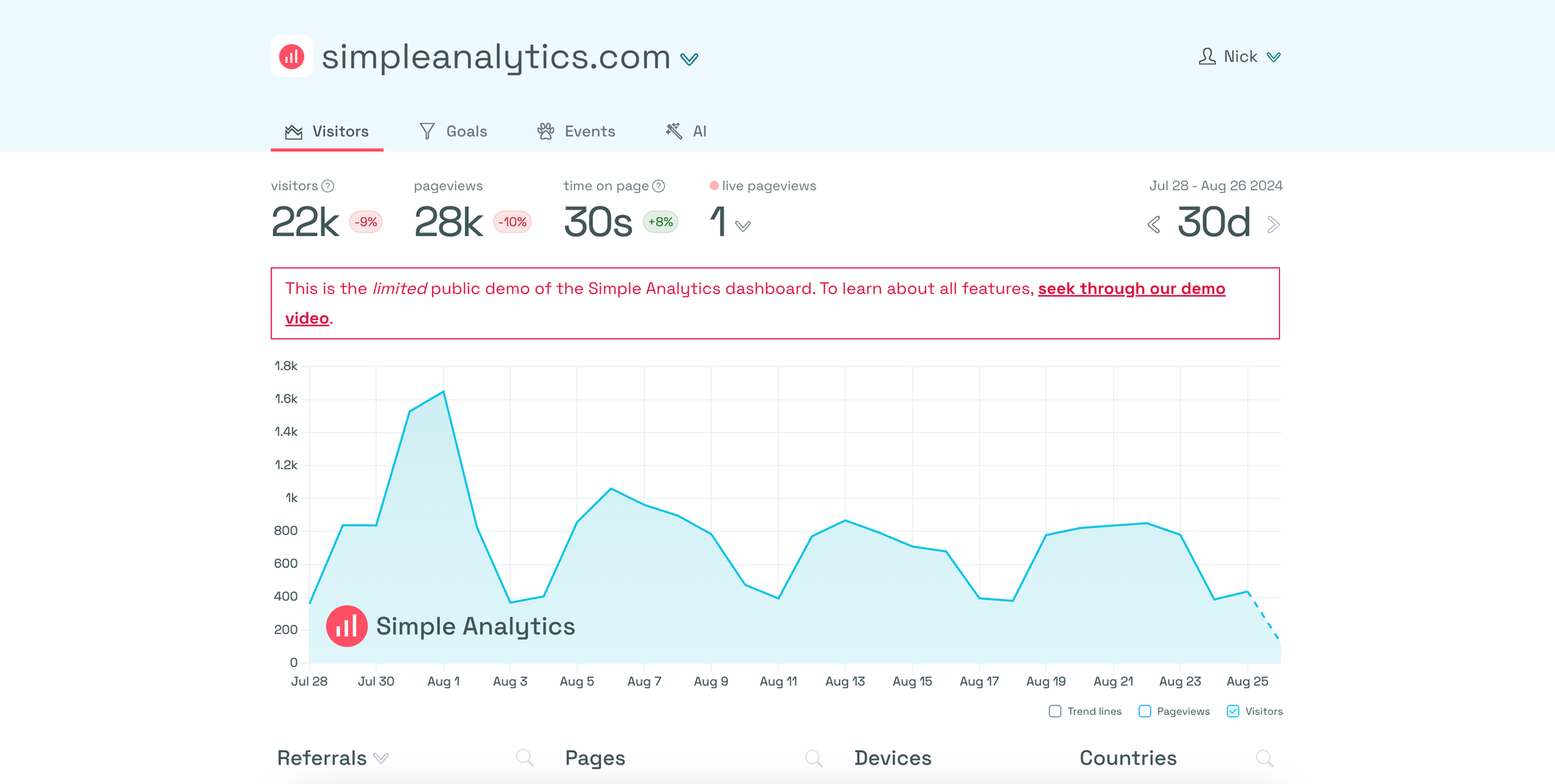
When it came time to pull the trigger on moving away from GA4, I opted for Simple Analytics.
The biggest selling point for me was taking the complexity out of analytics. Setting up the service was painless. I just added two snippets of Javascript to the footer of my site, and it started tracking effortlessly. You can also easily import your data from GA4 within minutes, so migration isn’t a challenge.
I’ll probably dive into a more detailed review of the service in the near future, but I enjoy being able to easily track events and turn them into goals.
I also appreciate the fact that Simple Analytics takes privacy seriously, so I can confidently see BTTR’s ongoing performance without having a giant corporation use that information for its ends.
In fact, Simple is far from giant. It’s run by a small team, who respond to support emails directly and comment on your LinkedIn posts. I love the passion they have for their product.
Matomo
- From $31/month. Free self-hosted option available.
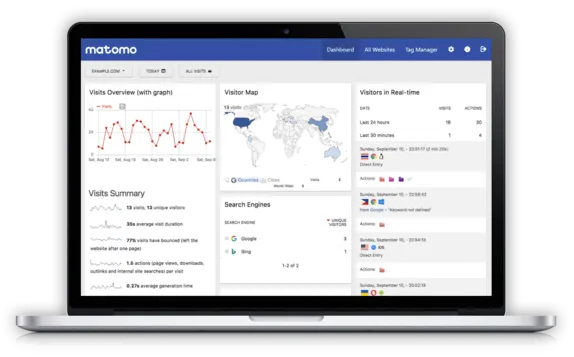
Matomo is another privacy-first analytics platform. It offers both a cloud hosted service, and a self-hosted option.
I played around with the self-hosted option when the site was using WordPress as a CMS, taking advantage of the easy WordPress plugin to track performance. When I moved to Ghost, however, the cost of the entry cloud plan and the difficulty of self-hosting convinced me to look elsewhere.
Matomo’s user interface is really clean and easy to use. You can set your own goals, and track performance easily over a range of time periods.
While the self-hosted version is free, several features are gated behind additional annual fees. Tools like Woocommerce analytics, heat-maps and A/B testing are all available for extra fees, which can cost as much as 499EUR/year.
If you run a large site, you shouldn’t let that put you off, though. I found the performance to be quick and responsive, and the privacy features to be strong.
Fathom
- From US$15/month. 30-day free trial
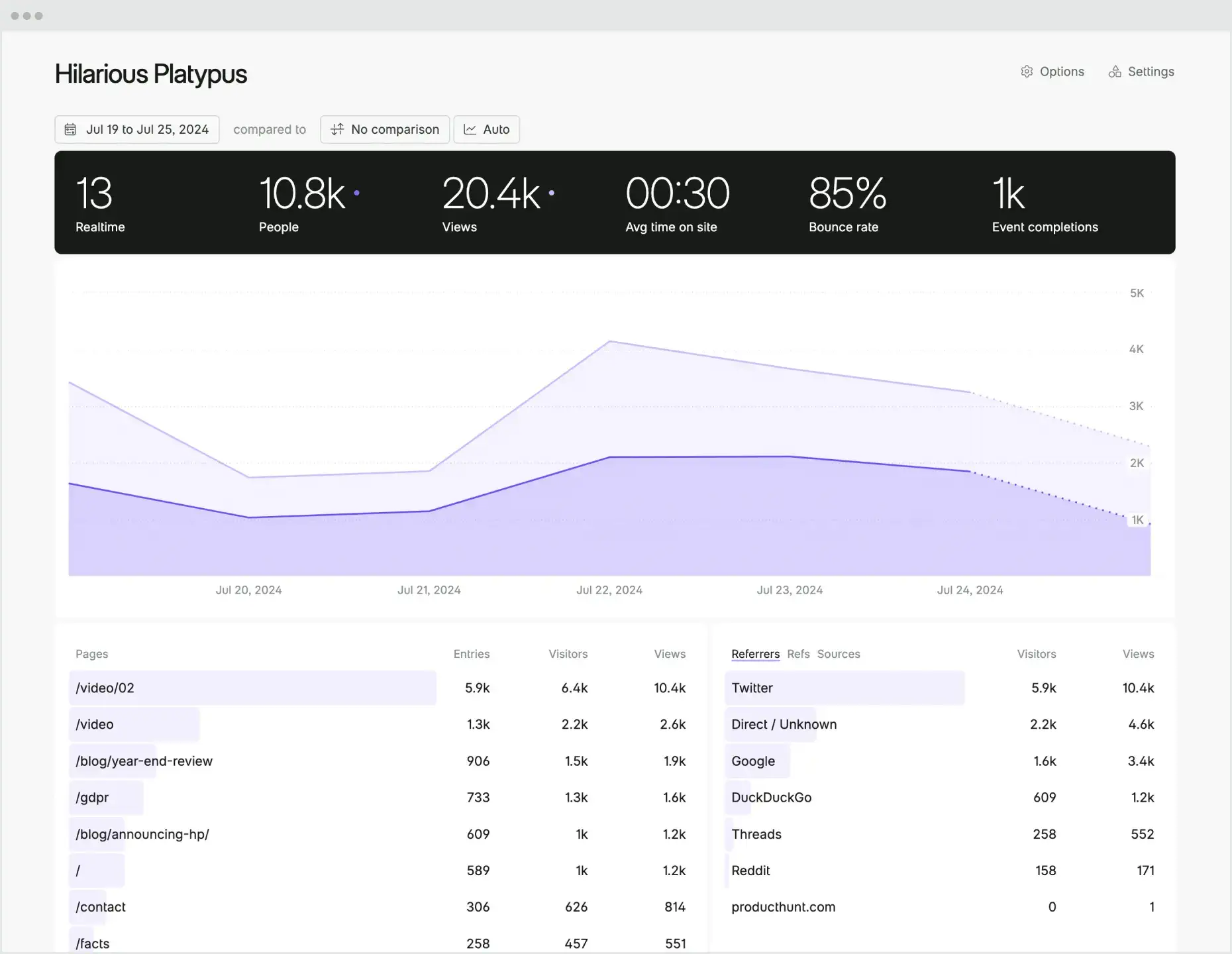
Fathom is a single page dashboard, that offers a comprehensive view of your website’s performance. It’s a single line of code to get started, and you can easily import GA data into your dashboard.
Like most of the alternatives on this page, Fathom complies with privacy laws, and doesn’t use cookies to track your visitors.
There’s a lot of flexibility and a nice real-time visitor view that is an easy way to track how your site is performing at any given moment.
I particularly like the ability to track up to 50 sites, including ecommerce event tracking, on the cheapest plan option. You also get unlimited email reports, which is essential for larger businesses.
Plausible
- From US$9/month. 30-day free trial
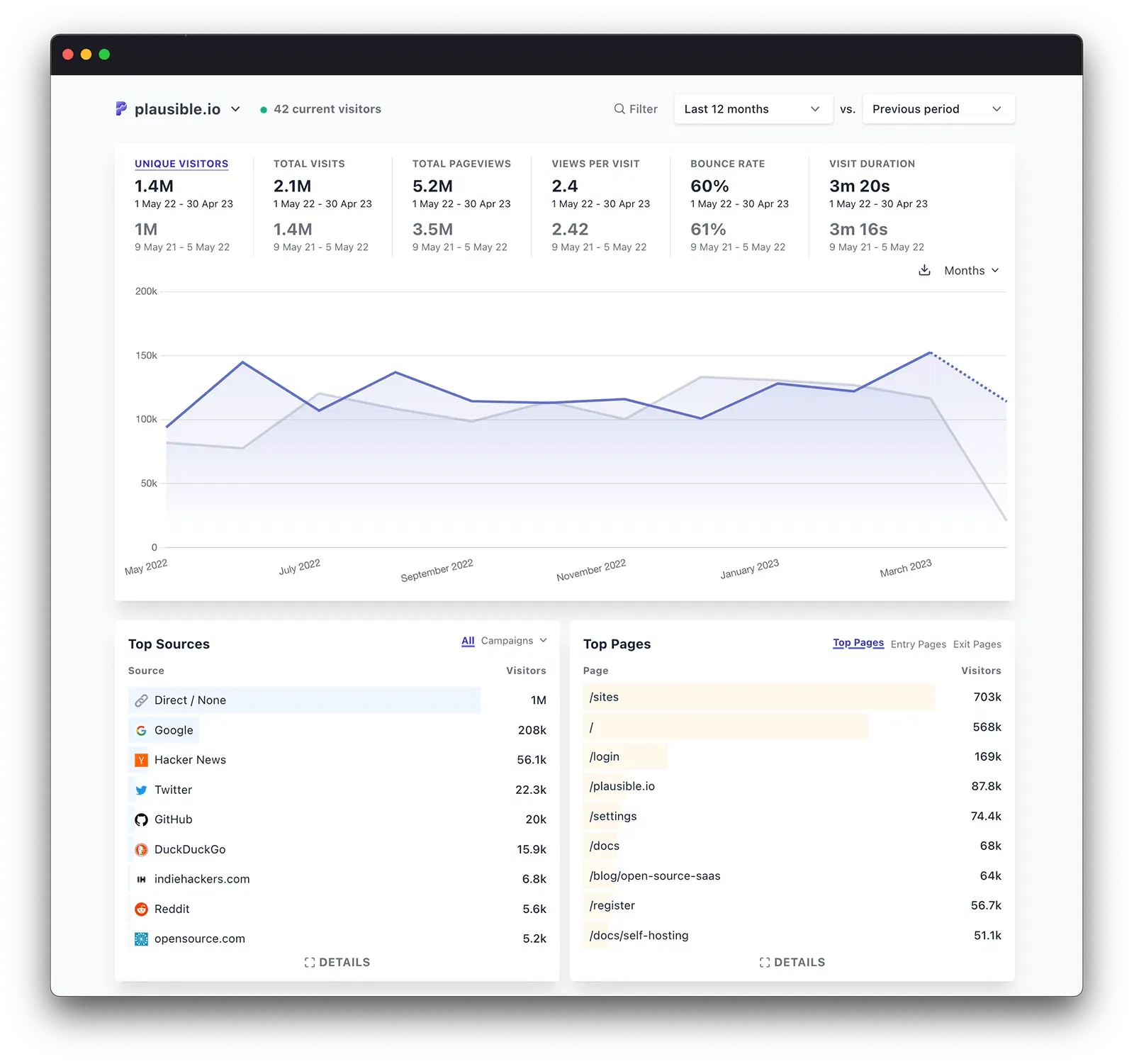
Plausible is another lightweight Google Analytics alternative with a privacy focus. It’s quick and easy to set up and integrate, and integrates with Google Search Console to offer your site’s search results in its dashboard.
Like the other platforms so far, Plausible is privacy-first, with no cookies and compliant with GDPR, CCPA and PECR regulations.
You can receive both email and slack reports effortlessly, as well as creating goals and custom events.
Importing GA data is simple, and if you’re a bit more technical, you can self-host Plausible as well.
Piwik Pro
- The Core plan is free.
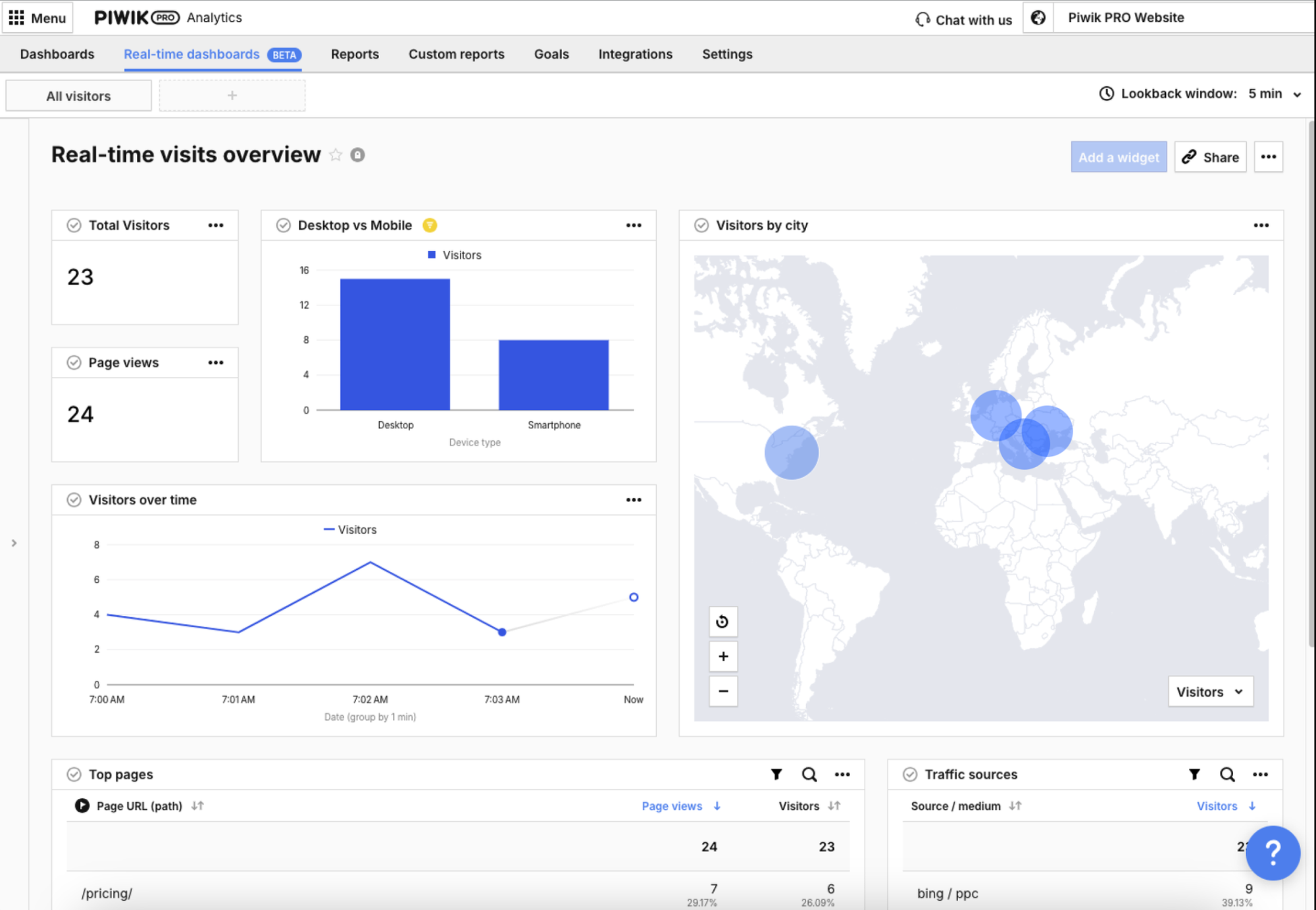
Piwik Pro is more than just analytics. It also includes a tag manager and a consent manager as part of its platform.
This makes it a better option for sites that need to have more control and detail over their website analytics.
It offers direct integration with services like Google Search Console and Google Ads, as well as ecommerce tracking and product analytics.
You can create and customise your dashboards for not just traffic, but also things like page speed or SEO.
Clicky
- Pricing from free. 21 day free trial for all plans
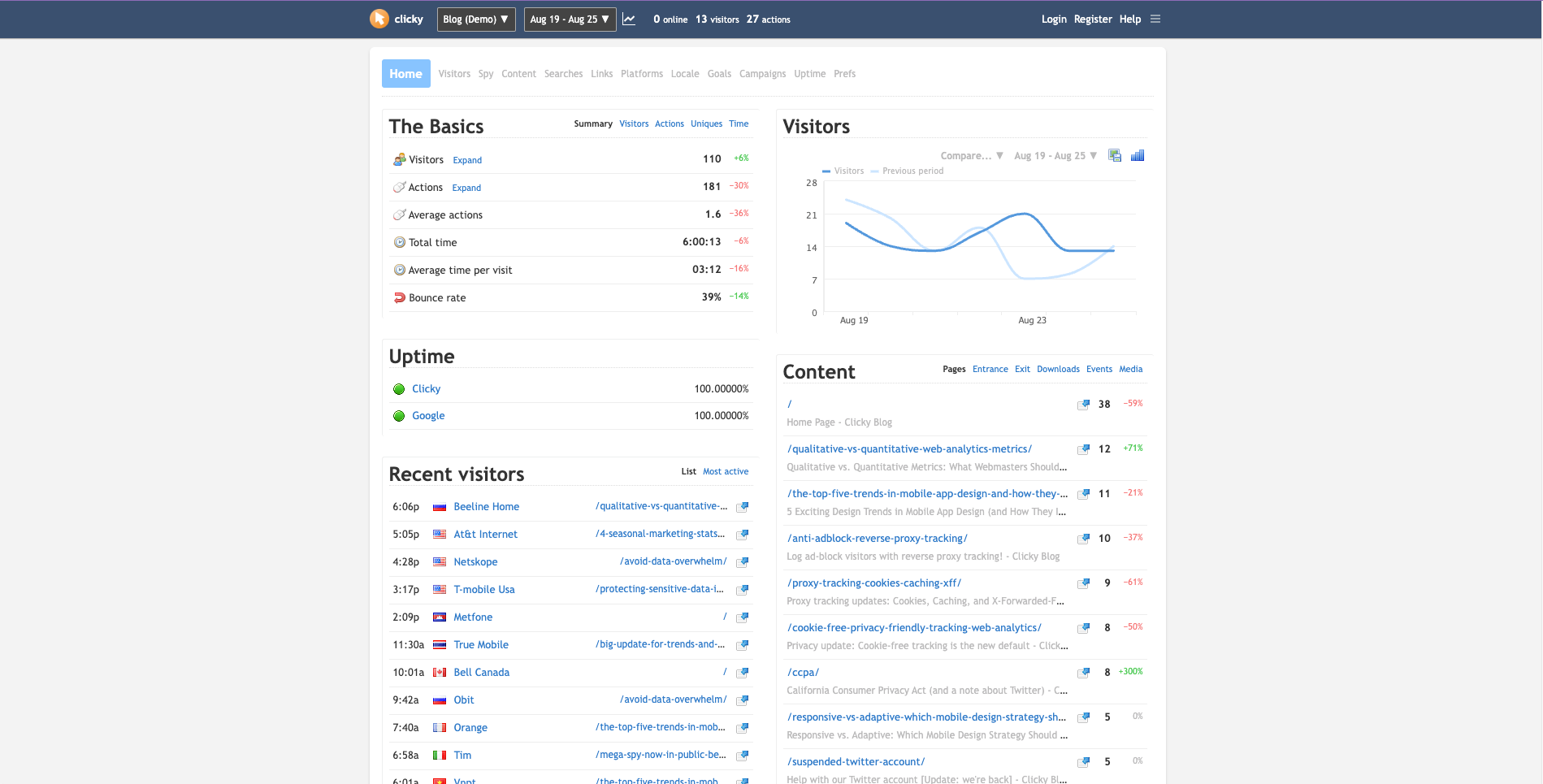
Click is a low-key GDPR-compliant analytics platform. I’m going to be honest, though, it doesn’t look like it has a really intuitive user interface.
It does offer some interesting promises, like bot blocking and tracking ad-block visitors. You can also get integrated heat mapping and things like backlink analytics.
If you want a deeper set of analytics and don’t mind complex dashboards, this could be a suitable option.
Countly
- Pricing from free.
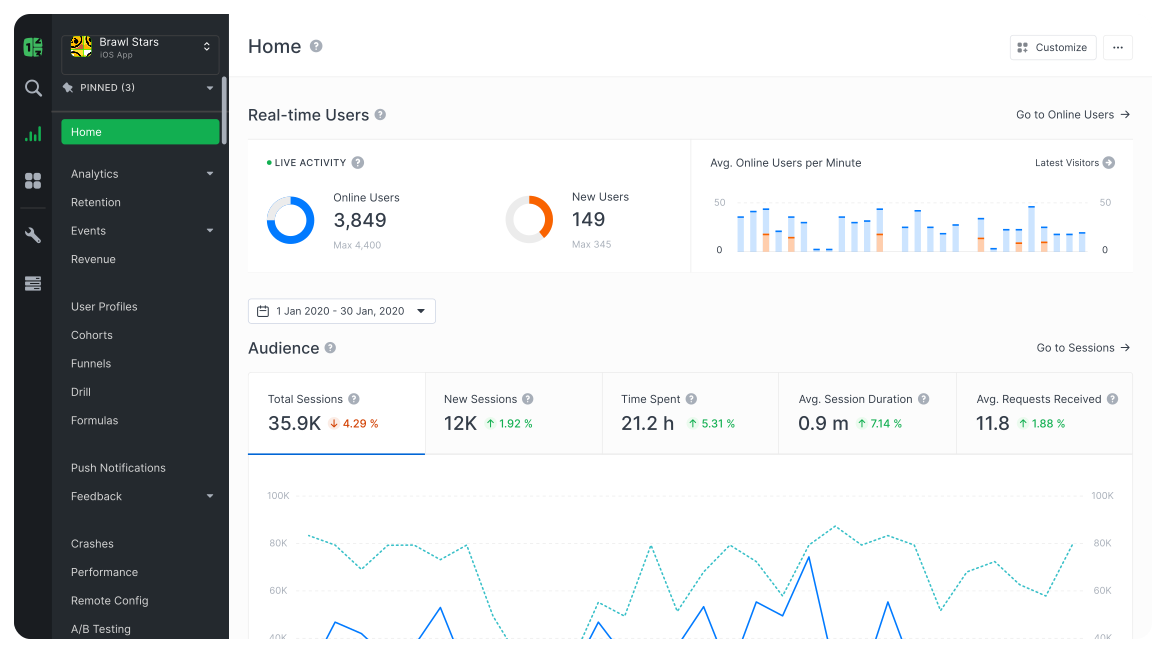
Countly is a comprehensive analytics tool that promises to replace not just Google Analytics, but also a range of other tools. It offers functions like user surveys, A/B testing, heat-maps and NPS.
Countly is a comprehensive suite that scales with your business. It’s GDPR-compliant, giving you 100% ownership and control of your data.
If you want more profound insights into your customers, as well as more control over how you engage with them, Countly looks to be a solid place to start.
GoSquared
- From US$9/month. 7 Day free trial
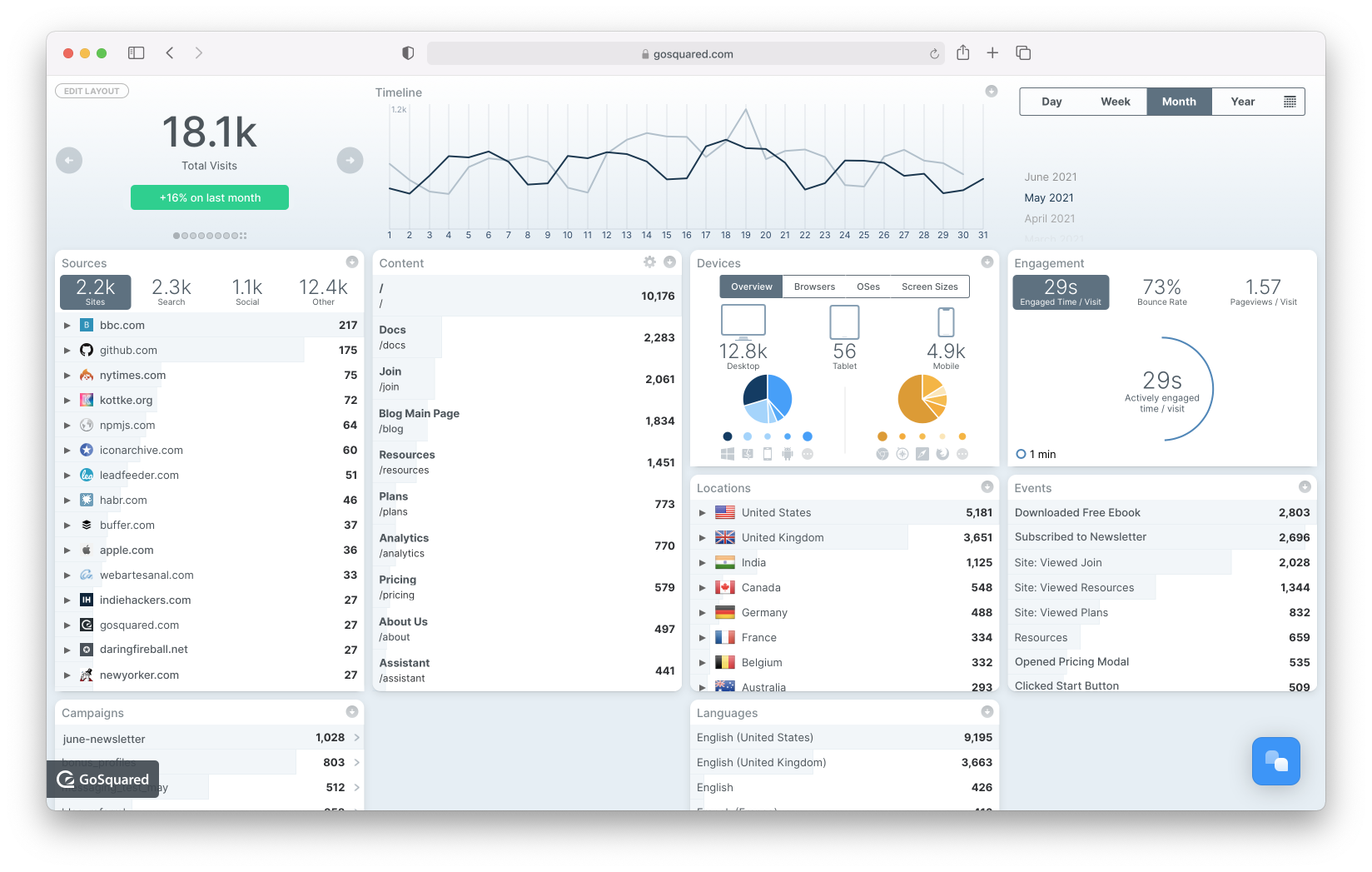
GoSquared integrates with hundreds of the tools you already use to help deliver privacy-focused analytics for your website.
GoSquared has been offering its analytics services since 2006, so it has a long history of doing this. It’s engineered for privacy and is fully GDPR-compliant.
GoSquared is also built as a real-time analytics platform, giving you useful real-time data to track how your site is performing in the moment.
Cabin Analytics
- Pricing from free.
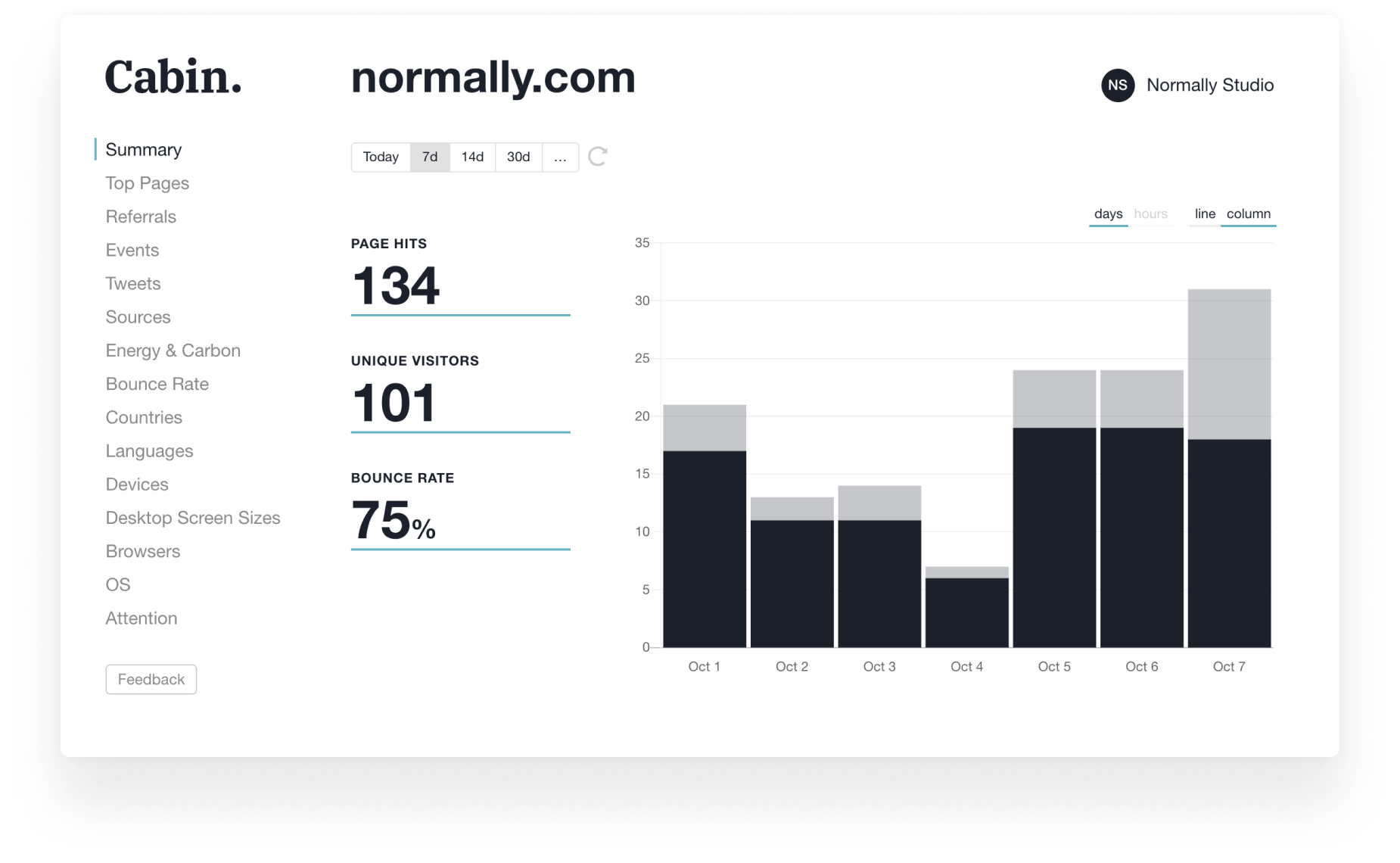
Cabin is an analytics platform for the environmentally conscious. It’s a privacy-first platform that is compliant with global privacy laws and removes cookies.
But its biggest feature is a commitment to the planet. By using sustainable cloud infrastructure, minimise electricity usage and tracking your site’s carbon footprint over time, it can offer insights into improving your site to reduce that CO2 usage.
With a clear and simple to understand dashboard, Cabin looks to be a straightforward analytics tool for smaller websites.
Counter
- Pricing from free. Pay when ready model.
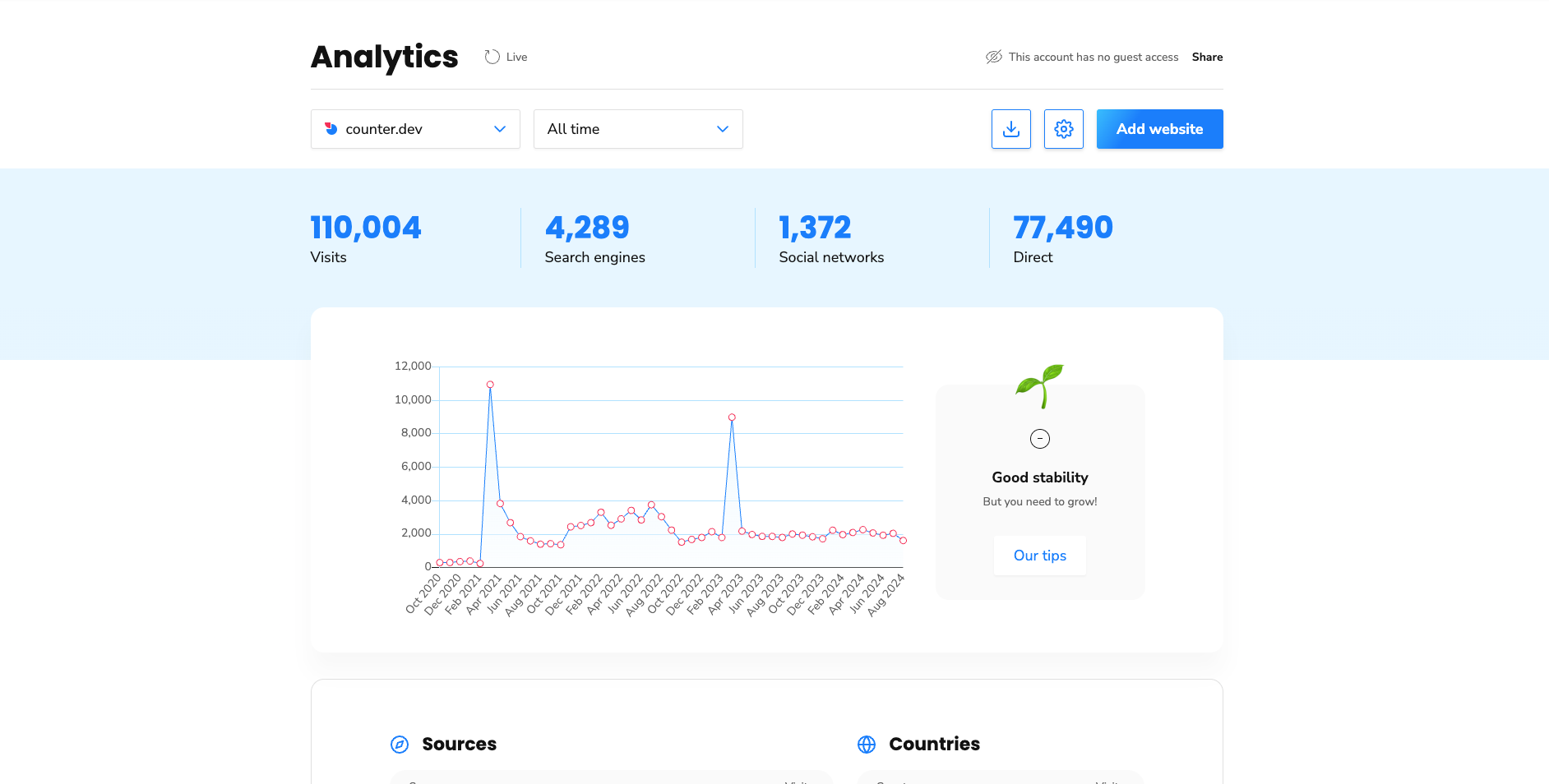
Counter is a nice-looking analytics platform. With a simple user interface and open-source code that encourages collaboration, perhaps the most interesting aspect of the Counter platform is its “Pay when ready” model.
Effectively, the tool is free until you are ready to help pay.
While that is potentially open to abuse, it’s a helpful option for smaller sites looking for an elegant solution that doesn’t cost a lot.
Counter is also a privacy-first platform, with no cookies, no logging and no IP address fingerprinting.
Amplitude Analytics
- Pricing from free.
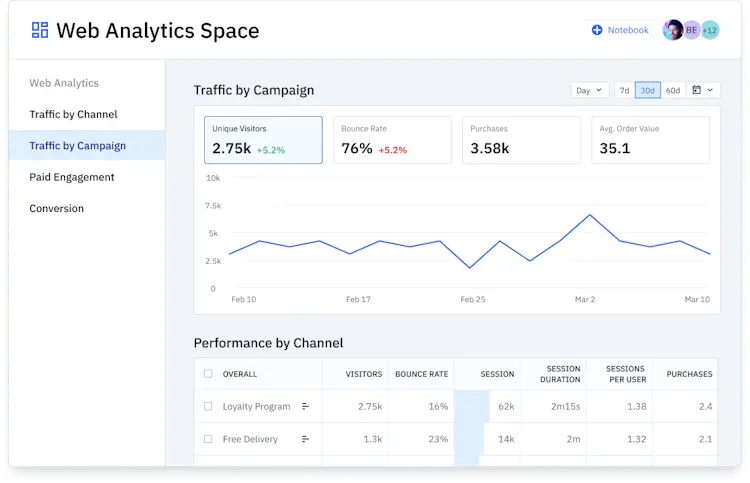
Used by companies like Atlassian and Shell, Amplitude is a comprehensive analytics platform that can help businesses scale faster.
With a single line of code, you can track comprehensive analytics across your website, with detailed insights into how users interact on your website.
The platform also offers detailed product analytics, and can connect to your company’s data warehouse for even more profound data insights.
What I learned moving away from GA4
Look, I know my use case for website analytics is quite different to other website owners. That’s part of the reason I opted for Simple Analytics.
But my goal with this guide is to show how easy it is to move away from Google’s platform. You may have to pay for insights you used to get for “free” with GA, but you can also unlock a whole heap of extra functionality and data insight, depending on the platform you choose and your business’ needs.
If you haven’t already spent a bit of time looking at alternatives, now’s a great time to do it.
A lot of services offer easy data migration. While you may have to set up your businesses custom events and tracking to get the most out of it, the benefit will likely far outweigh the cost of having to continue to use Google’s sub-par GA4 platform.
If you've tried any of the platforms above, or want to call out a service I missed, hit me up in the comments below.
Latest productivity software deals
- De-Googling #1: A better search engine
- De-Googling #2: Getting Google out of my phone