
BTTR is independent. We may earn a commission if you buy through our links. Why trust us?
By reworking how it lays out the pixels in its new G5 OLED TV, LG has completely overcome any issues with brightness in OLED panels. The G5 is gorgeous, with bright and vibrant colours and impeccable picture quality.
- Incredible contrast, blackest blacks and vibrant colours
- No issues with brightness
- Does a good job with reflections in a bright room
- Ads in the operating system
- Not exactly cheap
It’s been a couple of years since I’ve had the chance to test out an LG OLED TV. My last review was the G3 model, which was comfortably my favourite TV of 2023.
In this year’s model, LG tinkered under the hood with how it aligned the pixels. The result is an exceptionally bright display that overcomes some of the brightness challenges OLED TVs have had in the past.
It also offers the added benefit of brilliant colour reproduction coupled with OLED's regular Black levels.
All I can say is that timing my review of the G5 with the release of Stranger Things Season Five was a stroke of unintended genius on my part.
What makes the OLED G5 stand out?
One of the challenges with OLED TVs historically has been the fact that while the panels do an exceptional job with blacks, they typically lack brightness.
This becomes painfully obvious in brightly lit rooms, where the screen reflects light and the OLED panel struggles to overcome the reflection. Where Samsung opted to add an anti-reflective coating to its lineup of OLED TVs, LG this year reworked the internal arrangement of the pixels to better produce a brighter image.
The G5 uses something it calls “Primary RGB Tandem technology”. As a really broad summary, it works by separating the yellow layer from the previous generation into dedicated green and red layers to create a stack of four OLEDs. These can combine to generate not just a brighter picture, but also better colour depth with reduced power consumption.
Essentially, it means that there are four layers of OLEDs generating the pixels, up from three in the previous generation. And because the pixels are coloured – not white light passing through a filter – the image brightness is strong and vibrant without sacrificing colour at all.
The end result is a stunning picture. I know I used similar words to describe the G3, but trust me when I say that the G5 looks nicer.
Specs
| Specification | Details |
|---|---|
| Available Sizes | 48", 55", 65", 77", 83", 97" |
| Display Type | 4K OLED (3,840 x 2,160) |
| Picture Processor | α11 AI Processor 4K Gen2 |
| Brightness Technology | Brightness Booster Ultimate (55"-83" models); Brightness Booster Max (97" model) |
| Refresh Rate (Native) | 120Hz Native |
| VRR Support | Up to 165Hz (55"-83" models); Up to 120Hz (97" model) |
| Sync Technologies | NVIDIA G-Sync Compatible, AMD FreeSync Premium |
| Response Time | Less than 0.1ms |
| HDMI Inputs | 4 x HDMI 2.1 (4K@120Hz/165Hz, VRR, ALLM, eARC) |
| HDR Support | Dolby Vision / HDR10 / HLG |
| Upscaling | α11 AI Super Upscaling 4K |
| Audio Output | 60W |
| Audio Technology | Dolby Atmos, α11 AI Sound Pro (Virtual 11.1.2 Up-mix) |
| Smart TV Platform | webOS 25 |
| Design | One Wall Design (Slim Wall Mount included) |
| 65" Dimensions (W x H x D, No Stand) | ~1440 x 826 x 25.4 mm |
| 77" Dimensions (W x H x D, No Stand) | ~1712 x 983 x 25.4 mm |
| 83" Dimensions (W x H x D, No Stand) | ~1846 x 1057 x 27.9 mm |
| 97" Dimensions (W x H x D, No Stand) | ~2154 x 1229 x 27.9 mm |
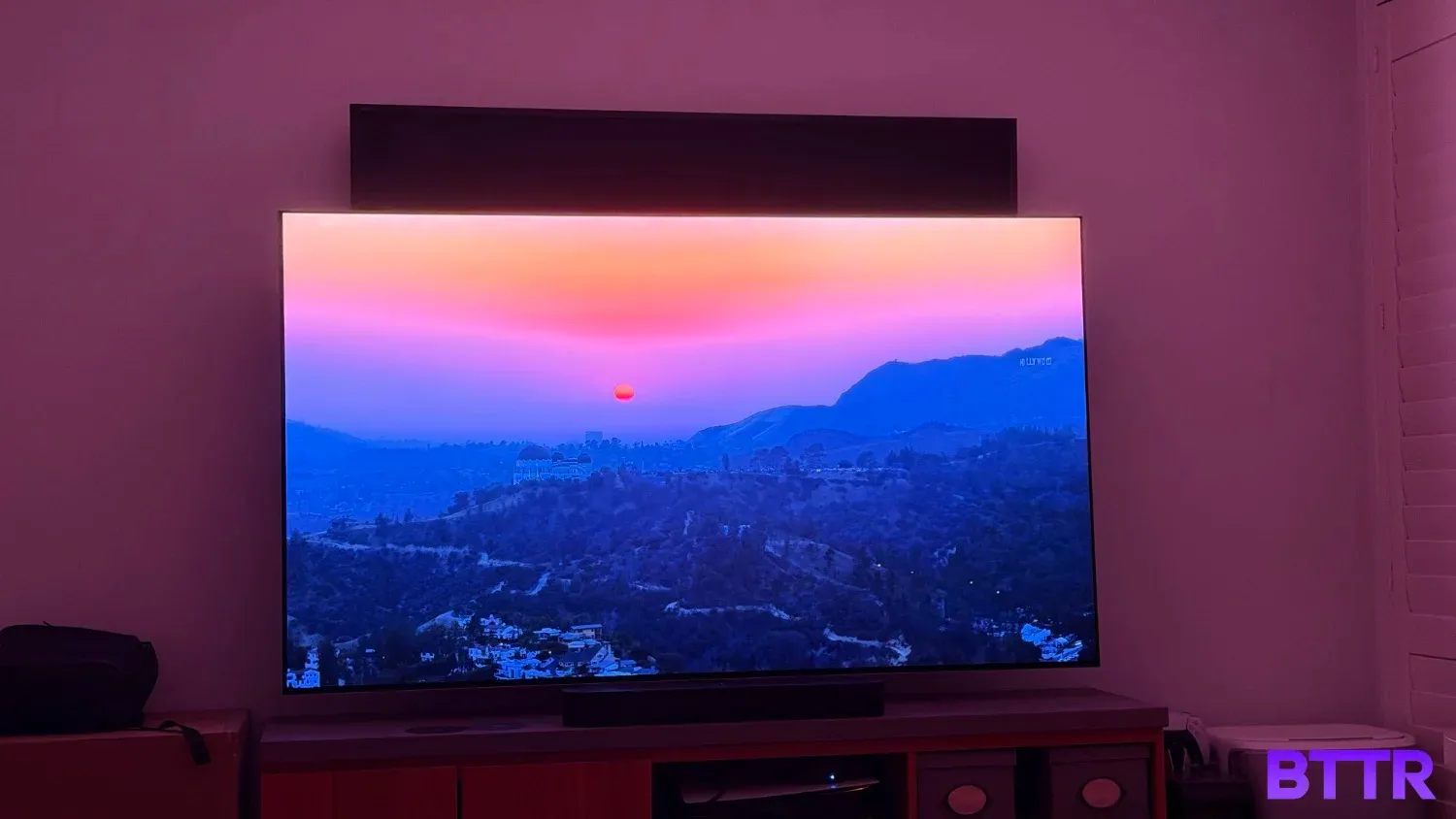
Design and build quality
I tested the 77-inch G5 OLED eco TV, and it was as stunning addition to my room, even with my old Sony 65-inch wall-mounted behind it.
While the G5 is going to look best mounted on your wall, you do get a pedestal stand alongside the slim wall mount in the box. I only had the TV for a matter of weeks, which means I had it set up on the pedestal stand, which does put the TV at a slight angle.
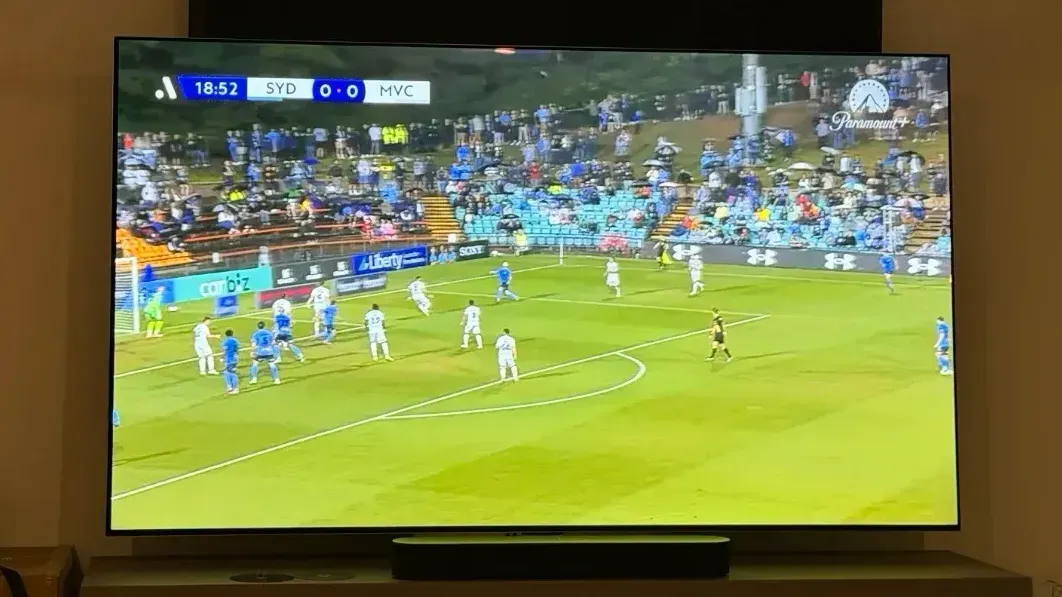
Because the TV does a better job of managing reflections, this actually works quite well. Sitting about five metres from the screen (I have a long lounge room), the picture is clear and vibrant, even on standard HD streams from Netflix or Paramount Plus.
The stand also puts the TV high enough that you can stick a soundbar in front of it without blocking the image.
The panel isn’t the thinnest TV I’ve tested, particularly given its OLED foundation. But it’s still thin and sleek. The bezel is barely there, roughly a centimetre on the sides, less than that on the top and maybe 1.5 cm on the bottom.
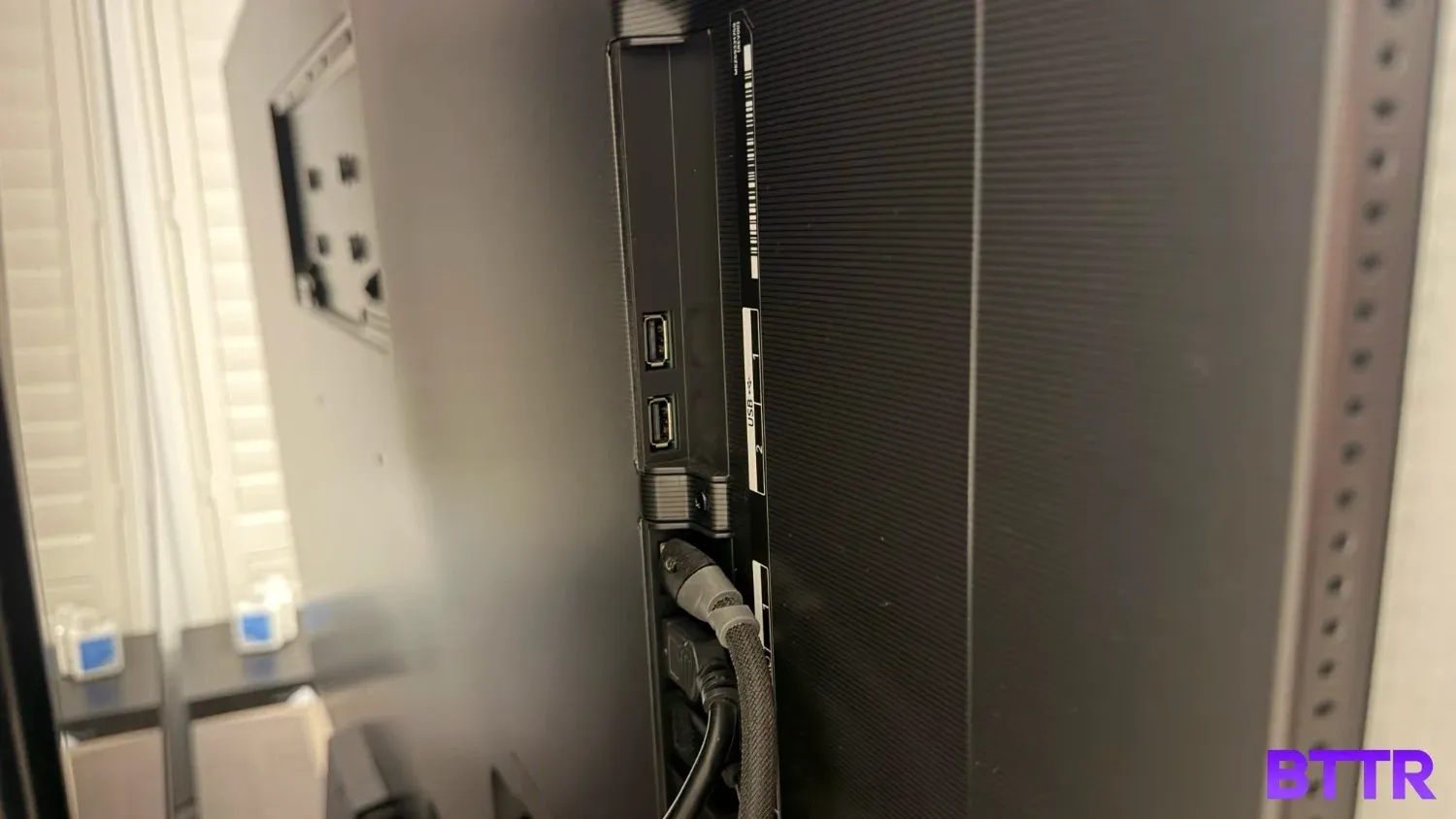
On the back of the panel, you get four HDMI 4.1 slots, which means you can enjoy 4K 120 Hz connections for your game consoles, no matter which port they are connected to.
The panel itself supports a variable refresh rate of 165 Hz, and is compatible with both AMD FreeSync and Nvidia’s G-Sync technologies.
Running the show is the α11 AI Processor 4K Gen2, which helps with everything from the panel’s brightness as well as the 4K upscaling.
The TV has a 4.2 channel speaker system inside, with support for Dolby Atmos and Bluetooth surround mode. But you’ll still want a soundbar.
Picture quality
Last month, my annual Disney Plus subscription was due for renewal, and for the first time since the streaming platform launched, I downgraded to the Standard plan, which only offers 1080p streaming quality.
I haven’t witnessed the quality drop on my own TV yet because I’ve had the LG G5 set up, but I can say that despite the lower streaming quality, I haven’t noticed any real difference.
I’m confident a large part of that is LG’s upscaling technology. Obviously, the better the quality of the source material, the better the picture looks on the TV.
But even older material looks pretty good. I watched older episodes of Curb Your Enthusiasm on HBO Max in 1080p, and I could easily make out the small holes in Larry’s sweater.
Even Seinfeld, streaming on Netflix, a show that I’ve found struggles on larger 4K screens, looks better than on most displays I’ve watched it.
But if you give the G5 a high-quality program, like Stranger Things season 5, for example, and the picture really sings. The iconic scene at the end of episode four – which I won’t mention here for spoiler reasons – was so detailed. The close up of Will’s face showed every pore in incredible detail, with the dark scenes perfectly black offset by the vibrant colours of the fire and flashing lights.
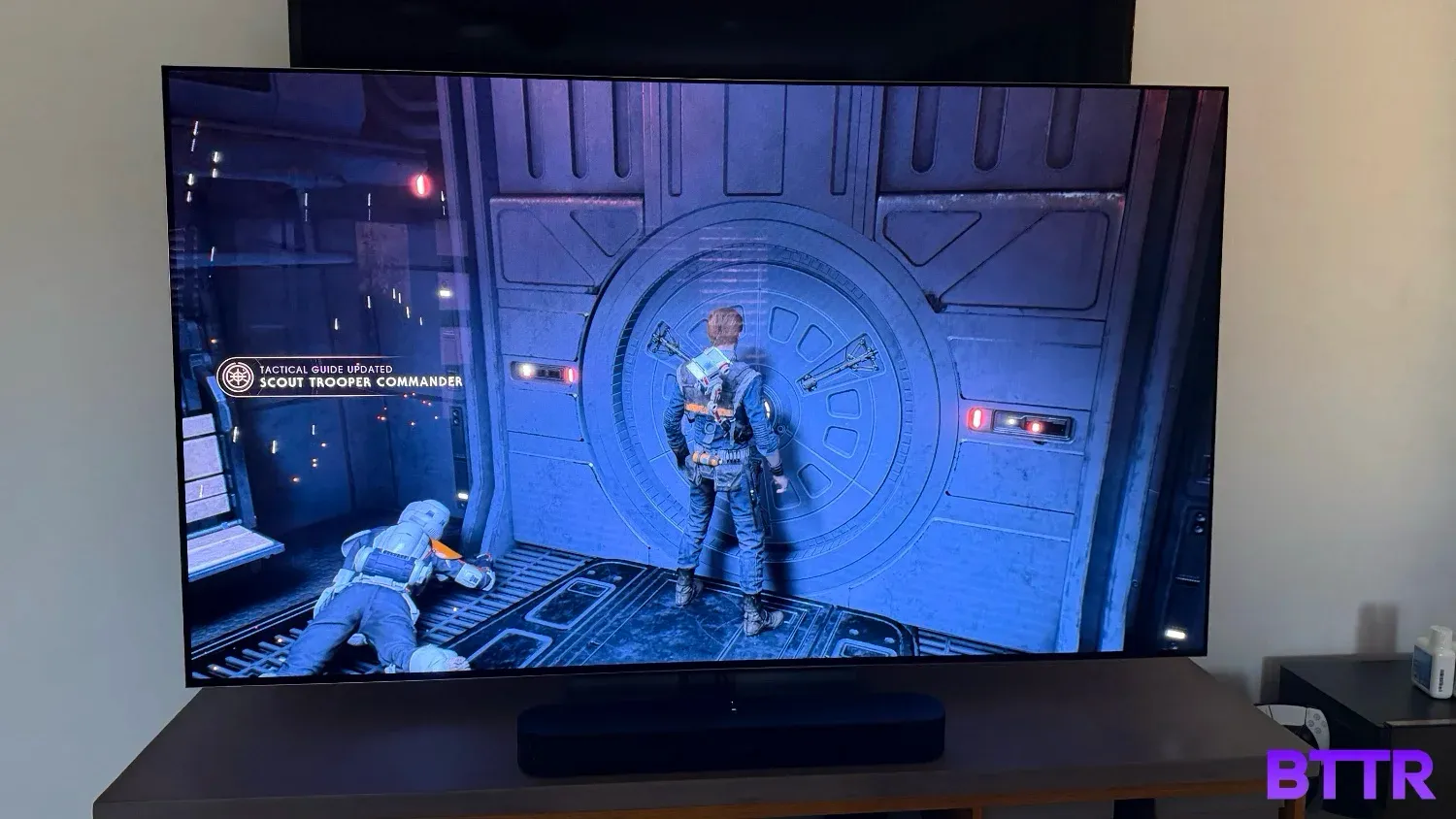
Plugging in the PS5 delivered similarly impressive quality. Watching my daughter play through Jedi: Fallen Order was way too distracting, particularly as she hijacked the AT-AT on Kashyyyk in one of my favourite parts of the game.
But it did let me really watch just how unbelievable the image looked on the G5.
Probably the worst picture quality I encountered was through LG’s own IP TV channels. Streaming Mythbusters, for example, showed plenty of artefacts, particularly with fast motion scenes. That said, it all looked fine in slower piece to camera shots.
Smart features and interface
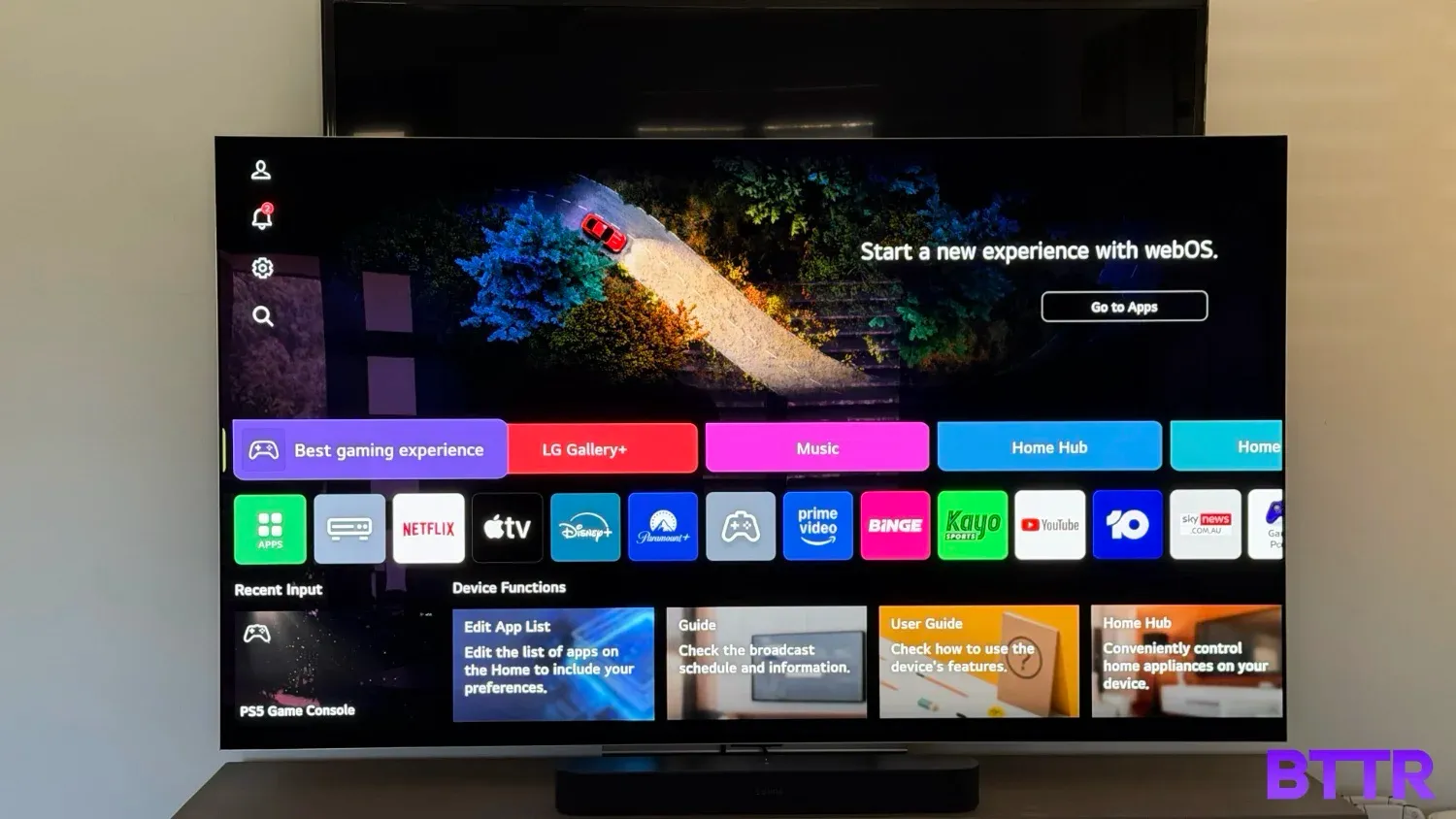
As expected, the G5 OLED evo is running webOS as its OS of choice. While webOS is perfectly functional, I do think LG has completely lost its way on this front.
From the Home Screen, the top half of the screen is dedicated to ads. During my testing, it was limited to ads for LG’s channels and a tip on how to use the AI feature of the remote.
But there is a real absurdity that LG would reserve about 50% of the home screen’s real estate for ads.
You can switch the ads off deep within the settings, but it doesn’t change the layout of the Home Screen – instead, about half of the screen is dedicated to a link to the App Store.
The ads also sneak into other sections of the Home Screen experience. You get “recommendations”, which have shortcuts to popular programs across different streaming platforms you may or not have an account for. And within that, there will be sponsored placements for LG’s channels.
As much as I only saw what were effectively house ads for LG’s own streaming channels, the prominence means it’s going to be far too easy for LG to drop actual ads in those slots. In the early stages of my testing, I found that video ads in that top slot would activate audio if I used the magic remote to hover over that top half of the screen (which is why I went searching for how to turn the feature off).
Fortunately, I found an easy solution: Don’t use the G5 as a smart TV. I plugged in my Apple TV 4K and while I lost LG’s streaming channels, I still came out ahead.
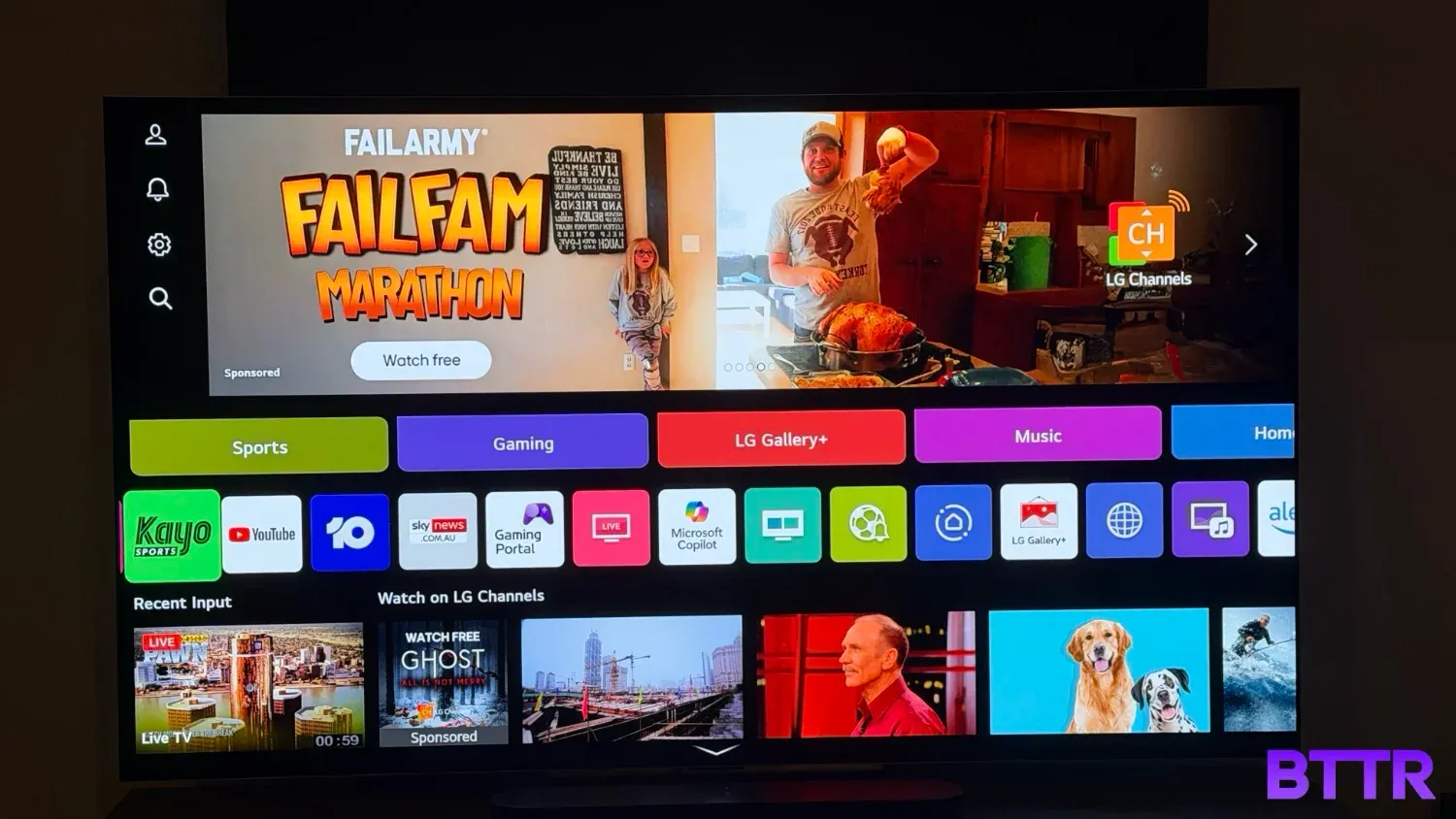
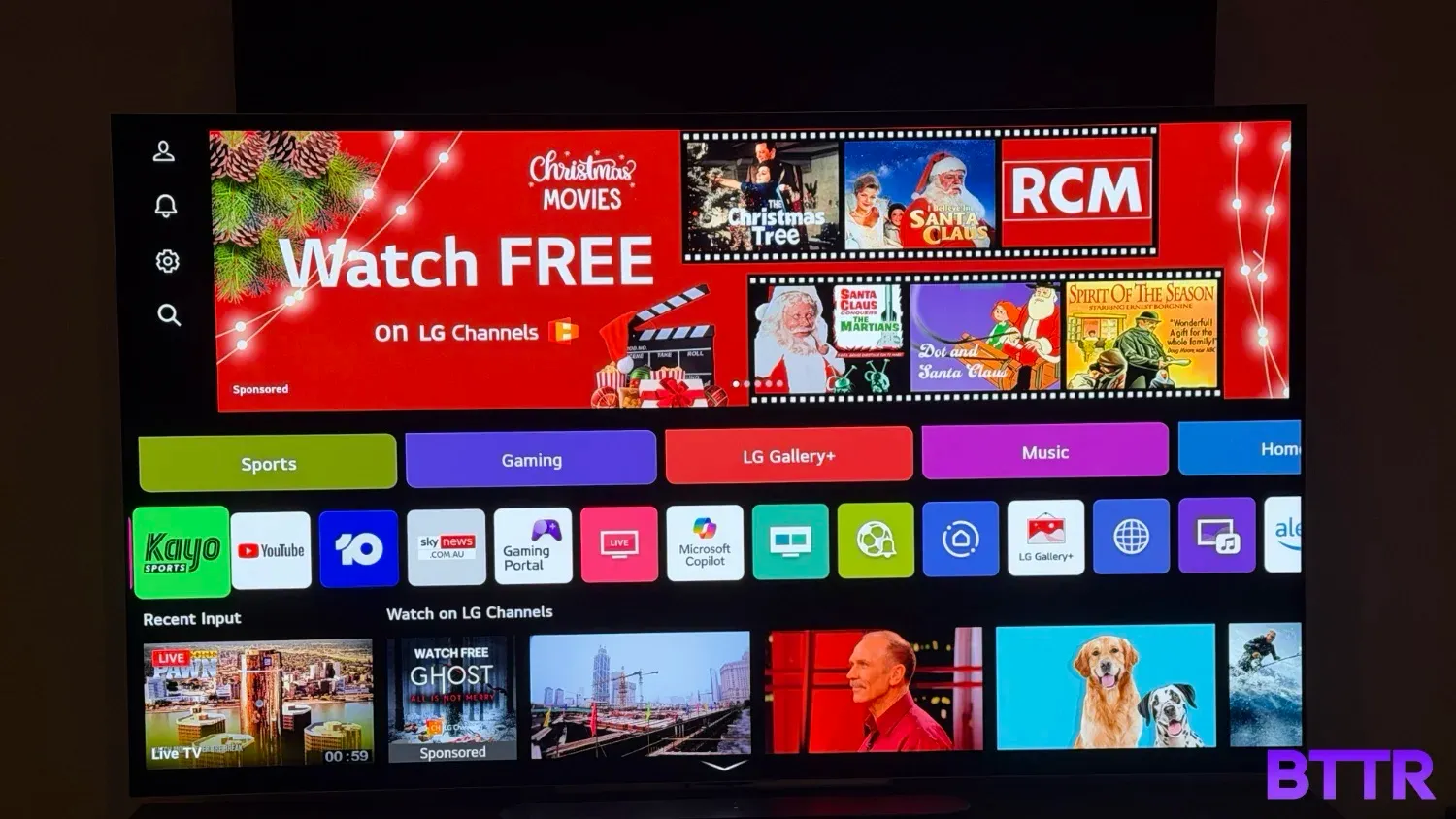
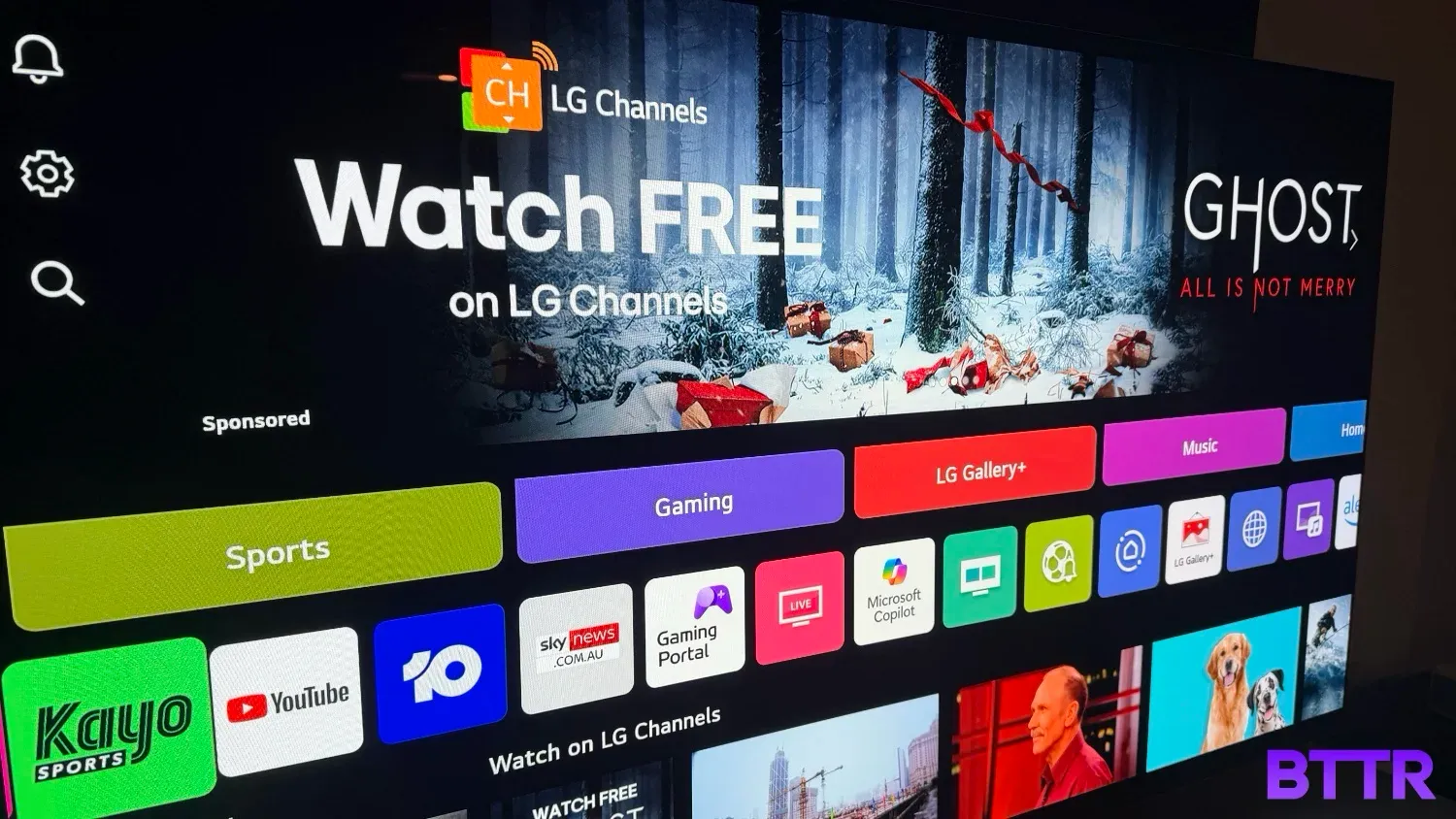
Look at how much space those ads take up. Isn't it awful?
Sound quality
LG has managed to squeeze a 4.2 channel system inside the TV, though like the speakers in all flat panels, it lacks the detail and immersiveness you get from a soundbar or surround home theatre system.
It’s typically fine for watching the news or talk shows, or anything that comes through as basic stereo.
But if you want to immerse yourself in a TV show or movie, plug in your soundbar. It’s worth it.
Value and alternatives
Let’s be honest: The LG G5 is not a cheap TV, though shopping around during sales like Black Friday or Boxing Day does help you pick it up at a significant discount.
Right now as I write this, the 65-inch G5 OLED evo is available for $3,499 from LG as a Christmas offer, which is an $1,800 discount.
That’s about the same price you’ll pay for the Samsung S95F 65-inch model right now, which has a similar RRP.
Which means that while now is a great time to be buying the G5 OLED, it’s still a flagship model that’s priced accordingly. If it’s outside your budget, consider the mid-range C5 or the entry B5 model.
Verdict
The LG OLED evo G5 is a tremendous TV. It combines the perfect blacks of OLED with vibrant, bright colour for what is arguably one of the best pictures I’ve ever experienced on a TV.
While the sound is okay but not exceptional, that’s really par for the course with any flat-screen TV these days. Which means the only real disappointment with this TV comes on the user interface side of things, with LG’s decision to load up its Home Screen with ads.
But given you can easily work around this by using an external streaming box like an Apple TV to manage your digital streaming, it’s difficult to get too upset.
It’s premium price tag means it’s not for everybody, but if you can weather the hit to your credit card, you will not be disappointed by the image this produces.
Buy the LG G5 OLED evo 4K Smart TV if:
- You want exceptional picture quality
- You need a TV that you can watch in any room, even bright ones
- You’re prepared to spend a lot on your new TV
Skip the LG G5 OLED evo 4K Smart TV if:
- You can’t afford to pair the TV with a decent soundbar or speaker system
- You’re ethically opposed to ads in your TV’s UI
Where to buy
The LG G5 OLED evo 4K Smart TV is available in 55-inch, 65-inch, 77-inch (tested), 83-inch and 97-inch screen sizes. RRPs look like this:
| Size | RRP |
|---|---|
| 55-inch | $4,199 |
| 65-inch | $5,299 |
| 77-inch | $7,999 |
| 83-inch | $9,999 |
| 97-inch | $37,999 |
FAQ
What is the main advantage of the LG OLED evo G5 over previous models?
The primary advantage is the significantly increased brightness, achieved through Brightness Booster Ultimate technology (Primary Tandem RGB OLED Panel) and the new α11 AI Processor 4K Gen2. This combination results in substantially brighter highlights and a higher colour volume, making the picture more impactful, especially in HDR content and in brighter viewing environments.
Is the LG G5 TV good for console and PC gaming?
Yes, the LG G5 is excellent for gaming. It supports 4K resolution at up to 165Hz VRR (Variable Refresh Rate) on its four HDMI 2.1 ports (on 55-inch to 83-inch models). It also features ALLM (Auto Low Latency Mode), NVIDIA G-Sync compatibility, AMD FreeSync Premium, and an ultra-fast response time of less than 0.1ms, ensuring fluid, tear-free gameplay.
What is the "One Wall Design" and does the LG G5 come with a stand?
The One Wall Design (Gallery Design) means the TV is engineered to mount flush against the wall like a picture frame, with no visible gap. It comes with a dedicated Slim Wall Mount included in the box. Unlike many other TVs, a traditional tabletop stand is not included with the main G5 models but can often be purchased separately.
What is the new α11 AI Processor 4K Gen2 used for?
The α11 AI Processor Gen2 is LG's most powerful TV chip yet. It uses advanced AI to enhance all aspects of the picture and sound. This includes AI Super Upscaling 4K for better clarity on lower-resolution content, AI Director Processing for perfected cinematic tone, and improved AI Sound Pro for virtual 11.1.2 channel up-mixing.
Does the LG G5 support all major HDR formats?
The LG G5 supports the most widely used premium formats: Dolby Vision, HDR10, and HLG (Hybrid Log-Gamma). Note that, like other LG OLED models, it does not support the competing HDR10+ format. Dolby Vision is the most prevalent premium HDR format on major streaming platforms.