
BTTR is independent. We may earn a commission if you buy through our links. Why trust us?
The espresso 15 Lite is proof that less can be more. By ditching the 4K panel and touch controls of its pricier siblings, it ends up lighter, brighter and cheaper, while keeping the Stand+ and single USB-C simplicity that makes espresso monitors so good to use.
- Symmetrical bezel is a design win — orient it any way you like
- Lower power draw works with iPhones and Android phones without external power
- Stand+ magnetic stand included at this price is exceptional value
- 1080p resolution shows its limits in detail-heavy work like photo or video editing
- Plastic build feels sturdy but lacks the premium feel of the aluminium espresso 15
- You never get to enjoy the colour on the back while you're actually using it
It may be the weakest specced of all the 15-inch Espresso Displays monitors I’ve reviewed here at BTTR, but I do believe that the 15 Lite is my personal favourite.
Despite my love of 4K, and the really ingenious way that Espresso added touch controls to Macs with the 15 Touch, the truth is that I rarely use those features in my day-to-day work.
The 15 Lite somehow manages to strip down the portable monitor to its barest essence – a 1080p display, the excellent Stand+ magnetic stand and a single USB-C cable to power and connect your extra monitor.
And because of its simplicity, it also has a couple of really solid advantages over its more premium stablemates. If you were looking for a way to play Red Dead Redemption from your smartphone on a 15-inch monitor, look no further.
What makes the Espresso Displays 15 Lite stand out?
There’s no question about it — the 15 Lite is a price play. At just $399 RRP, this is the cheapest 15-inch monitor the Aussie company has launched to date.
Hitting that price point has meant sacrifices. There’s no touch control. There’s no 4K resolution – this is 1920 × 1080 only. The body is made from plastic, rather than the Aerospace Aluminium of the espresso 15.
It’s also thicker, at 9.5 mm, compared to the 5.3 mm of the espresso 15.
But where those sacrifices help keep the cost down, they also enable some really significant improvements, including a lighter 700 gram weight and a lower 5.0W power draw (with a brighter 400 nit picture).
You do still get the full 100% sRGB colour Gamut
Plus, my two favourite features – a symmetrical bezel and a range of coloured backs.
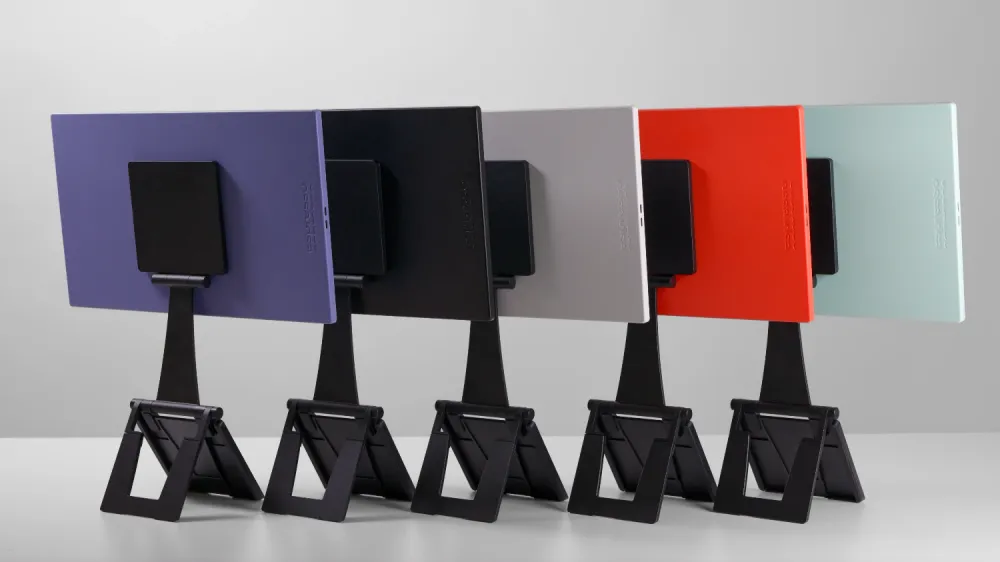
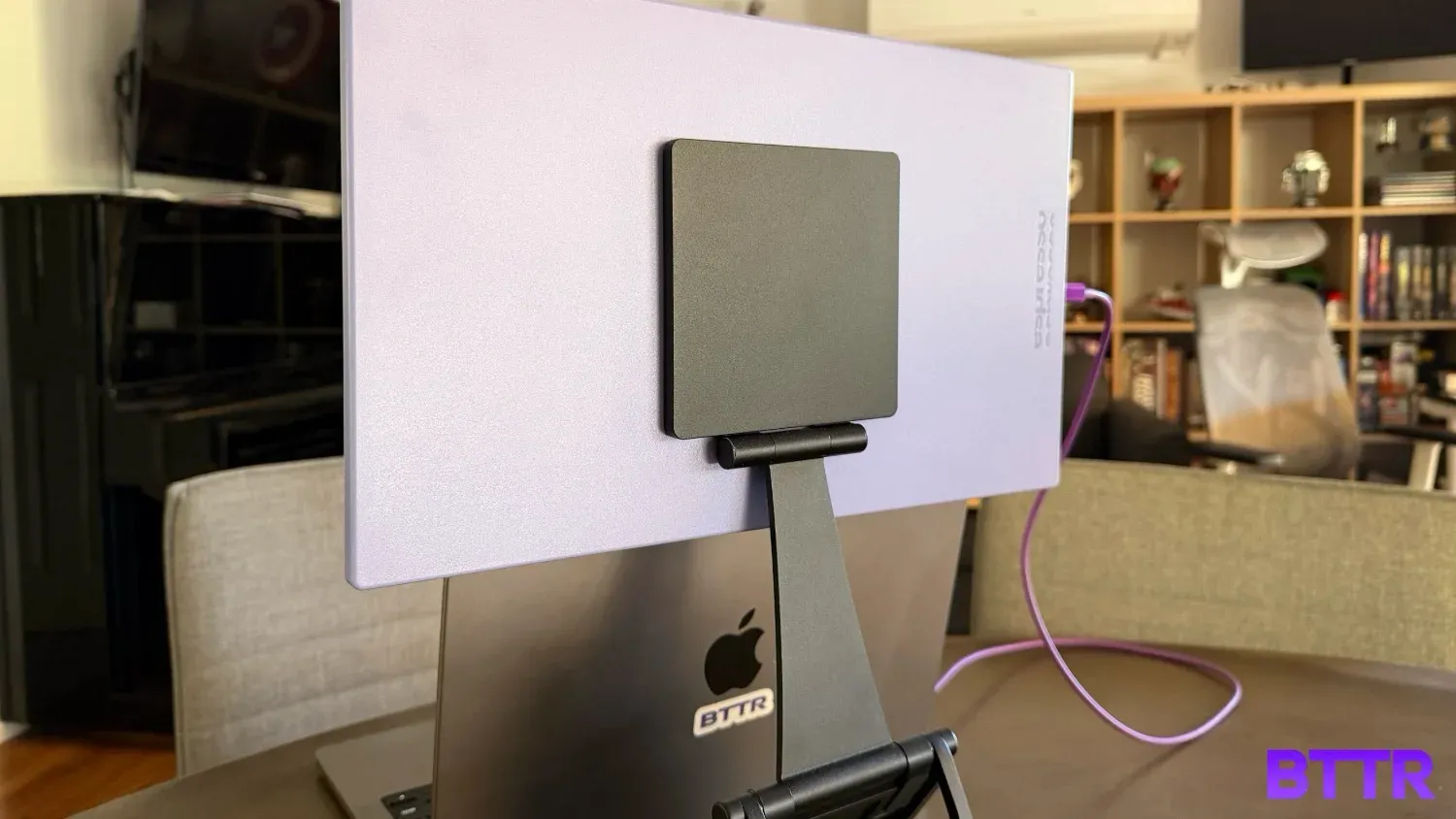
I got to test the purple model, which is gorgeous. But the 15 Lite is also available in Orange, Mint, Black and White.
Regardless of your colour choice, though, you’re only going to be paying that $399 RRP. This price includes not only the monitor, but also the Stand+ stand that lets you magnetically position the screen above a laptop, and a 1-metre USB-C cable that connects to your device, and lets you power the monitor.
Specs
| Category | Specification |
|---|---|
| Display | 15.6" LCD (16:9 Aspect Ratio) |
| Resolution | 1920 x 1080 (FHD) @ 60Hz |
| Brightness | 400 nits |
| Response Time | 10-20 ms |
| Connectivity | 2 x USB-C (Power & Video) |
| Dimensions | 364 x 218 x 9.5 mm |
| Weight | 700 g |
| Touch Support | No |
| Compatibility | Windows, macOS, Gaming Consoles, Mobile (USB-C) |
| In the Box | espresso Lite, Stand+, 1m USB-C Cable, Cleaning Cloth |
| Warranty | 2 Years |
Design and build quality
Just because its frame is plastic does not leave the 15 Lite feeling cheap. Perhaps it’s the extra thickness, but the Lite still feels solid and robust.
It is slightly larger from a dimensions' standpoint, which can make it ever so slightly harder to pack in your bag alongside your laptop. But it’s still manageable.
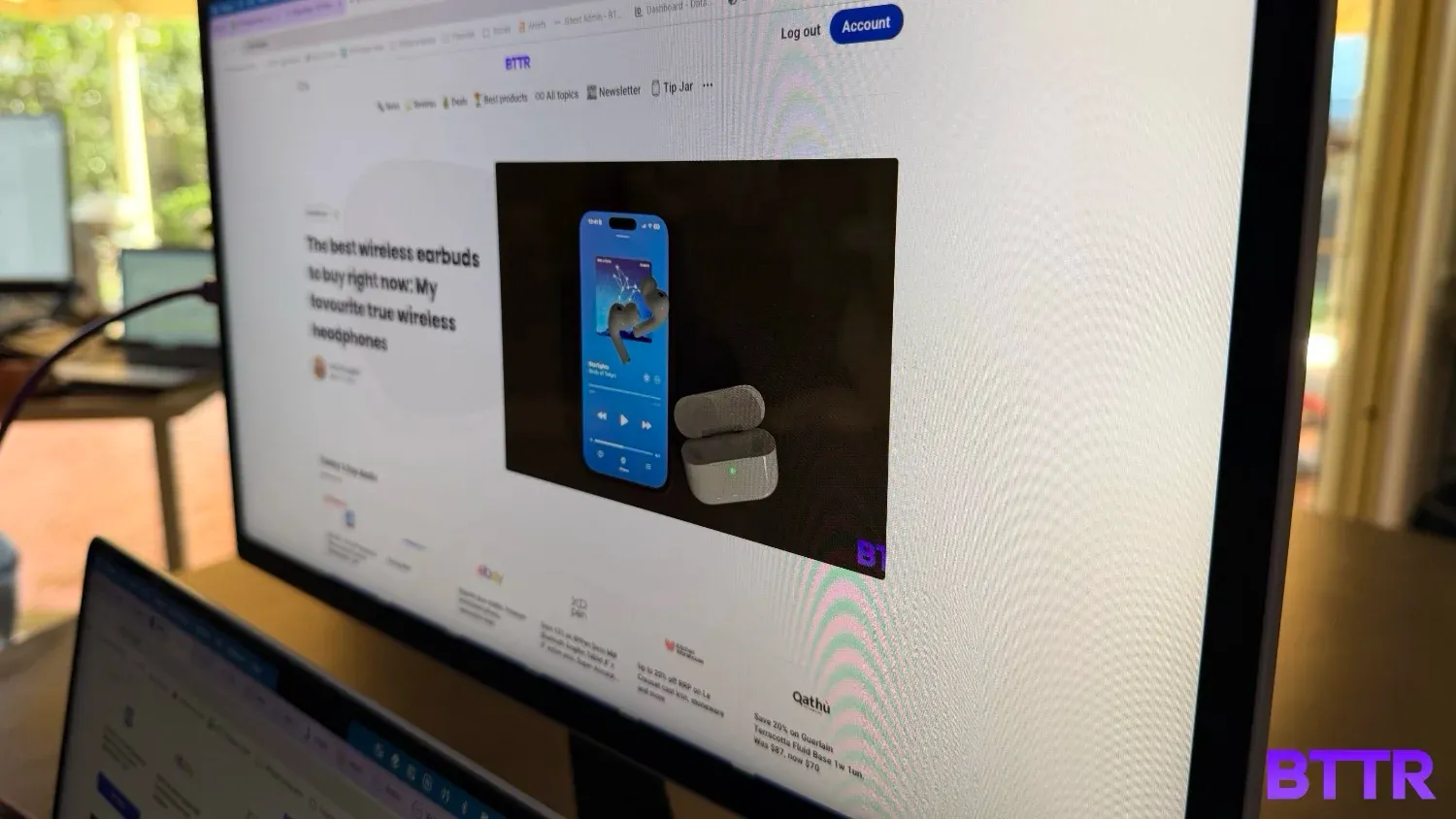
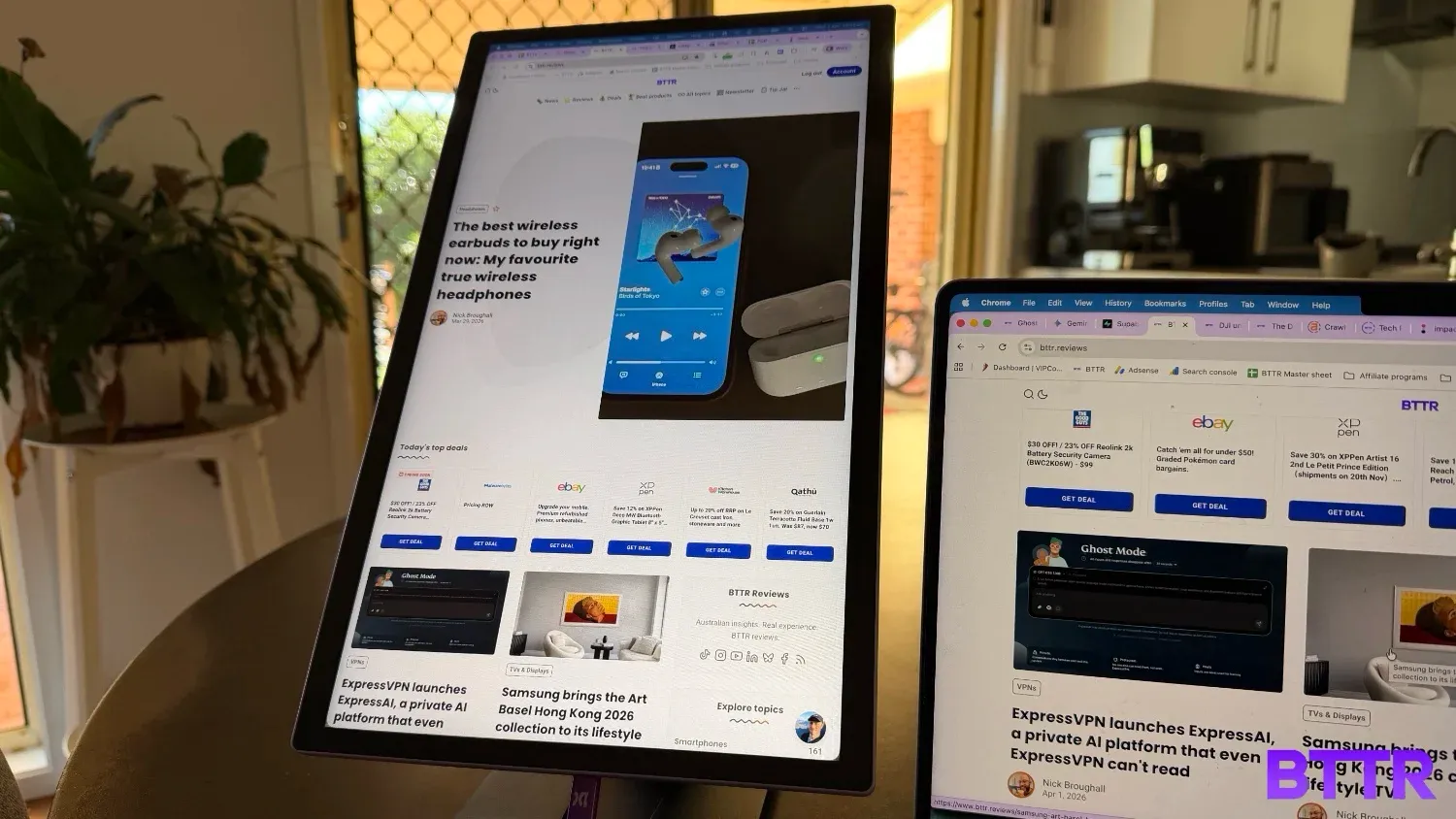
From the front of the display, the most notable difference between this and other Espresso Displays models is the bezel. For the first time, the bezel is symmetrical around all sides of the screen.
I cannot tell you how much I love this design shift. In previous models, the larger bottom bezel has meant that the screen looks a bit off if you wanted to have the usb ports on one specific side of the screen, to make it easier to connect with your laptop.
With the 15 Lite, it doesn’t matter. There’s probably a top and a bottom, but you don’t actually need to worry about it because the screen looks the same, no matter which way you orient it.
And despite my fears, the autorotation of the picture is still in place, so you don’t even need to manually control it. Just set your monitor in whatever alignment you want, and it will automatically show things the right way up.
Like other models from Espresso, the 15 Lite is powered by a single USB-C cable that connects directly to your laptop. These ports are on one of the narrower sides of the display, and again, uniformly spaced, which give the monitor an easier design to manage.
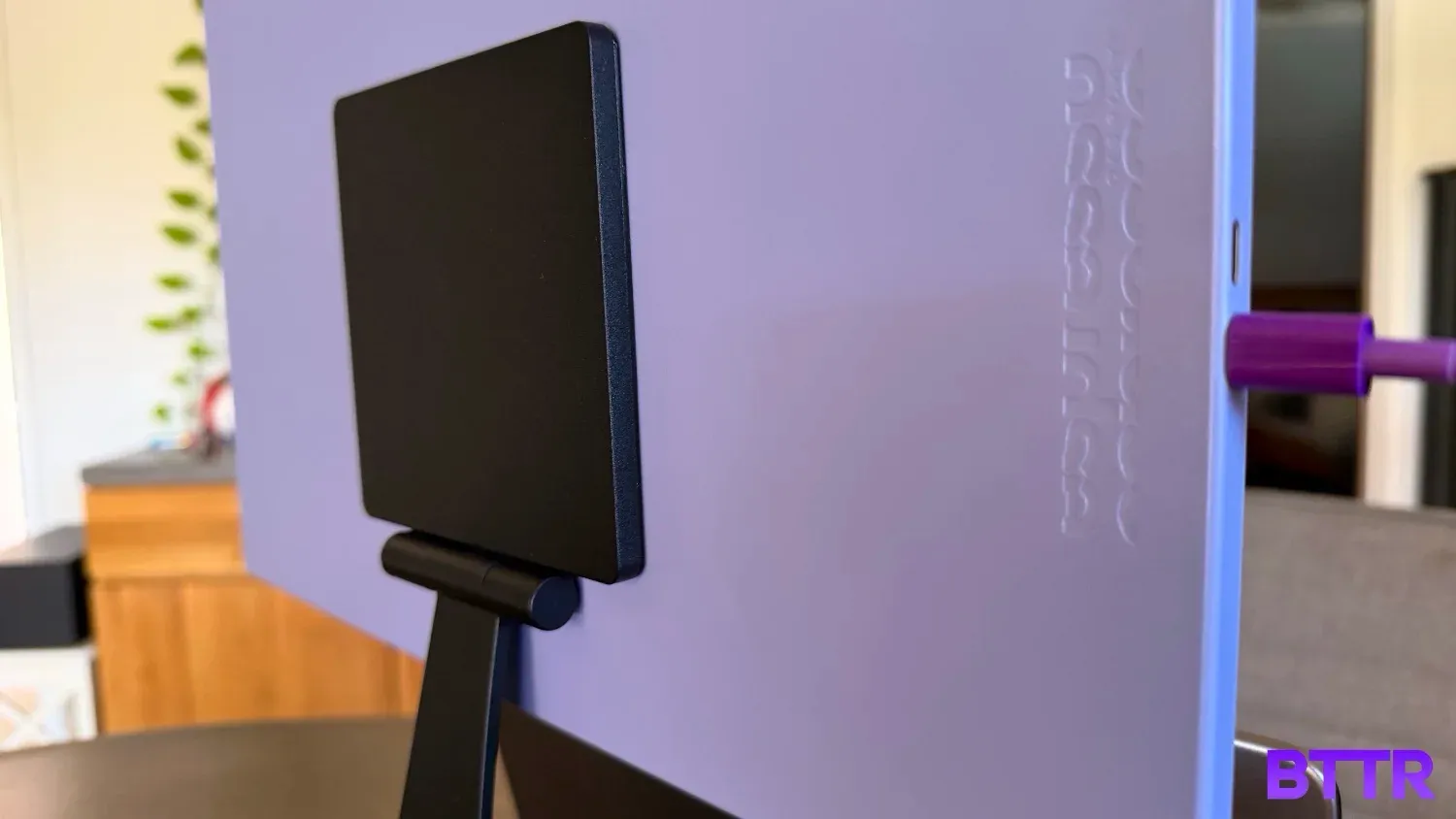
In the box, alongside the cable, you also get a Stand+ magnetic stand, which opens up to let you position the screen wherever you want, including placement directly above a laptop screen.
It’s the unsung hero of the Espresso Displays offering, and the fact it’s still included in the cheapest option is a testament to the quality on offer here.
Finally, the colours are a great addition. The only real shame is that you never really get to see the gentle purple hue yourself while you use the monitor – the colour wraps around the side and barely onto the front outside the bezel.
But everyone watching you work will be able to appreciate the colour. It’s far nicer than the black options of other portable monitors in the range.
Performance
Like every Espresso monitor I’ve tested, using the 15 Lite is effortless. You plug in the USB-C cable to the screen, connect it to your laptop, and you are on your way to a multiscreen setup in seconds.
The monitor stand – while a bit stiff to open up – works flawlessly as well, making it easy to have a multiscreen work environment that doesn’t mean constantly turning your head.
One of the things that I really appreciate with the Lite that other models in the lineup can’t truly deliver is the fact that the lower specs means it doesn’t require as much power to work.
That means you can plug in an iPhone 17 Pro and have the screen mirrored on the 15-inch display with no effort. Or plug in the Galaxy S26 Ultra and Samsung’s phone will kick into DeX mode, with no need for external power.
It still doesn’t work with a Nintendo Switch, sadly. And if you try connecting it to the USB-C port of a controller like the BackBone One it won’t display anything (that’s a charging port, not an output, sorry).
But it’s still great if you need an emergency screen for a presentation or just want to play Sudoku on a bigger display (like we all do, really).
In terms of the screen itself – yes, it’s only 1080p. But using it side by side with the 4K Pro 15 from Espresso, for viewing documents or browsing the web, the difference is difficult to see.
For more detailed image manipulation or video editing, yes, the 4K screen is undoubtedly better suited. For day to day use, though, the 15 Lite is still exemplary.
At 400 nits, it does struggle a bit in full sunlight. But how often do you work in the full sun, really?
Finally, because there’s no touchscreen, controlling the monitor’s settings is all done via the Espresso Flow app. It’s easy to control, and lets you quickly place the screen’s relative position to your laptop monitor, as well as adjusting the brightness and colour mode.
Verdict
At $399 the Espresso Displays 15 Lite sells itself. It’s a compact, convenient, portable monitor that works seamlessly and brings a bit of colour into your work setup (if you want it to).
The biggest decision to make if you’re in the market for a portable monitor is whether you should drop an extra $100 on the regular 15-inch model, with its thinner design and Aerospace Aluminium frame.
For me, I don’t think the extra cash is worth it, given the Lite has a brighter screen, symmetrical bezel and is 65 grams lighter. If the 15 was superior across all specs, then sure, but it’s not a pure compromise. The 15 Lite has some superior features, and is still $100 cheaper.
That for me makes it a no-brainer.
Buy the Espresso Displays 15 Lite if:
- You want a portable second screen that works seamlessly off a single USB-C cable and is ready to go in seconds, without dongles or fuss.
- You need a monitor that'll work with your smartphone (iPhone or Android) without needing an external power source.
- You want a practical portable display at the best price in the espresso range, and you don't need touch controls or 4K for your day-to-day work.
Skip the Espresso Displays 15 Lite if:
- You work heavily in photo or video editing and need the resolution and colour accuracy that only a 4K display can deliver.
- You're a Mac user who specifically wants touch input – the espresso 15 Touch or espresso Pro 15 are better options there
- You're a gamer hoping to use a portable monitor with a Nintendo Switch or a gaming controller. Compatibility is limited here.
Latest computer monitor deals
Frequently Asked Questions
Does the Espresso Displays 15 Lite work with iPhone?
Yes. One of the 15 Lite's standout advantages is its low 5W power draw, which means it can run off the USB-C output of an iPhone 17 Pro (or newer iPhones with USB-C) without needing external power. That's not something the higher-powered 4K models in the espresso range can reliably do.
Does the Espresso Displays 15 Lite work with Android phones?
Yes, with the right phone. If your Android phone supports DisplayPort Alt Mode over USB-C, like the Samsung Galaxy S series, the 15 Lite will work and even trigger Samsung DeX on compatible devices, all from a single cable.
What's the difference between the Espresso Displays 15 Lite and the espresso Display 15?
The main differences come down to build material, thickness, and price. The espresso 15 uses an Aerospace Aluminium frame and is 5.3 mm thin, while the 15 Lite is plastic and 9.5 mm thick. However, the Lite is 65 grams lighter, 400 nits brighter, has a symmetrical bezel and is $100 cheaper. Both are 1080p and include the Stand+ stand.
Does the Espresso Displays 15 Lite need external power?
Not for many devices. With its 5W power draw, the 15 Lite can be powered by most modern laptops, phones, and tablets over USB-C alone. You won't need a separate power adapter for everyday use.
What colours does the Espresso Displays 15 Lite come in?
The 15 Lite is available in five colours: Purple, Orange, Mint, Black, and White, all at the same $399 RRP. The colour appears on the back of the monitor rather than the front face, so it's more of a style statement for those around you than something you'll see yourself while working.