

BTTR is independent. We may earn a commission if you buy through our links. Why trust us?
The Reolink Home Hub centralises footage from up to eight cameras onto locally encrypted microSD storage with no monthly fees attached. It doesn't change how your cameras perform, but it does change how you pay for footage access. Just make sure you budget for a larger microSD card than the one in the box.
- No monthly fees — pay once for the hardware and you're done
- AES-128 encrypted local storage keeps footage off the cloud and inaccessible even if the device is stolen
- Centralised management of up to 8 cameras, with a single event history and weekly activity summaries
- Quick to set up with existing Reolink cameras, and works with Google Home and Alexa
- Only works with Reolink cameras — useless if you've invested in Ring, Arlo, or any other brand
- Requires a free LAN port on your router, which can be a problem on mesh systems with limited ports
- The included 64GB microSD card isn't enough for more than one or two cameras — budget for an upgrade
- No HDMI or USB ports — if you want direct video output or more storage options, you need the Pro model at $409.99
My Ring subscription is due for renewal. And for the first time since I bought my Ring doorbell in 2019, I think I’m going to cancel the subscription.
That decision didn't come out of nowhere. It’s been brewing for years, but the catalyst to action was reviewing the Reolink Home Hub for the past four months.
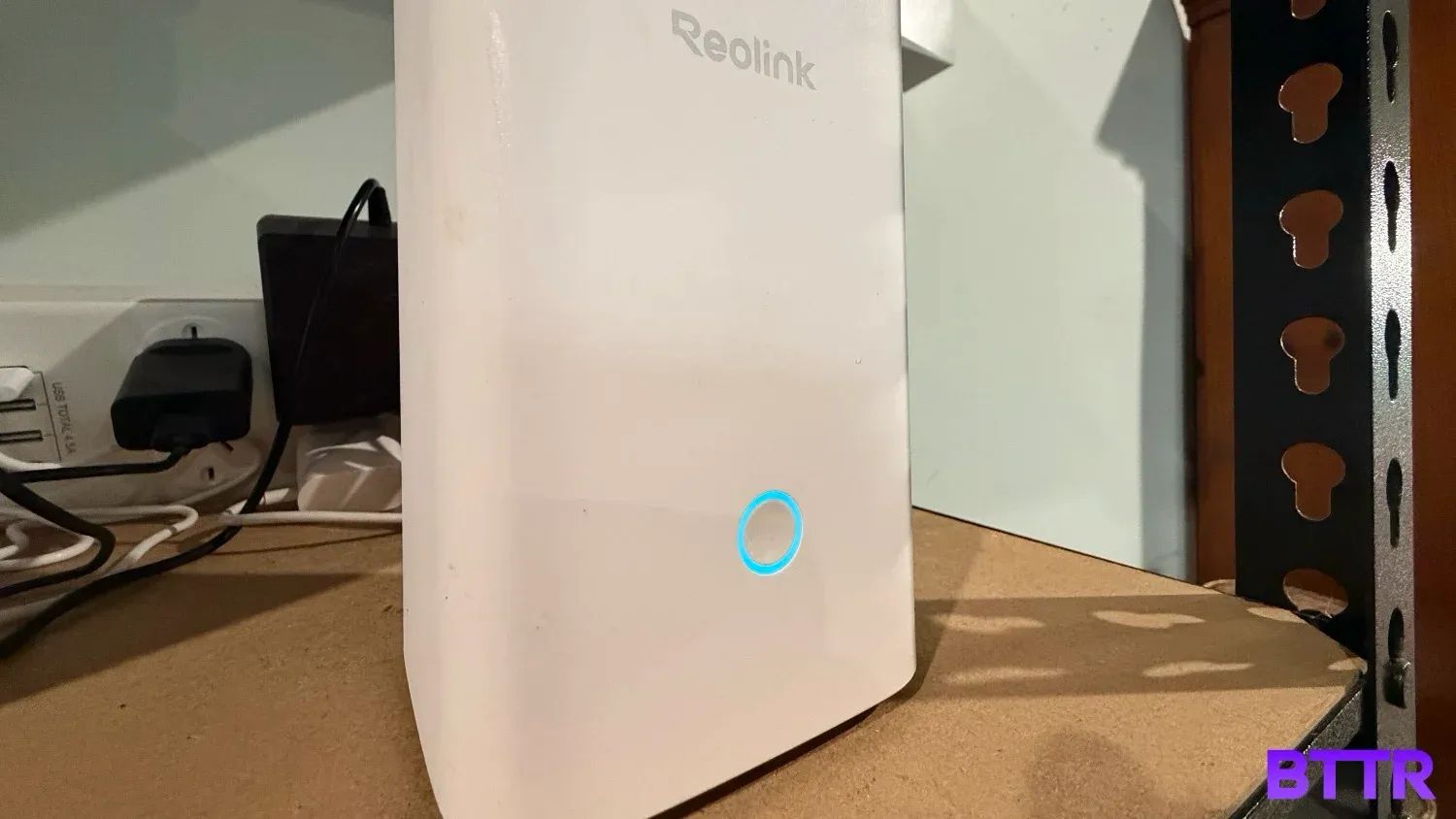
The Home Hub is a small box that sits in my garage and does one job very well: stores footage from all my Reolink cameras in one place, locally, without charging me anything per month to access it.
Home security subscriptions are one of those recurring costs that end up costing you more than the camera does over time. The camera may be cheap, but accessing more than a day or two of recordings means paying a monthly or annual fee.
For Ring, I'm paying for the privilege of storing footage from cameras I've already bought. It's not an outrage, exactly. But it's also not nothing.
The Reolink Home Hub is built around a different premise. You pay once for the hub, slot in a microSD card, connect it to your router, and your cameras record locally from that point on.
No monthly fees or footage disappearing after 30 days. No concerns your security footage is being accessed by law enforcement without your knowledge.
After four months of testing it alongside three different Reolink cameras, I have a pretty clear sense of who this is for, and who probably doesn't need it.
What makes the Reolink Home Hub stand out?
There are two ways to run Reolink cameras. You connect each camera directly to the Reolink app and manage them individually, with each device storing footage on its own microSD card.
In the second, you run those same cameras through the Home Hub, which pools them into a single device with shared local storage. All recordings land in one place rather than being scattered across individual cards in each camera.
The practical upside is a single event history you can browse across all your cameras, plus management tools that apply to everything at once. This means things like scene modes that adjust how all your cameras behave with a single tap, multi-user access for up to 11 accounts, and weekly activity summaries that tell you when each camera was most active.
But the bigger selling point is what it means for your wallet. Cloud storage for home security cameras is a recurring cost most people accept as part of the deal. The Home Hub lets you sidestep that entirely, storing everything locally on microSD cards encrypted with AES-128.
Even if the hub is stolen, the footage is inaccessible without your credentials.
It's also worth knowing where the Home Hub sits in the Reolink range. There's a Home Hub Mini at $99.99 and a Home Hub Pro at $409.99, which bumps camera support to 24, adds a built-in 2TB hard drive, and includes HDMI and USB outputs.
The standard Home Hub I reviewed is the middle option. At $199.99, you get support for eight cameras, two microSD slots, no physical video output, but more than enough for most households.
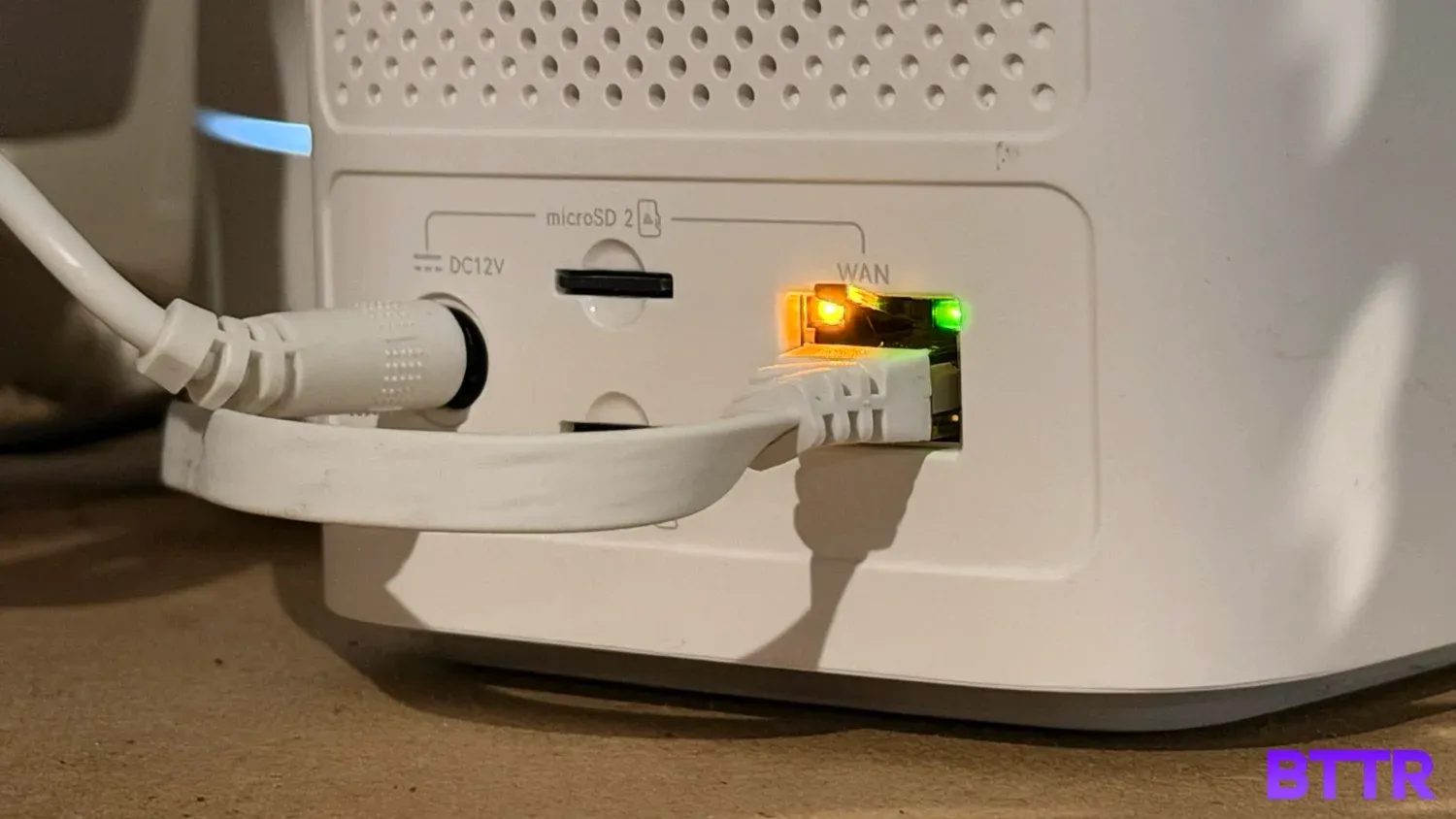
Reolink Home Hub specs
| Specification | Value |
|---|---|
| Price | $199.99 RRP |
| Dimensions | 95 x 95 x 161.8mm |
| Weight | 441g |
| Max cameras supported | 8 (Reolink Wi-Fi and PoE cameras; not 2MP battery or 4G cameras) |
| microSD card slots | 2 x up to 1TB |
| Included microSD card | 64GB |
| Storage encryption | AES-128 |
| Wi-Fi | Wi-Fi 6 (IEEE 802.11 a/b/g/n/ac/ax), 2.4GHz and 5GHz dual-band |
| Network security | WPA/WPA2/WPA3 |
| Ethernet | 1 x 10/100Mbps RJ45 (LAN port for router connection) |
| HDMI | No |
| USB | No |
| Speaker | Max 115dB siren |
| Max user accounts | 11 (1 admin + 10 shared accounts) |
| Smart home | Google Home, Amazon Alexa, Home Assistant |
| Power | DC 12V/1A |
| Warranty | 2 years |
| What's in the box | Home Hub, power adapter, 1m network cable, 64GB microSD card |
Design and build quality
This is not a product that is going to be out on display, but it's also not an ugly product.
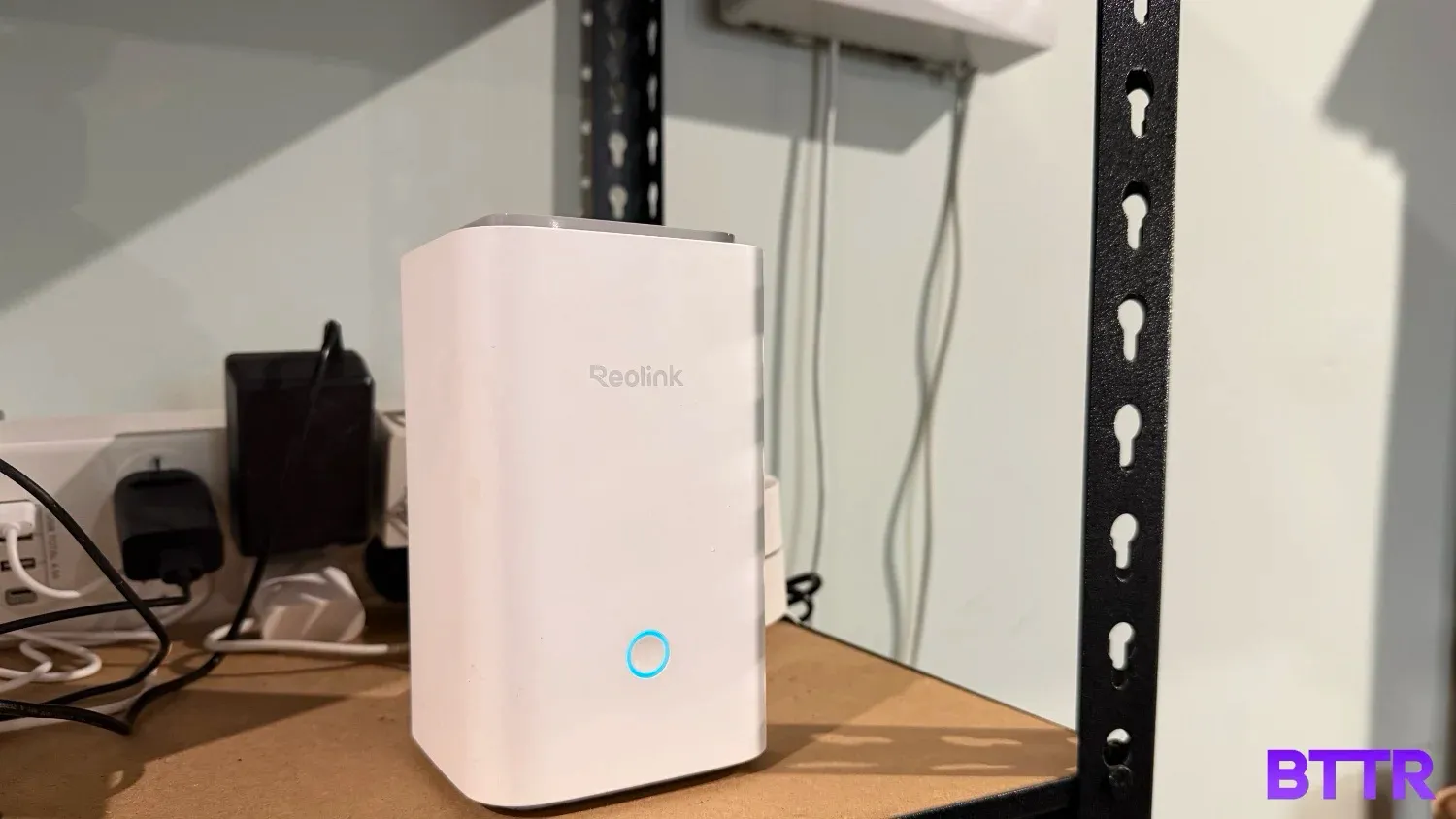
It's a rectangular prism, about 95 x 95 x 161.8mm, with a status light on the front and all the ports at the back. The rear panel has a DC power input, the LAN port, two microSD card slots, and a speaker. That's about it.
I set mine up in my garage, near my main router, and never really looked at it again across four months of testing. Which is probably a point in its favour – it does its job without drawing attention to itself.
There's one hardware consideration worth knowing about before you buy: the Home Hub connects to your router via ethernet, not directly to your modem or NBN box. I ran into a minor issue there because my Google Wi-Fi mesh system only has a single LAN port, which was already taken up by my Philips Hue hub.
To review the Home Hub, I had to unplug the Hue hub, which was a bit of a pain. If your router has multiple LAN ports (which most dedicated routers do) you won't hit this problem. But it's worth checking before you order.
Performance
The Home Hub doesn't change what your cameras record or how they capture footage. What changes is where that footage goes and whether you're paying someone else to hold onto it.
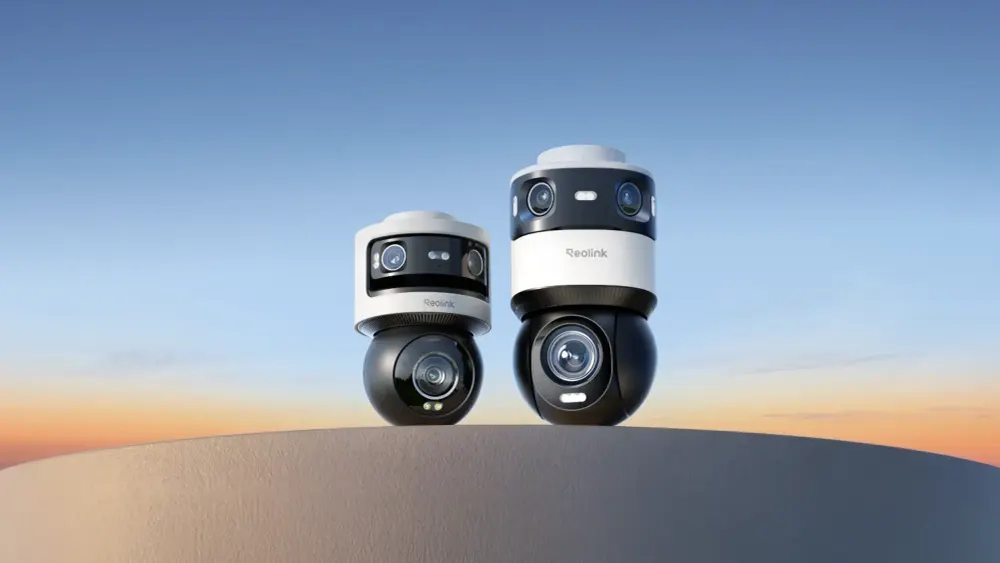
I tested the Hub with three cameras over four months — the Reolink Altas 2K, which I reviewed here on BTTR, plus the TrackFlex Floodlight Wi-Fi, and the Solar Floodlight camera I'd reviewed over at News.com.au.
Adding existing cameras to the Hub was straightforward. The app walks you through it, either by scanning the QR code on the device or selecting it from a list of cameras on your local network.
One thing the Home Hub does that's easy to miss in the spec sheet: it creates its own local Wi-Fi network for the cameras to connect through. That means your cameras can keep recording even if your home internet connection drops. Cloud-only setups can't do this: if the internet goes down, so does the recording.
The main day-to-day change you'll notice in the Reolink app is a slightly different navigation flow. Your Hub cameras are grouped under the Hub device, rather than appearing alongside any cameras you've connected directly to the app. If all your cameras run through the Hub, that grouping is seamless. If you've got a mix — some through the Hub, some not — there's an extra tap to get into the Hub's cameras.
Accessing a live feed from a motion notification is quick. The notification arrives, you tap it, and you're into the stream with no meaningful lag. The app also pulls together a single event history for all your connected cameras, which makes it much easier to review what happened across your whole setup without jumping between devices.
The Hub also functions as an alarm centre, sounding a siren when any connected camera detects motion. I noted this as a feature during testing rather than stress-testing it in practice, but the option is there and there are 11 ringtone options plus the ability to set your own.
One last thing on storage: the included 64GB microSD card is a reasonable amount to get started, but it's not a huge capacity.
Depending on how many cameras you connect and what quality you're recording at, you'll probably want to budget for a larger card.
The Hub supports up to 1TB per slot across its two card slots, so there's plenty of room to grow, you'll just need to spend a bit extra to get there.
Verdict
The Reolink Home Hub is a good product. It's also one that most people with a single camera, or a camera from a different brand, have no use for at all.
For users who've built up a collection of cameras and are tired of paying a monthly or annual fee to access their own recordings, though, the maths is pretty simple.
Pay $199.99 once, upgrade the microSD card if you need to, and stop paying. The footage is encrypted locally, your cameras keep recording even if your internet drops, and everything is managed through the same Reolink app you're already using.
What it doesn't do is change how your cameras perform. The footage quality, the detection accuracy, the app experience – it all stays the same. The Home Hub is purely about where your footage goes and whether someone else is charging you to hold it.
I'm cancelling my Ring subscription. I don't think I'll miss it.
Buy the Reolink Home Hub if
- You've built up a collection of Reolink cameras and want to stop paying a cloud subscription fee. The one-time cost of the Hub is the only price you'll pay from here on.
- You want your footage stored locally and off the cloud. AES-128 encryption means your recordings are inaccessible even if the Hub is stolen, and they never leave your home network.
- You want a single place to manage and review footage across multiple cameras. The centralised event history and weekly summaries make it much easier to keep across what's been recorded.
Skip the Reolink Home Hub if
- You only have one or two cameras. The extra cost and setup overhead of the Hub isn't worth it at that scale — a larger microSD card in the camera itself is a simpler answer.
- Your cameras aren't from Reolink. The Hub is a closed ecosystem — it doesn't work with Ring, Arlo, Nest, or anything else.
- You need direct video output or USB connectivity. The standard Home Hub has neither. If you want those features, you're looking at the Home Hub Pro at $409.99.
Latest security camera deals
Frequently Asked Questions
Does the Reolink Home Hub work if my internet goes down?
Yes. The Hub creates its own local dual-band Wi-Fi network for your cameras to connect through, so footage is recorded locally regardless of whether your home internet is up. You won't be able to access footage remotely without an internet connection, but recording continues uninterrupted.
Does the Home Hub work with cameras from other brands?
No. The Reolink Home Hub only works with compatible Reolink cameras, specifically, Reolink Wi-Fi and PoE cameras. It doesn't support 2MP battery cameras or 4G cameras, and it has no compatibility with cameras from other brands like Ring, Arlo, or Nest.
How much microSD storage do I actually need?
It depends on how many cameras you have and what resolution they're recording at. The included 64GB card is enough to get started with one or two cameras, but if you're connecting three or four cameras at higher quality settings, you'll want to upgrade. The Hub supports up to 1TB per slot across its two microSD card slots, giving you up to 2TB total.
Can multiple people access the footage?
Yes. The Hub supports up to 11 user accounts, with one admin account and up to 10 shared accounts. You can customise the access and preview permissions for each account, and update or remove those permissions at any time.
Does the Reolink Home Hub work with Google Home or Alexa?
Yes, it works with both. You can ask Google Assistant or Alexa to show you a specific camera feed on a compatible smart display, like a Google Nest Hub, Chromecast-enabled TV, or Amazon Echo Hub. It also supports Home Assistant for those who run their own smart home setup.