

BTTR is independent. We may earn a commission if you buy through our links. Why trust us?
Trend Micro Security Suite Pro Plus is comprehensive on paper and largely invisible in practice, which is what you want from security software. The setup is more fragmented than you'd expect from something marketed as a suite, though. At $169.95 a year, it's best suited to households where you want to shield less tech-savvy family members from online scams.
- Runs quietly in the background without any noticeable impact on performance
- AI-powered scam detection covers email, web browsing, and deepfake video calls on mobile
- Browser toolbar bundles web threat protection, a sandboxed banking browser, and ad blocking in one place
- Covers macOS, iOS, Windows, and Android under a single subscription
- Requires multiple separate app downloads rather than a single unified installer
- VPN controls disappear from the Mac menu bar on multi-monitor setups
- No desktop password manager, which limits usefulness outside the browser
- Identity protection is managed through the browser, not the main security app
- VPN reduces download speeds by around a third, even on an Australian server
I really struggled to get this review done. Despite installing Trend Micro’s Security Pro Plus on my MacBook Pro a couple of months ago, I’ve barely noticed it running. It does its job in the background, and it’s really difficult to know if software is working well if you don’t actually remember it’s there in the background, slaving away.
Of course, that’s precisely what you want for security software. Typically, if you do notice something, it’s bad news, either because of a threat or because the software has slowed down performance to a point you notice.
Trend Micro has spent more than 30 years as one of the most recognisable names in cybersecurity, and though the company recently rebranded its consumer division under the TrendLife name, the product itself is still sold as Trend Micro Security Suite Pro Plus. For now, at least.
The Pro Plus means it sits near the top of the company's consumer lineup, costing $169.95 AUD per year for three devices.
There's a lot to like here. There were also some genuine friction points, and at this price they matter.
What makes Trend Micro Security Suite Pro Plus stand out?
Antivirus software used to do one thing. You downloaded it, it scanned for viruses, and everyone went home happy.
Trend Micro Security Suite Pro Plus is a long way from that. It's positioned as an all-in-one protection layer covering your devices, your identity, your browsing, your kids' online activity, and your privacy, all rolled into a single subscription.
The suite includes antivirus and malware protection, a VPN, identity theft monitoring, AI-powered scam detection across email and the web, a parental control system, dark web monitoring, and a secure browser environment called PayGuard designed for online banking and payments.
On mobile, there's also ScamCheck, which analyses emails, websites, and apps in real time for scam activity and can flag deepfake content during video calls, something that feels increasingly relevant as AI-generated fraud becomes harder to spot.
The big differentiator in 2026 is AI integration. Where traditional antivirus software relied on known threat signatures to block malware, Trend Micro increasingly leans on cloud-based AI to detect suspicious behaviour patterns that signature databases wouldn't catch.
That said, Trend Micro’s Security Suite here isn't a single, seamless application. Which makes the offering slightly more cumbersome.
Trend Micro Security Suite Pro Plus specs
| Specification | Value |
|---|---|
| Price | $169.95 AUD/year (3 devices) $219.95 AUD/year (6 devices) |
| Devices covered | 3 |
| Platforms | Windows, macOS, iOS, Android |
| VPN protocols | OpenVPN, WireGuard |
| Antivirus | Yes — real-time, scheduled, and on-demand scanning |
| VPN | Yes — unlimited bandwidth, Australian server included |
| Identity theft protection | Yes |
| Dark web monitoring | Yes |
| AI scam detection | Yes — email, web, video call deepfakes (mobile) |
| Parental controls | Yes |
| Password manager | Browser-based only — no desktop app |
| PayGuard (secure banking browser) | Yes |
Design and installation
While the Suite is marketed as a single solution to your security needs, you still need to download multiple apps, both on your PC or Mac and on your smartphone.
What you actually install depends on what you require from the software, and to some extent that modularity is a feature, in that you're not forced to have things you don't want.
But it also means that getting everything running is more involved than downloading one app and being done with it.
Setting up the antivirus component was simple enough, walking you through the process without much to worry about.
But if you want to use the VPN, for example, that's an additional download.
Perhaps the most surprising part was the identity protection, which was managed through the browser on Mac rather than the main security app. The result is a setup that's more convoluted than I expected for something marketed at people who aren't necessarily confident on the tech-front.
There's also no desktop password manager, which limits how easy it is to use passwords in apps. If you live in a browser (which many people do) this might not bother you much. But if you regularly need to enter passwords into desktop apps, I’d argue a standalone password manager is a much, much easier choice, even if it’s Apple’s own Passwords app.
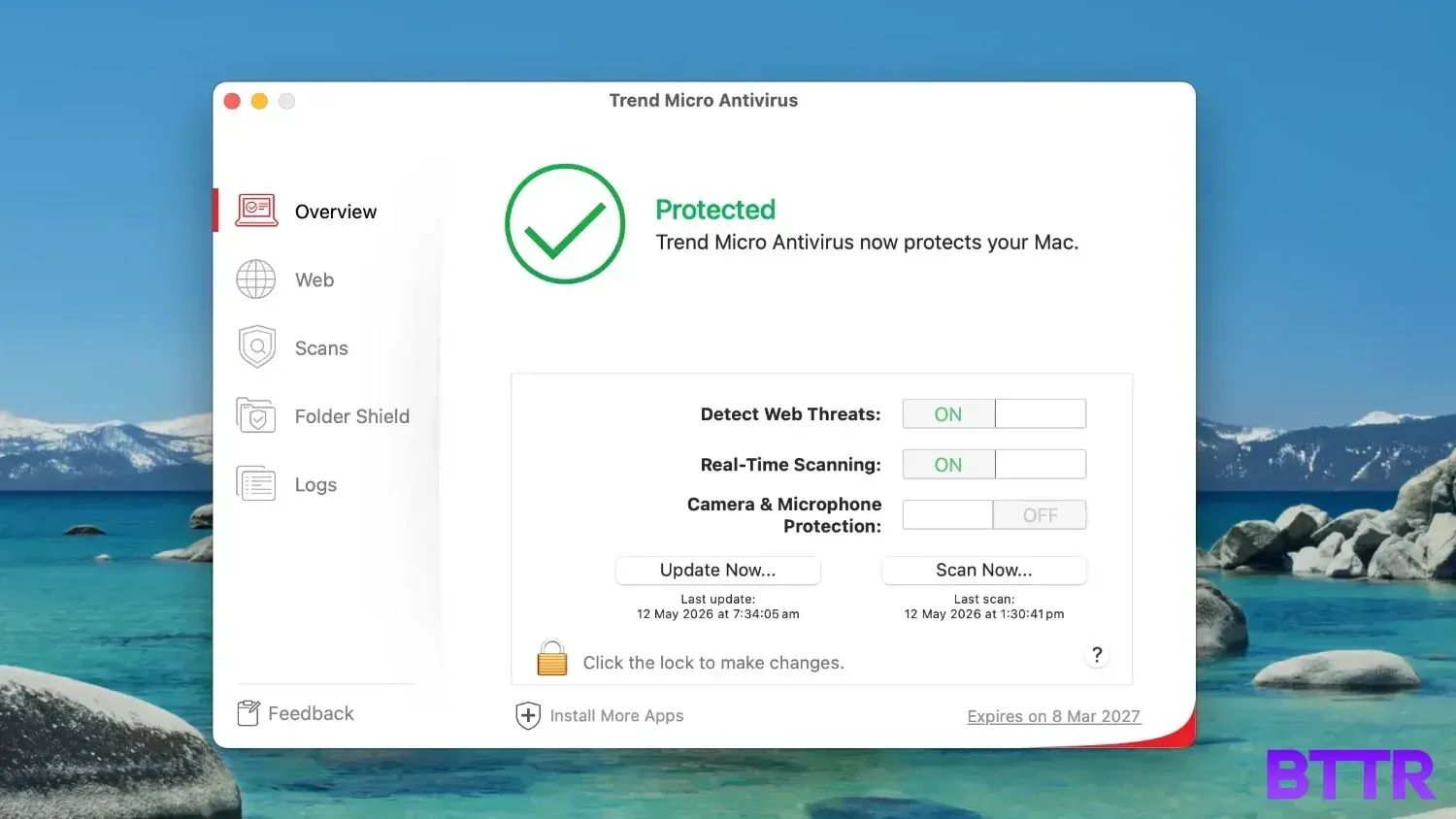
The main Trend Micro interface on Mac is clean and functional, with sections covering Web, Scans, Folder Shield and Logs.
It's not flashy, but it's easy enough to navigate for most tasks.
Performance
Everyday protection
The most notable thing about Trend Micro's day-to-day performance is how little you notice it. I had it running in the background for the full six weeks of testing and didn't notice any slowdown on my MacBook Pro.
Scans run on a schedule without interrupting anything. If the antivirus engine was doing its job, it was doing it invisibly.
I didn't experience any alerts or blocked threats during the testing period, which could mean nothing suspicious came my way, or it could mean the threats I encountered weren't significant enough to flag.
I didn't deliberately test it against known malware samples – I’m a bit risk-averse that way – so I can't give you a clean-room detection rate. What I can say is that it didn't interfere with anything, and the system ran normally throughout.
VPN
I recently tested a few VPNs for News.com.au, and I can say confidently that the performance from Trend Micro’s VPN on an Australian server was among the worst I tested.
Without the VPN running, my home network pulled 151 Mbps down and 45.6 Mbps up consistently. With the VPN connected to the Australian server, speeds dropped to a top of 99.9 Mbps down and 44.5 Mbps up, but as low as 76.1 Mbps down.
The upload held up well, but losing almost half of my download speed was enough that I didn't use the VPN by default.
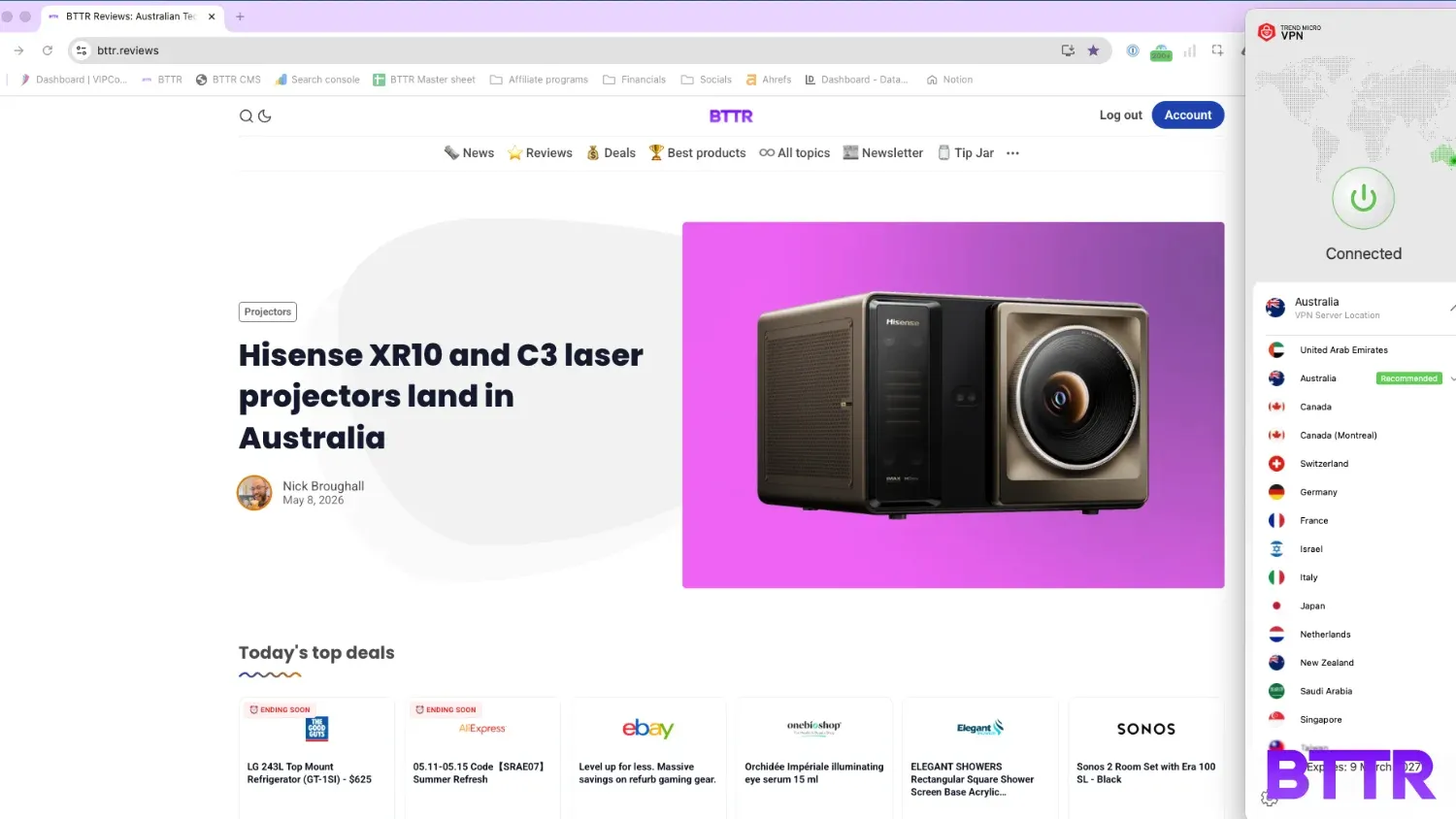
The bigger frustration was the interface on my multi-monitor Mac setup. The VPN icon didn't display in the top control bar of my MacBook, but it appeared on my secondary display.
Opening the app manually didn't get the control interface to appear, either. It was an annoying enough bug that it effectively made the VPN unusable day-to-day.
If you're running a single display, you may not hit this at all. But it's a rough edge that shouldn't exist in a product at this price point.
Browser protection
The browser toolbar is one of the more visible parts of the suite, adding web threat detection, a privacy scanner, an ad blocker, and the PayGuard secure banking environment to your browser of choice.
To be honest, this really frustrated me. Reading the list of features, included, I went searching through settings and options to see how to make it do things like check my Gmail account. There were no options to activate it in the platform itself… Until I opened up Gmail in the browser, and was prompted to activate it.
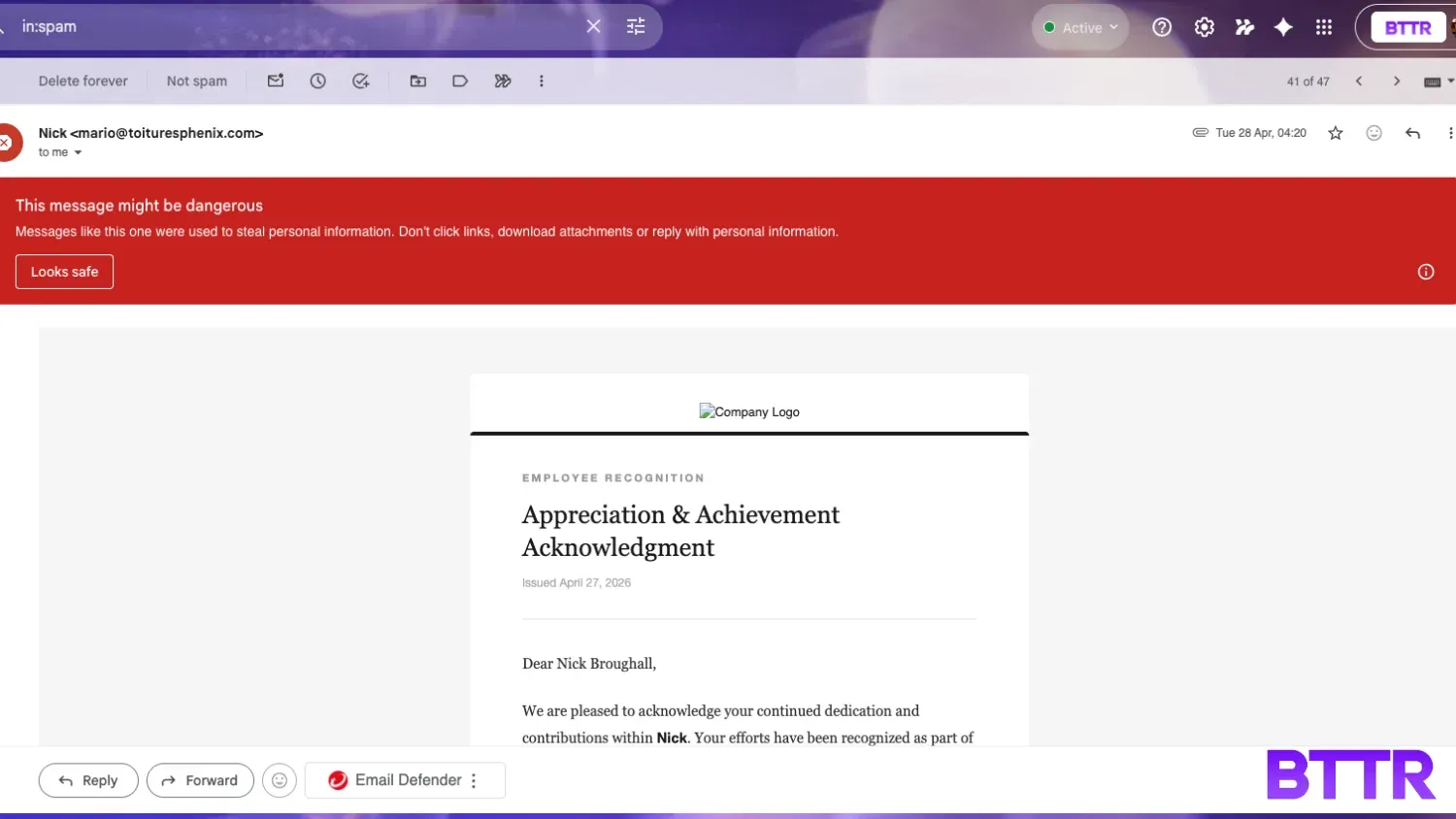
For the most part, it was invisible, but opening a dodgy email from my spam folder, I did get a big red banner.
I didn't encounter any PayGuard interventions during testing — mostly because I didn’t really buy anything over the review period. The feature works by isolating payment sessions in a separate sandboxed window, which other reviewers have found a little jarring. In my testing, it simply didn't come up.
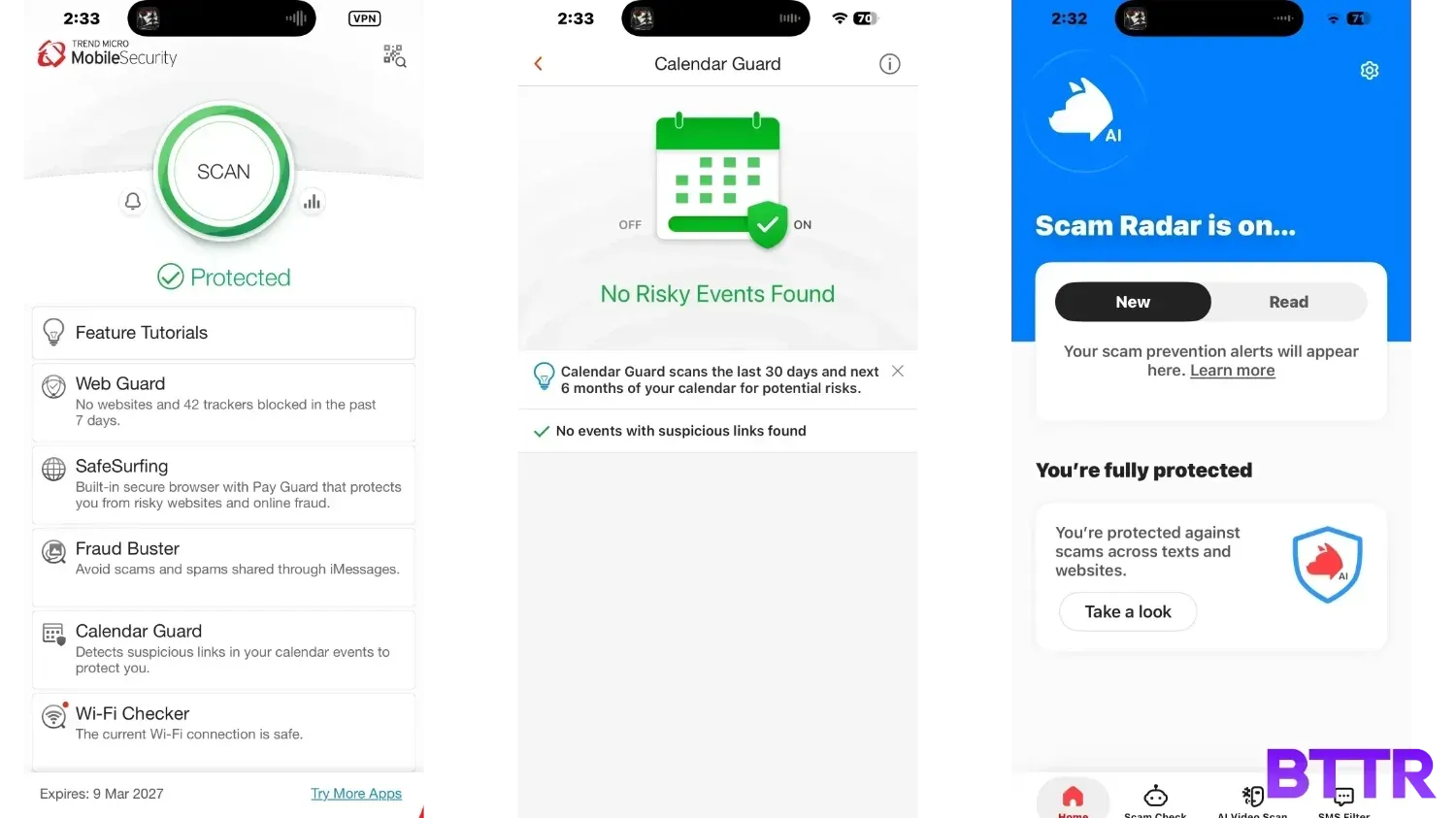
Mobile (iPhone 17 Pro)
On iPhone, the experience is a bit different. The ScamCheck feature on iOS is worth pointing out in particular.
It analyses incoming messages, emails, and links in real time for scam activity, including AI-generated deepfake content in video calls. I didn't have cause to stress-test this, but the feature works at an OS level and runs without any noticeable battery drain or performance impact over the month I ran it.
The VPN is also available on mobile and has the same Australian server option. I didn't test speeds on the iPhone directly, but the control interface on iOS was more reliable than the Mac experience.
Verdict
Trend Micro Security Suite Pro Plus does a solid job, but it is a bit convoluted in its setup. That gives you more control over what you actually install, but increases the complexity overall — and for a product aimed at everyday users, more complex is rarely a good thing. Forcing mobile users to install two apps to ensure security seems particularly backwards.
The VPN issues on my Mac setup were frustrating enough that I stopped using it entirely, which removes one of the key features you're paying for at this tier. The fragmented app structure and browser-managed identity protection add up to something that feels more like a collection of tools than a genuine suite.
Where Trend Micro earns its price is in its value as a protection layer for people who aren't naturally cautious online.
The AI-powered scam detection across email, web browsing, and video calls is useful in 2026, when the scams are more convincing than they've ever been.
For a less tech-savvy parent, sibling, or partner, setting this up on their devices is a worthwhile $170 investment. For a careful, tech-literate user who already knows what to avoid, it's probably unnecessary.
Buy the Trend Micro Security Suite Pro Plus if
- You want to protect someone else from online scams. The AI scam detection and browser protection layer is an easy set-and-forget shield for less tech-savvy family members or friends who might not recognise a convincing phishing attempt.
- You need cross-platform coverage under one subscription. If you're managing Windows, Mac, Android, and iOS devices across a household, getting antivirus, VPN, and scam protection from one place at $169.95 a year is reasonable value.
- You have kids online. The parental controls, content filtering, and device time limits are worth having, and they're bundled into the price rather than sold separately.
Skip the Trend Micro Security Suite Pro Plus if
- You use a multi-monitor Mac setup and plan to use the VPN. The menu bar display bug made the VPN effectively unusable for me, and that's a significant chunk of what you're paying for at this tier.
- You're already careful online. If you already know not to click dodgy links, don't open unexpected attachments, and use a standalone password manager, this adds relatively little to what you're already doing.
- You want a single, unified app. The multiple separate downloads and browser-managed identity protection mean this isn't the seamless "install it once and forget it" experience the marketing implies.
Latest security software deals
Frequently Asked Questions
How many devices does Trend Micro Security Suite Pro Plus cover?
The Pro Plus tier covers three devices, across any combination of Windows, macOS, iOS, and Android. If you need more coverage, there's a six device plan for $179.95 RRP. The Security Suite Ultimate tier is available for five devices at $249.95 AUD per year RRP, or you can upgrade to a 10-device plan for $399.95 AUD per year RRP.
Does Trend Micro Security Suite Pro Plus work on a Mac?
Yes. I tested it on a MacBook Pro for about six weeks without any significant issues. The core antivirus and browser protection work as expected on macOS. The main frustration on Mac was the VPN control interface disappearing on a multi-monitor setup, which is worth knowing if that describes your desk.
Does the VPN slow down your internet connection?
In my testing, the VPN connected to the Australian server dropped download speeds from 151 Mbps to 99.9 Mbps — roughly a 34 per cent reduction. Upload speeds were largely unchanged, dropping from 45.6 Mbps to 44.5 Mbps. For most everyday tasks that's fine, but it was enough of a drop that I stopped using the VPN as a default.
Is Trend Micro the same as TrendLife?
Trend Micro recently rebranded its consumer products division as TrendLife, reflecting a shift toward broader AI-era protection beyond traditional antivirus. The products are still sold under the Trend Micro name for now, but the branding is changing. You can read more about the rebranding here.
Does Trend Micro Security Suite Pro Plus include a password manager?
There is a password management component, but it's browser-based rather than a standalone desktop application. This means it works well for passwords used in a browser, but doesn't help with app-based logins. If password management across apps is important to you, a dedicated password manager is a better option.
What's the difference between Security Suite Pro Plus and Security Suite Ultimate?
The main additions in the Ultimate tier are Equifax credit monitoring and an extra two devices (five versus three), for $249.95 AUD RRP per year — a slight premium compared to the Pro Plus plan.