

BTTR is independent. We may earn a commission if you buy through our links. Why trust us?
As a security camera, the G350 is excellent thanks to dual lenses, full 360-degree pan, smart tracking, and solid local storage at a reasonable price. Its party trick is doubling as a Zigbee hub and Matter bridge, which in theory makes it the centrepiece of any smart home. In practice, Matter camera support is still rough around the edges, and the setup process requires patience. But the camera itself is hard to fault.
- Dual 4K wide-angle and 2.5K telephoto lenses give you versatility in a single compact body
- Triples as a Zigbee hub and Matter Controller/Bridge — a rare and useful combination at this price
- Invisible IR night vision makes it a baby monitor without a distracting red glow
- Works with Apple HomeKit, Google Home, Amazon Alexa, and Samsung SmartThings
- Matter camera setup is finicky and time-consuming — expect multiple attempts
- AI features (smile and gesture recognition) are locked behind a paid subscription
- No wall charger in the box, and no microSD card either — you'll need to buy your own
- HomeKit doesn't allow Pan and tilt control for cameras, so you need the Aqara app to get the full experience
Despite going all in on smart home tech in the early days of Alexa speakers, these days I have found the competing protocols and technologies just too much of a pain to bother with the hassle.
Matter was meant to deal with those struggles, but it has been a really, really slow rollout. It was only in January that SmartThings became the first protocol to support Matter-powered home security cameras. And this cutesy model from Aqara has the privilege of being the first Matter-certified camera in Australia.
So, was it worth the wait? Honestly, from my testing over the past few weeks, Matter still has a way to go before it’s as seamless as it needs to be for mass adoption.
But the Aqara camera — aside from Matter connectivity challenges – is still a remarkable powerhouse of a camera. If you need an indoor security camera, this is arguably the most versatile model I’ve tested.
What makes the Aqara Camera Hub G350 stand out?
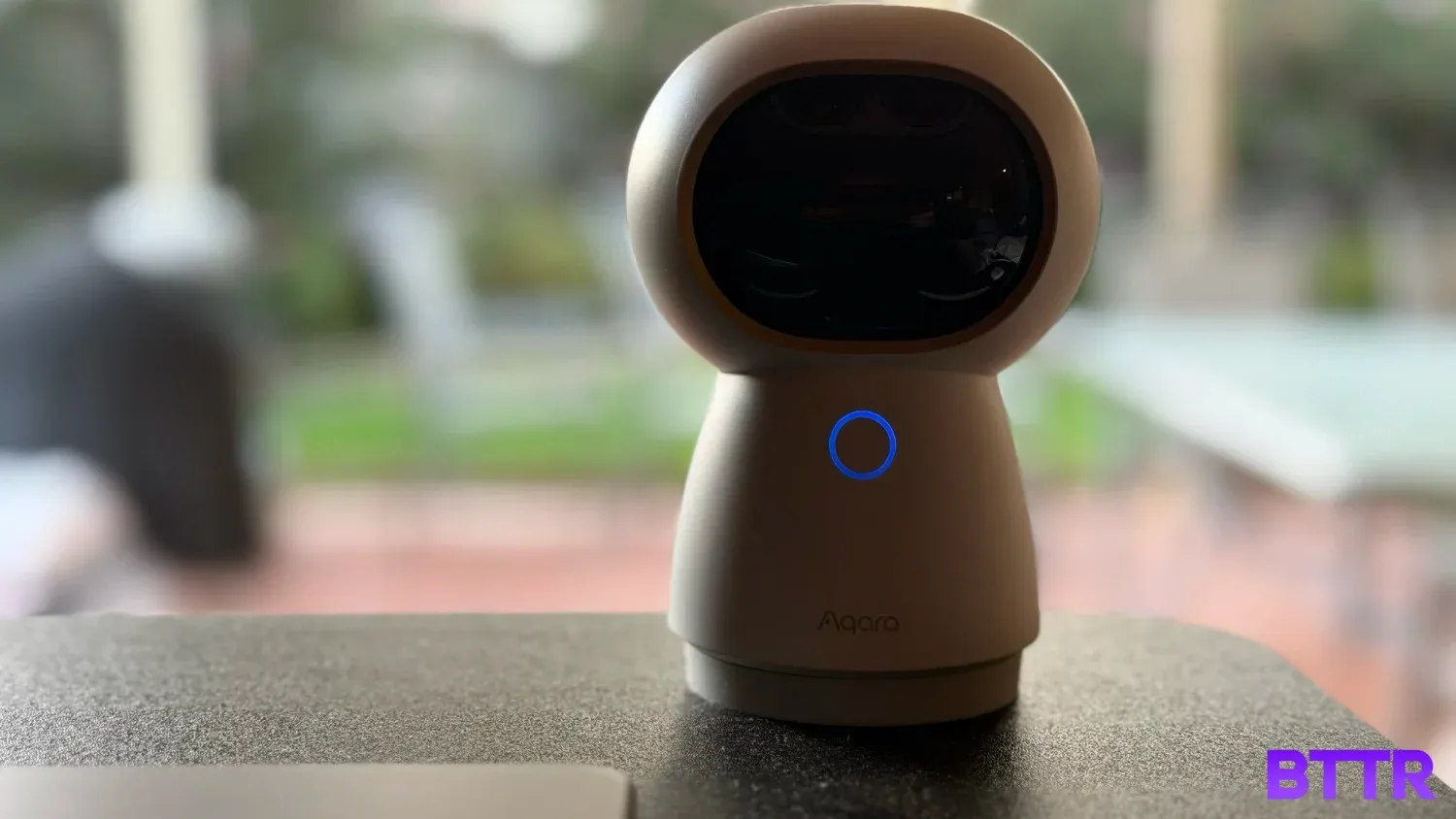
From the first moment I set eyes on it, the G350 reminded me of the Eufy Solocam I tested a couple of years ago. The twin lens design and squat body looks eerily similar once you remove the silicone rabbit ears that make the Aqara a bit cuter.
But the thing that separates the G350 is that it’s so much more than just a basic camera. In addition to its twin lens array that offers both a 4K wide angle and a 2.5K telephoto lens, the G350 doubles as a full smart home hub.
For the more technical, it works as a Zigbee hub, a Matter Controller and Matter Bridge all in one device. That means it’s designed to connect to pretty much any ecosystem you might have running your smart home, including Apple’s HomeKit, Amazon Alexa, Google Home or Samsung’s SmartThings.
Even if you would rather not connect it to a smart home platform, the G350 is a pretty impressive home security camera in its own right. It offers a 9x hybrid zoom across its twin cameras, local storage and comprehensive privacy mode that rolls up the lenses into the camera’s head.
Aqara Camera Hub G350 specs
### Aqara Camera Hub G350 specs| Specification | Value |
|---|---|
| Price | $199.99 RRP |
| Model number | CH-C14E / CH-C14DE |
| Dimensions | 123 × 85 × 68mm |
| Wide-angle lens resolution | 3840 × 2160 (4K) |
| Telephoto lens resolution | 2560 × 1440 (2.5K) |
| Field of view (wide-angle) | 133° diagonal |
| Field of view (telephoto) | 43° diagonal |
| Focal length | 2.8mm (wide-angle), 8mm (telephoto) |
| Aperture | f/1.6 |
| Frame rate | 20fps |
| Video codec | H.264 |
| Hybrid zoom | 9x (1x, 3x, 9x presets) |
| Local storage | MicroSD (not included), Class 10 or above, up to 512GB |
| Wireless protocols | Wi-Fi 6 (802.11 a/b/g/n/ac/ax) 2.4/5GHz, Zigbee/Thread (802.15.4), Bluetooth |
| Smart home | Apple HomeKit, Google Home, Amazon Alexa, Samsung SmartThings (via Matter) |
| Hub functions | Zigbee hub, Matter Controller, Matter Bridge |
| Siren | 95dB |
| Power input | 5V⎓2A (USB-C) |
| Operating temperature | -10°C to 45°C |
| Operating humidity | 0–95% RH, no condensation |
| What's in the box | Camera Hub G350, user manual, USB-C to USB-C cable |
Design and build quality
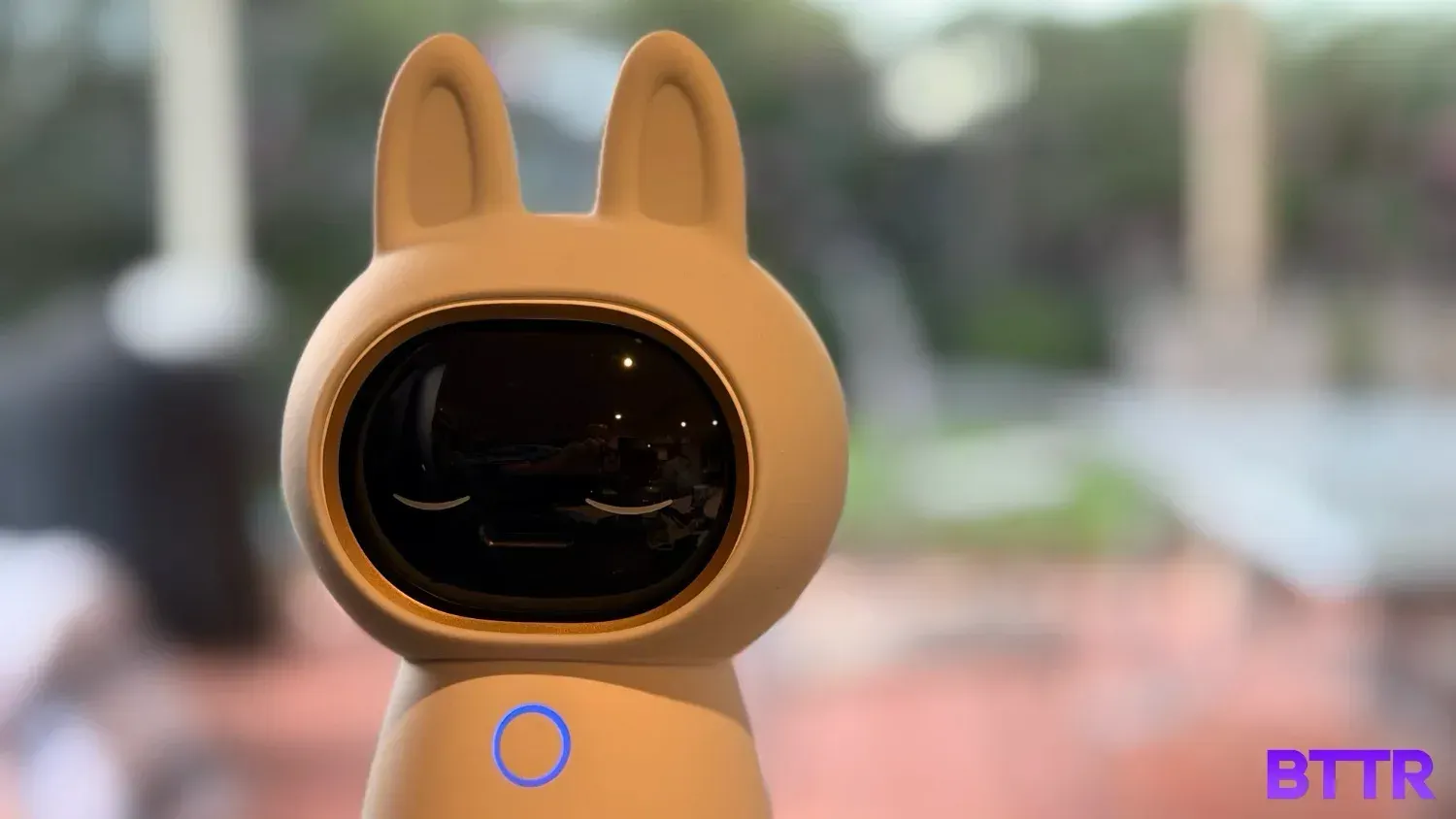
The G350 has personality. The twin cameras look like eyes, and the silicone rabbit ears cover makes the security camera friendly enough for a baby’s room. You can take those bunny ears off, if you want your security camera to look more like a security camera that a toy.
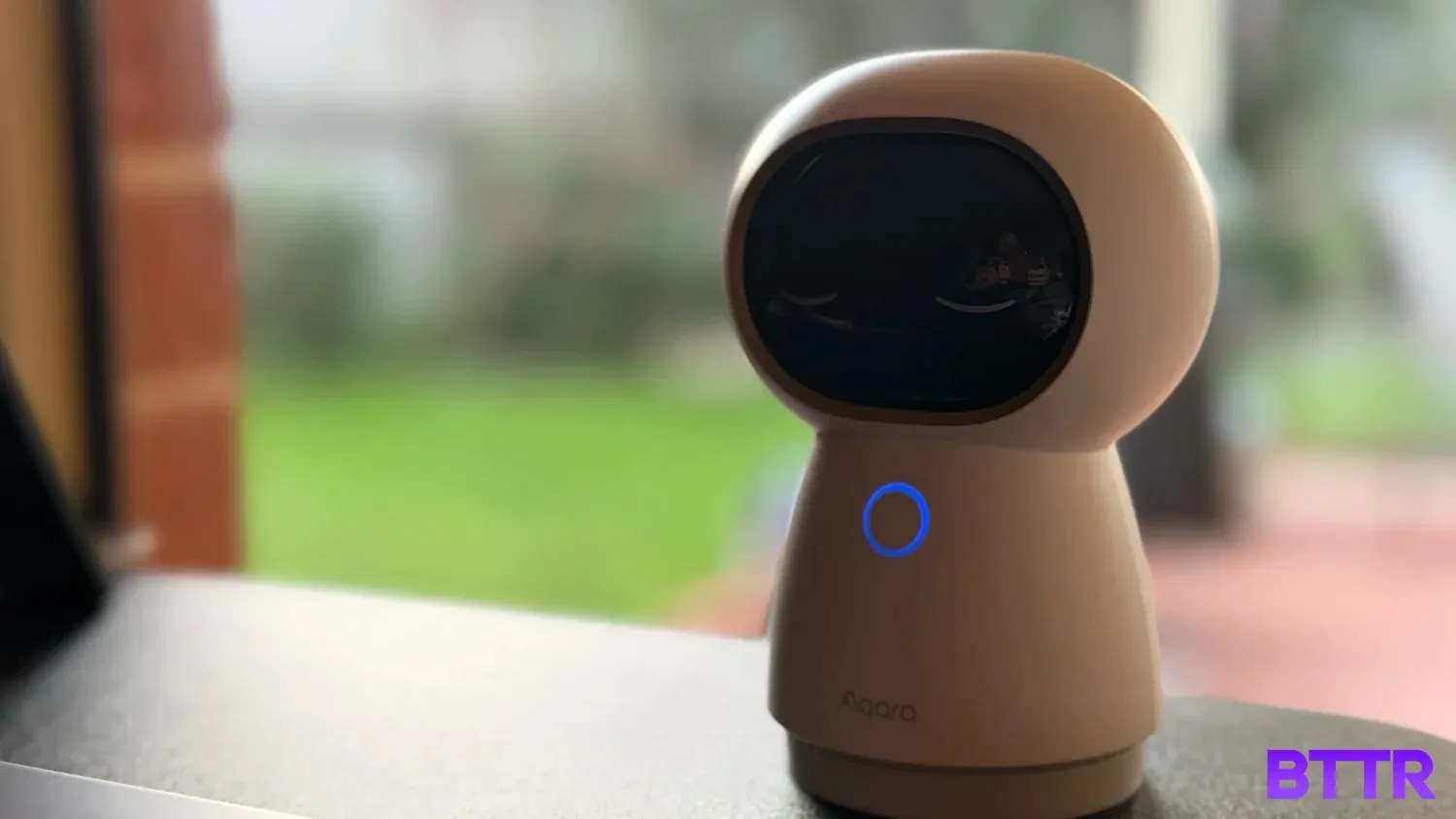
When you enable privacy mode, or turn off the camera, the entire camera module rotates up into the casing, leaving two lines that look like the eyes are closed, and the camera is “sleeping”. It’s pretty cute.
The camera itself has a pretty wide range of motion. It can spin around a full 360 degrees, and moves up and down as well. The wide-angle lens is 4K, with a 133-degree field of view, while the 2.5K telephoto lens gives a 43 degree FOV.
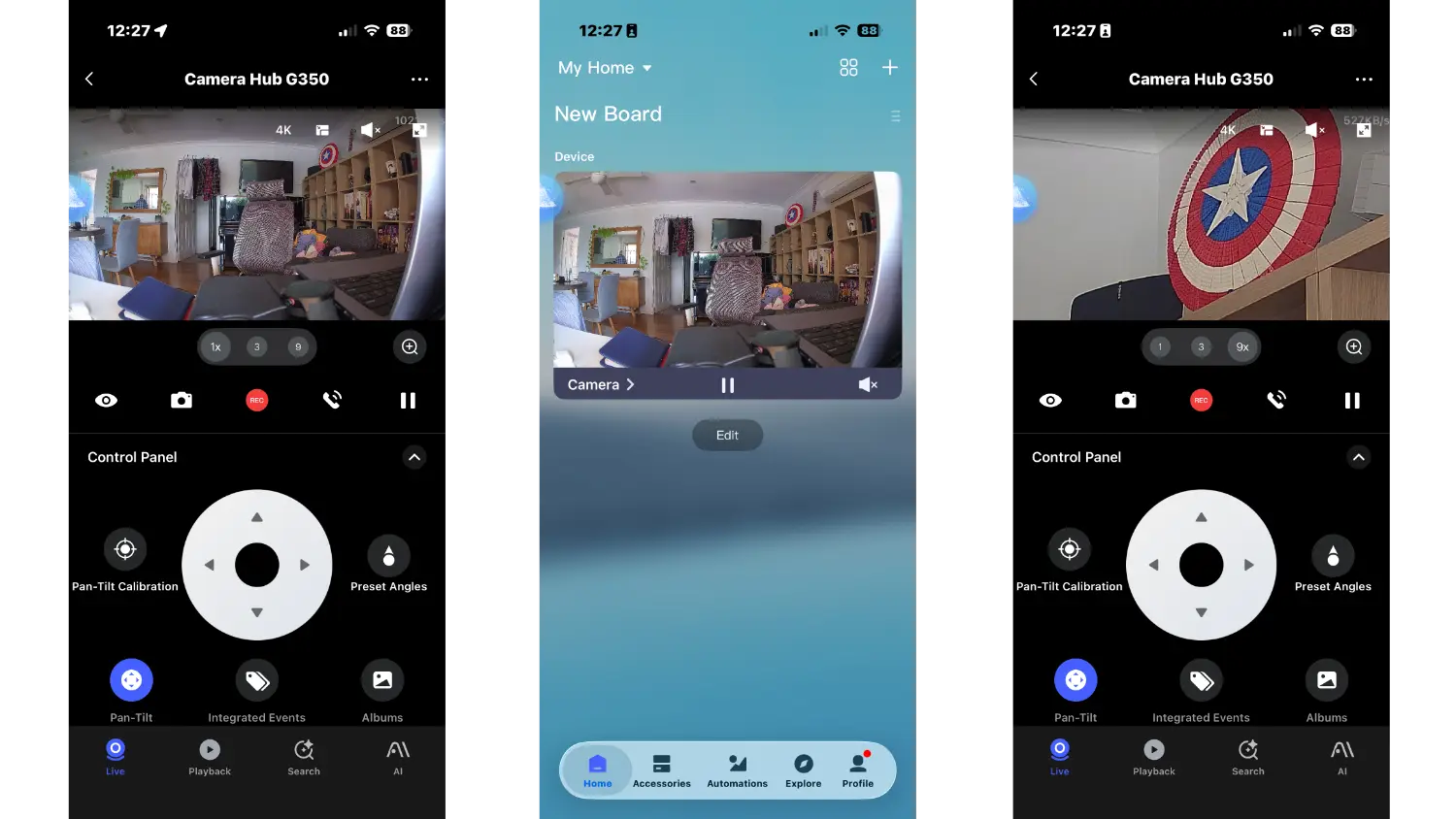
You get 9x zoom control, with presets for 1x, 3x and 9x. Depending on which zoom setting you have selected, it will adjust the tracking speed of a recognised subject as well, so you don’t overshoot the target.
That’s important, as this camera will track a recognised subject, unlike the Ring Pan and Tilt camera.
If you want to use the G350 as a baby monitor, the camera has an invisible IR recording mode for night vision, so you can keep an eye on a child without having a distracting light keeping them awake.
Aqara’s software will track people and pets, and will let you get up close for tracking as well, not just sticking with the wide-angle view.
The camera is powered by a single USB-C cable, which is supplied, though there’s no wall-charger in the box. Like the Sonos Play, I feel like these more permanent devices that need constant power should really be shipped with a wall charger.
The camera offers recording to microSD, NAS or cloud storage, though you will need to pay a subscription for those cloud recording options.
You also require a subscription to take advantage of Aqara’s AI functionality, which can recognise smiles and gestures, for example.
But the key advantage of this camera over most others is its dual role of security camera and smart home hub. It connects to Zigbee and Matter, which gives it comprehensive integration with pretty much any smart home ecosystem.
For such a compact, relatively affordable device, that’s an impressive selling point… On paper, at least.
Performance
As a security camera, it’s actually pretty difficult to fault the G350. Security footage from the G350 is nice and clear, with the wide-angle 4K lens capturing a lot of detail and the zoom lens giving the Aqara camera a lot of versatility.
For the review period, I popped the G350 on my desk, which looks out onto my back pergola area. I could easily set it to look outside during the day, and inside in the morning and afternoon, before going to sleep in the evening.
A big part of that is Aqara’s app, which is easy to control and navigate. I only tested the app with this camera, though, so I don’t know how well it handles multiple cameras. But it’s an intuitive interface for a single device.
The exception to that was when trying to access some of the AI features that my lack of a cloud subscription limited. When I selected the “Search” button at the bottom of the screen, the entire user interface disappeared, and I had to close the app completely to get in again.
With the camera footage being excellent and the design and feature set looking good, the one area I was excited for that left me a little underwhelmed was the Matter integration.
To be clear, I eventually made it work, and it worked reasonably well. But the setup process showed just how early video camera integration is for the Matter protocol. I reckon I tried to set it up at least 10 times before it eventually worked.
Once it was set up, though, I could easily access the camera through Apple’s HomeKit and Samsung’s SmartThings platforms.
It was a bit limited – I couldn’t control pan and tilt through Apple Home, for example, which I've discovered is a limitation of HomeKit, rather than the G350 itself, and is the same for all HomeKit cameras.
But even with that limitation, I could effortlessly set rules to turn off the camera whenever a member of my family was home, and turn it on when we all left.
Verdict
With any new technology rollout, there has to be a “first product”. For Matter home security cameras, the Aqara G350 is “first”.
If you take Matter out of the equation for a moment, then the G350 is an exceptional camera in its own right. It offers powerful cameras with robust software and a full 360 degree range of view. It’s cute enough to pop in your baby’s room as a monitor, and offers an intelligent app and local storage, with extended AI modes behind a subscription if required.
When you add in Matter support, the G350 gets better. Matter itself is clearly still being developed, so actually setting up feels undercooked.
But it’s clearly the future of the category, and Aqara’s willingness to be the first here, where bugs are inevitable, should be applauded rather than condemned.
Which means that the G350 is a clear choice for anyone after an indoor home security camera.
Buy the Aqara Camera Hub G350 if:
- You want a single indoor camera that also replaces a standalone Zigbee hub — the G350 covers both jobs at a price where most cameras only do one
- You need versatility: the dual-lens setup with 9x zoom handles a wide room, a nursery, or a tight hallway without repositioning
- You're building out a Matter smart home and want a camera that can bridge devices across Apple Home, Google Home, SmartThings, and Alexa simultaneously
Don't buy the Aqara Camera Hub G350 if:
- You want Matter to just work out of the box — setup is still rough and may require multiple attempts before it connects reliably
- You're not prepared to buy a microSD card separately and potentially pay a subscription for the AI features you saw in the marketing
- You already have a capable indoor camera and don't need Zigbee or Matter bridging — the premium over simpler alternatives isn't worth it
Latest security camera deals
Frequently asked questions
Does the Aqara Camera Hub G350 work with Apple HomeKit?
Yes, the G350 supports Apple HomeKit via Matter. Setup can take a few attempts, and some features like pan and tilt control are not available through the Home app. For full control, including tracking and zoom presets, you'll need to use the Aqara app.
Does the Aqara Camera Hub G350 require a subscription?
No subscription is needed for basic recording and live view. Local storage to a microSD card is free. However, AI features such as smile and gesture recognition, as well as cloud storage backup, require a paid Aqara subscription.
What smart home ecosystems does the Aqara Camera Hub G350 support?
The G350 works with Apple HomeKit, Google Home, Amazon Alexa, and Samsung SmartThings via Matter. It also functions as a Zigbee hub and Matter Bridge, meaning it can connect Zigbee accessories to your preferred ecosystem without a separate hub.
Does the Aqara Camera Hub G350 include a microSD card?
No. Unlike some competing cameras and hubs, the G350 does not include a microSD card in the box. You'll need to purchase one separately. Aqara recommends a Class 10 card, and the camera supports up to 512GB.
Can the Aqara Camera Hub G350 be used as a baby monitor?
Yes, the G350 is a strong option as a baby monitor. The invisible IR night vision mode records in low light without emitting a distracting red glow. The Aqara app tracks movement and can send alerts, and the camera's 360-degree pan range means you can check on the whole room remotely.