

BTTR is independent. We may earn a commission if you buy through our links. Why trust us?
The DJI Mic Mini 2 is a brilliant little wireless mic for anyone starting out in content creation, with clear voice isolation, dead-simple automatic pairing, and swappable colour faceplates that give it some real personality. The catch is that you're still advertising DJI no matter which colour you pick, and there's no port for a lavalier mic if you want more flexibility. At $89 to start, it's hard to argue with what you get.
- Swappable magnetic colour faceplates add personality without sacrificing build quality
- Automatic pairing — pull it from the charging case and it connects to the last paired device instantly
- Clear voice isolation, tested at a loud conference from a fair distance back from the stage
- Reliable connectivity with zero dropouts across a month of testing
- Prominent DJI branding on the faceplate, even with a colour cover on
- No port for a lavalier mic connection, limiting flexibility for advanced users
- Receiver has no screen for advanced controls
- Button combinations for switching modes take a bit of getting used to
One of the hardest things about reviewing tech is that you get a front-row seat to your own gadgets' obsolescence. I bought the DJI Mic 2 after I reviewed it a couple of years ago, but now that I’ve tested the Mic Mini 2, I kind of wish I had waited.
DJI sent the Mic Mini 2 through as part of a much larger box of review gear that also included the Osmo Pocket 4, the Avata drone and the Osmo Mobile 8P.
Out of that lucky dip, the Mic Mini 2 and the Pocket 4 were the two I grabbed first, and I've now had a month with both, recording everything from BTTR unboxing videos to a full keynote speech at a conference.
And in that time I’ve discovered that if you're starting out in content creation, the Mic Mini 2, this is an easy recommendation. If you already own a wireless microphone, though, the decision is a bit more complicated.
What makes the DJI Mic Mini 2 stand out?
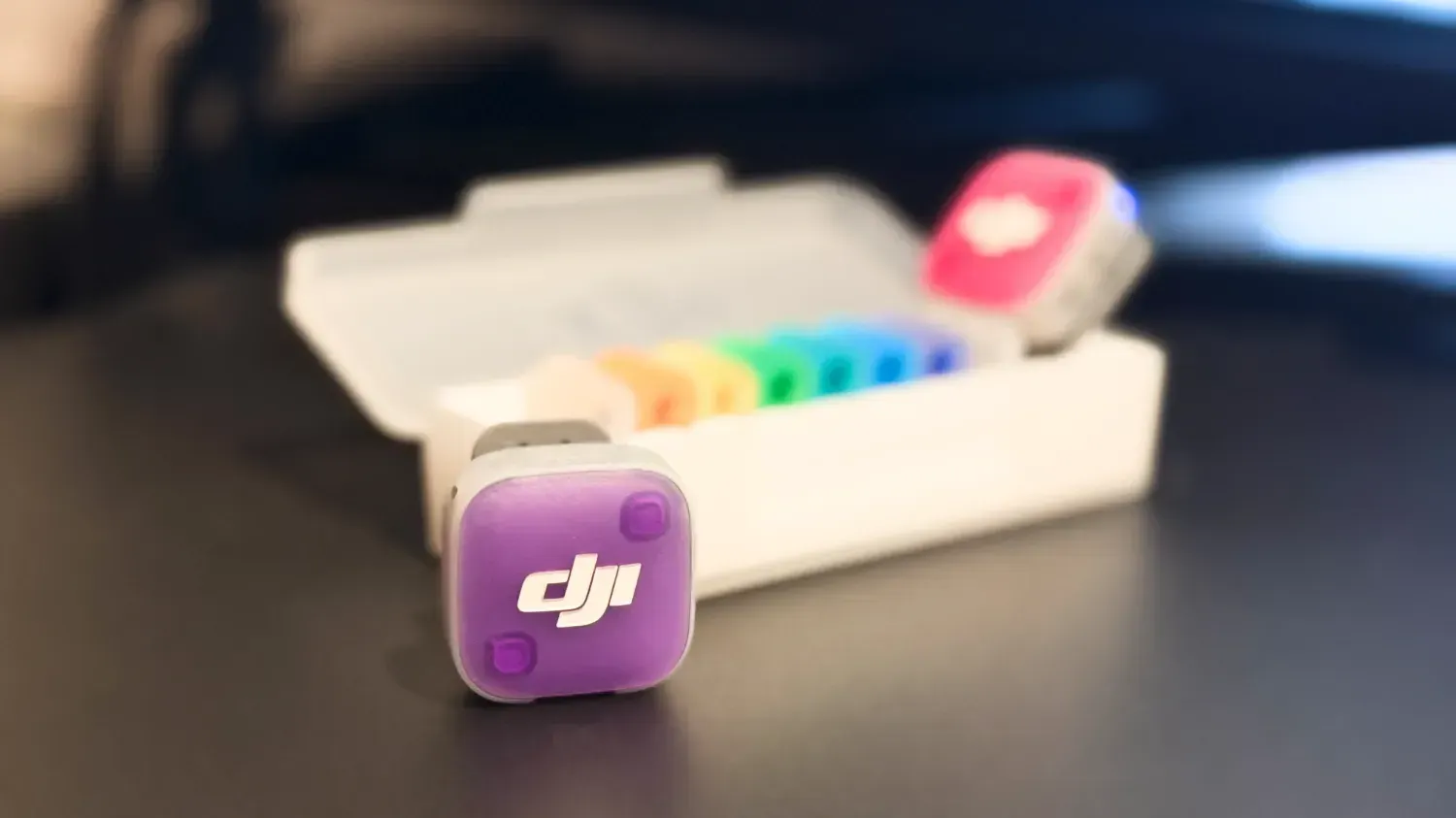
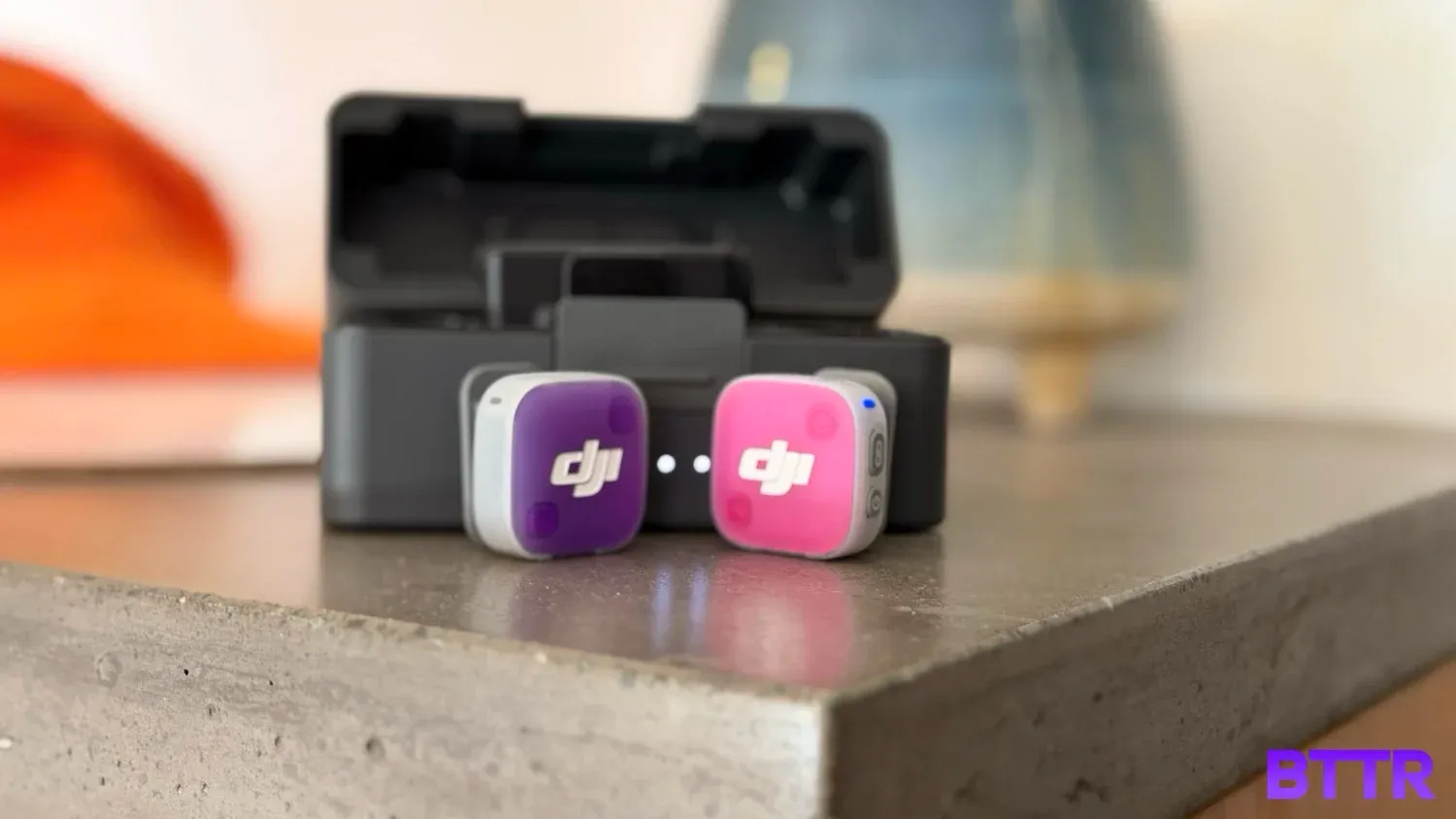
Wireless mics have mostly settled into the same dull grey or charcoal aesthetic, which is exactly why the Mic Mini 2's swappable magnetic faceplates caught my eye the second I opened the box.
Pop off the front cover and click on a different one, pink, purple, blue, green, instead of being stuck with the standard look of every other mic on the market.
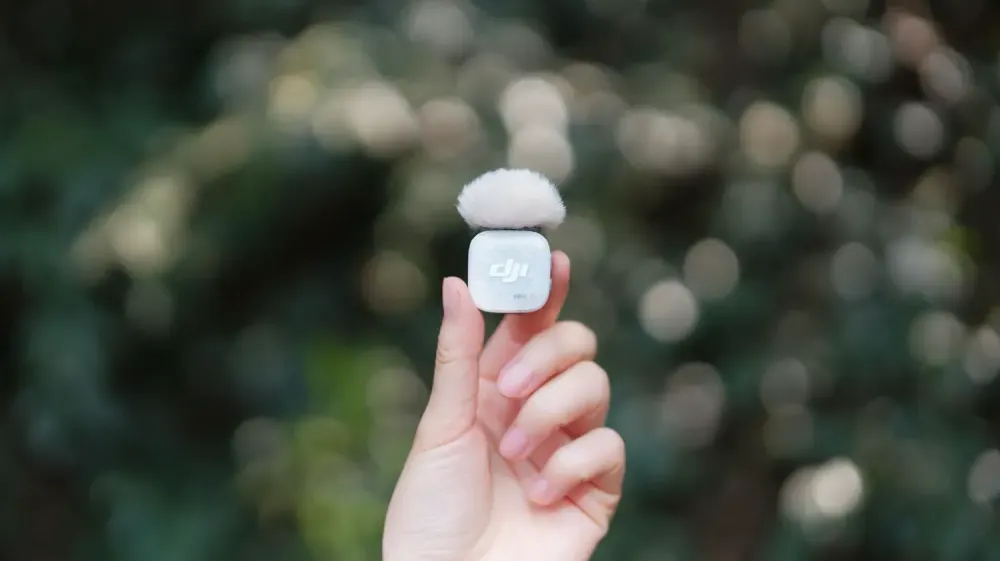
The transmitter itself is tiny, roughly the size of a 20 or 50 cent coin, which puts it in the same compact territory as the original Mic Mini.
I didn’t review the original Mic Mini, but I can say that where it differs from the Mic 2 I reviewed previously is in how it attaches to your clothes. DJI has combined the magnetic clip and magnetic back attachment into one simplified clip, so you can either use the clip or pop the mic straight onto the inside of your shirt magnetically. The clip is still the better option for comfort.
On the spec sheet, DJI rates the transmitter at up to 11.5 hours of battery life and the receiver at up to 10.5 hours, with the charging case extending total use to 48 hours.
Across a month of regular use, I never once had it die on me mid-recording. DJI also quotes a maximum range of 400m with the standard receiver and 300m with the mobile receiver, though I didn't push it anywhere near that distance myself.
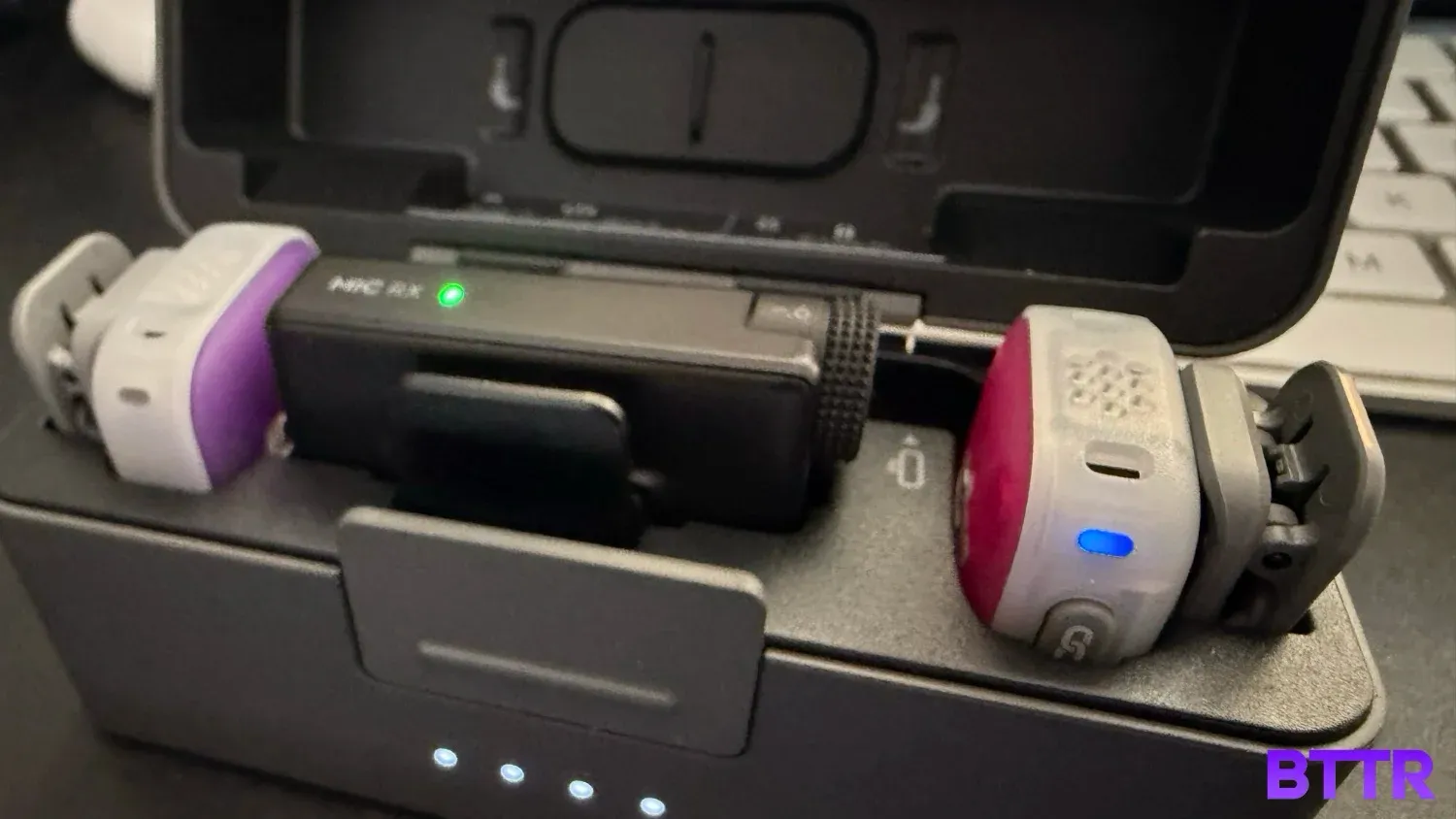
The receiver, the part that plugs into your camera via USB-C, has dropped the screen that the Mic 2 had. Instead, you rotate a dial manually to switch settings. It's a bit less satisfying without the visual feedback, but functionally it does the same job. Plug it in and it pairs automatically.
That automatic pairing is really useful in practice. A side button lets you switch between a direct wireless connection and Bluetooth, which I used to connect to the Osmo Pocket 4.
Once paired, pulling a mic out of the charging case has it power on and reconnect to whatever it was last linked to. There are no menus to stuff around with, you just pull it out and go.
DJI Mic Mini 2 specs
| Specification | Value |
|---|---|
| Price (1 TX + 1 RX) | $89 RRP |
| Price (2 TX + 1 RX + Charging Case) | $149 RRP |
| Price (1 TX + 1 Mobile RX + Case) | $89 RRP |
| Price (2 TX + 1 Mobile RX + Case) | $119 RRP |
| Price (full bundle, standard + mobile RX) | $198 RRP |
| Standalone transmitter | $49 RRP |
| Transmitter dimensions | 28.6 x 28 x 13.5mm |
| Transmitter weight | ~11g, excluding magnetic clip or magnet |
| Receiver dimensions | 46.5 x 29.6 x 19.3mm |
| Receiver weight | ~17.8g, including interface cover |
| Mobile receiver dimensions | 39.3 x 27.3 x 9mm |
| Mobile receiver weight | ~6.5g |
| Charging case dimensions (2TX+1RX) | 106.3 x 42.5 x 59.2mm |
| Charging case weight (2TX+1RX) | ~159.3g |
| Audio quality | 48kHz, omnidirectional pickup, 120dB max SPL |
| Voice tone presets | Regular, Rich, Bright |
| Noise cancellation | Two-level (Basic, Strong) |
| Wireless mode | GFSK 2Mbps, 2.4-2.4835GHz |
| Bluetooth | Bluetooth 5.3 |
| Connectivity | Bluetooth, direct DJI OsmoAudio connection (Osmo Pocket 4, Osmo 360, Osmo Action 6 and others), 3.5mm and USB-C receiver options |
| Transmitter battery | 114mAh, ~11.5 hours operating time, ~70 min charging time |
| Receiver battery | 170mAh, ~10.5 hours operating time, ~100 min charging time |
| Charging case battery | 1950mAh, recharges 2 TX + 1 RX approx. 3.6 times |
| Range | Up to 400m (standard receiver), 300m (mobile receiver, green light mode), 200m (mobile receiver, blue light mode mixing transmitter generations) |
| Receiver screen | None — manual rotating dial |
| Attachment | Magnetic clip (detachable, rotatable), magnetic back mount |
| Included covers | Obsidian Black, Glaze White (additional colours and the Victo Ngai Time Series collection sold separately) |
| 32-bit float / internal recording | Not supported (available on DJI Mic 3) |
Design and build quality
Pick up the Mic Mini 2 and the first thing you notice, after the colour, is how solid it feels compared to budget alternatives. I tested the Belkin SoundForm Connect kit recently, and while that's a perfectly good microphone for the price, the Mic Mini 2 feels like a proper step up in materials and finish.
That's not really a fair fight, though, since Belkin built its kit to be affordable first.
A better comparison is the DJI Mic 2, which I reviewed a couple of years back. The Mic Mini 2 has the same premium feel in the hand, just shrunk down into a smaller footprint that suits its compact ambitions.
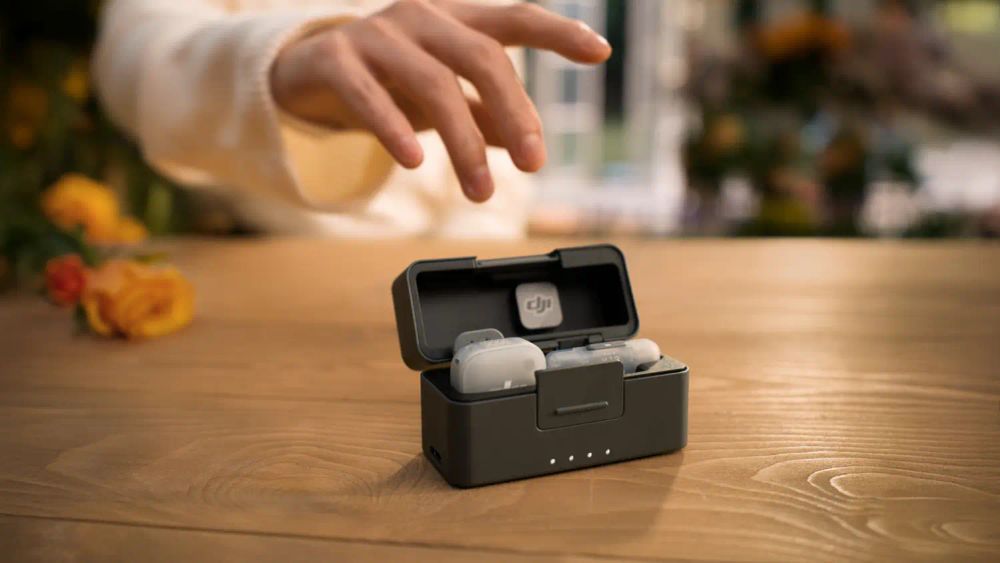
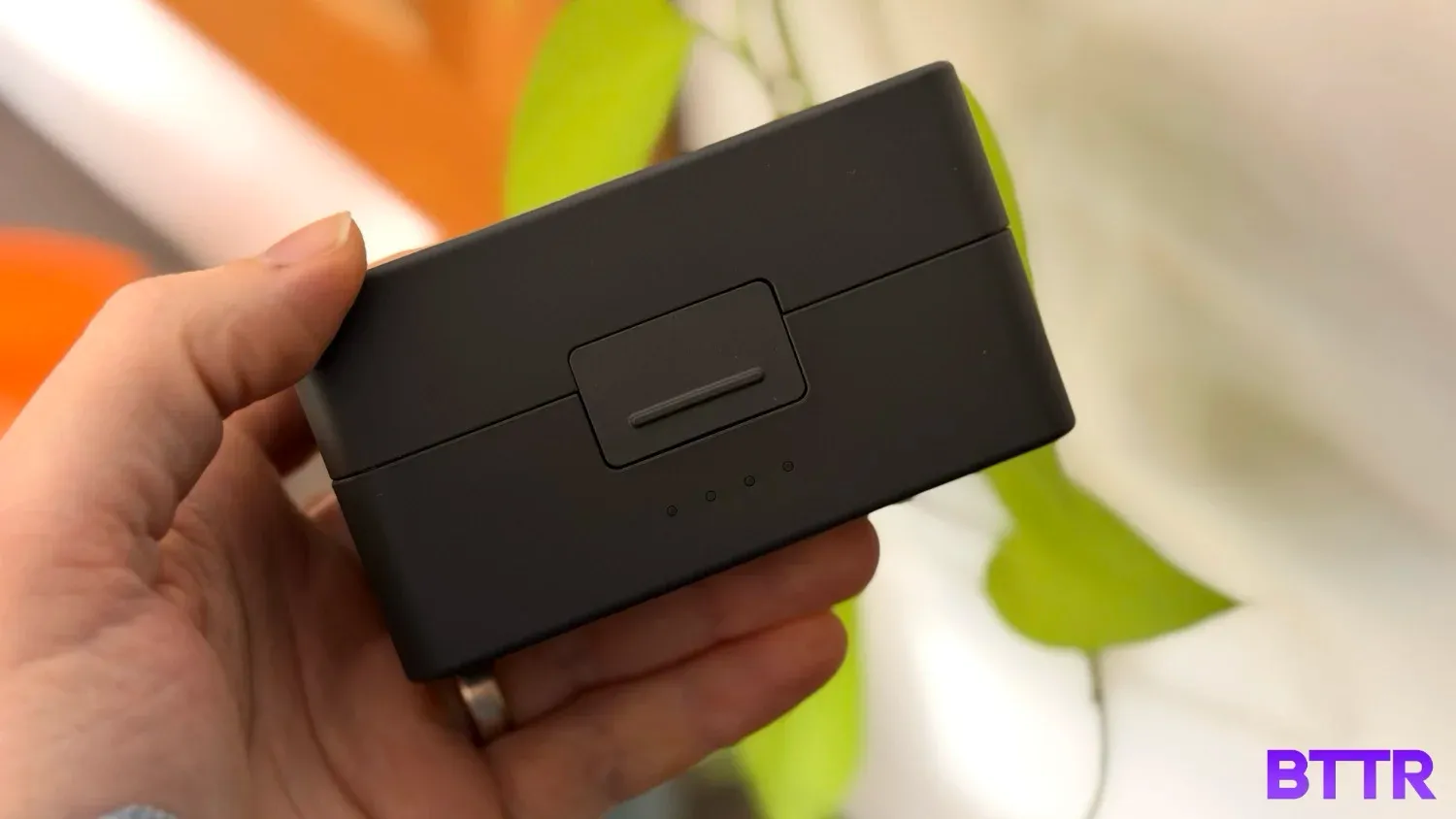
The charging case is a clear evolution of the Mic 2's case design, just scaled down to match the smaller transmitters and receiver inside.
Where the design starts to show its limits is the branding. Even with a bright pink or blue faceplate clicked on, there's still a prominent white DJI logo sitting front and centre.
It's not unique to DJI, Rode does the same thing on its mics, but it's a real consideration for any creator who'd rather not advertise someone else's company on their shirt.
The other design limitation is that the transmitters don't have any port for connecting an external lavalier mic. If you want that kind of flexibility, the Mic Mini 2 won't give it to you.
Setup itself, by contrast, was painless. Plugging the receiver into my iPhone via USB-C had it connect automatically straight away, with no manual configuration required.
Performance
I tested the Mic Mini 2 in two very different environments: recording casual unboxing videos, and recording a keynote speech at a conference from a fair distance back from the stage.
In both cases, the voice capture was clear. At the conference specifically, with the Pocket 4 connected to the mic over Bluetooth, the audio came through cleanly despite a fairly loud and busy venue. I was impressed.
For the unboxing videos, placement turned out to matter more than I expected.
I had the clearest results when the mic was magnetically attached to my shirt at chest height, rather than clipped to a collar or a hat. I've seen other reviewers get good results from higher placements, but in my testing, chest level consistently sounded the clearest.
I also tested it with a TV playing in the background to see how well it isolated my voice from ambient noise. The Mic Mini 2 focused in on my voice well. You can pick up a hint of the TV if you listen closely, but it didn't compete with or muddy the primary recording.
I didn't experience a single dropout, and the latency between the transmitter and the Pocket 4 was never noticeable.
The one quirk worth flagging is the button combinations used to switch between modes on the transmitters themselves. It's not difficult once you've learned it, but there's a small learning curve before it becomes second nature.
Also worth noting for the more professional creators out there: the Mic Mini 2 doesn't support 32-bit float audio or onboard recording, both of which DJI's pricier Mic 3 offers.
As an amateur creator, I didn't notice this in practice, but it's worth flagging for anyone who wants a safety net if their camera's recording fails.
Verdict
The DJI Mic Mini 2 nails the fundamentals. Connectivity is rock solid, pairing is automatic and effortless, and voice isolation held up in both quiet and loud, busy environments. For anyone just getting into content creation, it removes a lot of the friction that usually comes with wireless mic setups.
The trade-off is the branding. No matter which colourway you choose, you're still wearing a visible DJI logo. The lack of a lavalier mic port will also rule it out for anyone who wants more advanced connection options.
If you're starting out and want something simple that just works, this is easy to recommend.
I bought the original Mic 2 a couple of years ago and have been happy with it, but in hindsight, I wish I'd waited for the Mini line.
It's everything most people actually need from a portable wireless mic, in a smaller, more affordable package.
Buy the DJI Mic Mini 2 if
- You're starting out in content creation. The automatic pairing and reliable connectivity remove most of the usual wireless mic headaches.
- You record interviews or two-person content. The two-transmitter pack lets you capture both channels independently.
- You want a microphone with some personality. The swappable colour faceplates are a genuine point of difference from the grey and charcoal competition.
Skip the DJI Mic Mini 2 if
- You don't want visible branding on your shirt. The DJI logo stays prominent, even with a colour faceplate attached.
- You require a lavalier mic connection. There's no port for one on the transmitters, so this won't suit more advanced recording setups.
- You already own a DJI mic and need its screen-equipped receiver. The Mini 2's dial-based receiver doesn't offer the same visual feedback.
Latest microphone deals
Frequently Asked Questions
Does the DJI Mic Mini 2 work with the Osmo Pocket 4?
Yes. I tested the Mic Mini 2 connected directly to the Osmo Pocket 4 via Bluetooth, and pairing was automatic with no manual setup required after the initial connection.
Can you use a lavalier microphone with the DJI Mic Mini 2?
No. The transmitters don't have a port for connecting an external lavalier mic, which limits flexibility for users wanting more advanced recording setups.
How long does the DJI Mic Mini 2's battery last?
DJI rates the transmitter at up to 11.5 hours and the receiver at up to 10.5 hours, with the charging case extending total use to 48 hours. Across a month of regular testing, it never died on me mid-recording.
How does the DJI Mic Mini 2 compare to the DJI Mic 2?
The Mic Mini 2 is smaller and more compact, with a simplified magnetic clip system, but it drops the screen on the receiver in favour of a manual rotating dial and doesn't support 32-bit float audio. Build quality and day-to-day recording performance remain comparable between the two.
How much does the DJI Mic Mini 2 cost?
The entry kit (1 TX + 1 RX) is $89 RRP. The most complete kit (2 TX + 1 RX + charging case) is $149 RRP. Mobile-focused bundles range from $89 to $119, with a full combined bundle at $198, and a standalone transmitter for $49.
What's the range on the DJI Mic Mini 2?
DJI claims up to 400m with the standard receiver and 300m with the mobile receiver. I didn't push it that far in my testing, but never had a dropout at the distances I recorded at.