

BTTR is independent. We may earn a commission if you buy through our links.
Why trust us? | How we test
Nothing drives TV sales like a big sports event, and there's no bigger event in world sports than the World Cup.
The 2026 FIFA World Cup kicks off on 11 June, and if you're thinking about upgrading your TV to get the best possible experience, it's important to understand that there's a lot more to enjoying sports than just choosing the biggest TV.
Most major TV manufacturers now build dedicated sports or soccer modes into their flagship models, designed to use AI and fast motion settings to make live sports look and sound better on your screen.
While having a big enough screen to make out the ball is important, today's TVs offer improved motion handling, scene recognition, colour accuracy, and sound to provide a much more immersive sports-watching experience. Even better is that the latest TVs handle all of this either automatically or through smart engineering.
The bad news is that if you're not buying a new TV for the World Cup, you might be missing out on features that would significantly improve your viewing experience. There are still things you can tweak to get a better experience, though.
I've spent the last few weeks talking to the engineers and product leaders behind the TV industry's biggest sports features. Here's what they told me, and what it means if you're planning to buy a new TV before the World Cup kicks off.
Two philosophies: AI detection or universal picture processing
Many people think sports modes are just simple presets that crank up the brightness and sharpness. That may have been true at first, but today's TVs take a much more advanced approach to optimising sport, and not all manufacturers are playing the same game.
Most brands have gone all-in on AI scene detection. Patrick Chen, Product Trainer at TCL Australia and New Zealand, described the company's approach: "Sports Mode instantly dials up motion interpolation to eliminate motion blur and stuttering during quick passes, boosts specific colour channels to make green pitch and team kits look vivid, and enhances shadow detail so you never lose track of the ball in high-contrast stadium lighting."
Motion is critical here. Soccer (or football, if you're a purist) is one of the fastest-moving sports you can watch on television. The ball travels across the field, players sprint, cameras pan. All of that motion needs to stay sharp, or you end up with blur that ruins the experience. TCL's approach specifically targets this problem through its AiPQ processor.
Samsung's approach starts with real-time scene recognition. According to Maxime Dupont, Head of Product for Visual Display at Samsung Australia, the TV's processor "uses real-time AI-powered scene recognition and the neural network processing of the TV's processor to analyse the match as it's happening."
What does that mean in practice? The TV adjusts picture settings specifically for sport viewing, enhancing "colour expression, sharpness, motion clarity, and audio balance." Grass appears more natural. Player details sharpen up. Commentary cuts through the crowd noise without drowning it out.
Hisense has built its sports offering around something it calls the HiView AI Engine and AI Sports Mode. Nick O'Connor, National Training Manager at Hisense, explained that its system uses "AI Picture" to "optimise team colours, ball sharpness and motion up and down the field in real time," combined with "AI Sound" that "optimises commentator dialogue and the stadium roar to make you feel right there with the crowd."
What's interesting about Hisense's approach is that it has added a third layer: "AI Scenario" recognises scoreboards and game time on screen and optimises settings for each element. When the scoreboard appears, the TV automatically adjusts the picture settings which are different to when the picture is focused on players.
Sony, meanwhile, takes a different path entirely. The company doesn't offer a dedicated sports mode at all on its BRAVIA TVs. Instead, it's betting on what it calls its XR Processor to handle everything a sports viewer needs.
Daniel Kennedy, Senior Product and Partner Specialist at Sony Australia, explained the philosophy: "Picture processing is arguably the most important consideration when buying a TV for sport. Sony BRAVIA's XR Processor delivers natural colour reproduction and low-noise picture quality that makes you feel like you're watching from the stands."
Rather than building specialised AI that detects sports and applies optimisations, Sony is arguing that its XR Processor is designed to analyse and optimise picture quality across all content, including sports.
Samsung, TCL, and Hisense all use AI to detect content and optimise in real time, without requiring you to dive into menus or even understand what is happening. You simply press play on SBS On Demand, and the TV figures out what you're watching and makes it look better automatically.
Price matters, but so does the base technology
Samsung's AI Soccer Mode is available across its entire 2026 TV lineup, from entry-level to premium, but the feature's performance varies.
Maxime Dupont explained: "the level of performance varies depending on the TV's processor and panel technology. Premium models with more advanced AI processors can deliver more sophisticated real-time analysis and picture optimisation."
So you can get the feature on a cheaper TV, but you're not getting the same level of picture optimisation as you would on a flagship model.
TCL's approach is similar. Patrick Chen told me that "Sports Mode is available throughout the entire lineup, from our accessible entry-level smart TVs up to our flagship models."
But again, there's a performance difference.
"While our entry-tier displays feature excellent software-driven motion handling, the experience scales up dramatically on our premium Super Quantum Dot (SQD) Mini-LED tiers, such as the C7L, C8L, and X11L. These models pair the processing mode with 144Hz Variable Refresh Rate (VRR) and thousands of local dimming zones for unparalleled clarity."
Hisense also echoes this. Its AI Sports Mode is available across its entire range, including the entry-level QLED models all the way up to the new UR RGB MiniLED range. But the premium models with better processors and advanced panel technology will deliver better results.
Sony's strength in the living room is something less obvious than AI smarts. Daniel Kennedy noted that "for those buying ahead of the World Cup, our larger models also feature a low-reflection screen, so everyone gets a great view."
This is even more important if you've got bright windows in your viewing room or if you're planning to gather a crowd of people to watch the matches together. A low-reflection screen means reflections won't wash out the picture no matter where you're sitting or what the sun is doing outside.
Why you should care about more than just sports mode
The manufacturers I spoke with don't all agree on the same approach, but they do agree on something important: don't buy your TV based on sports mode alone.
Sports mode is a feature, but there are other technologies that matter just as much, if not more.
Hisense's pitch is about simplicity and performance across the range. As Nick O'Connor explained: "we are able to automatically deliver the best entertainment experience, without fuss or compromise."
Hisense has also partnered with SBS, the official broadcaster for the World Cup, which means its AI can be optimised specifically for how SBS broadcasts the World Cup in Australia.
TCL's pitch is built on value. Patrick Chen told me: "The ultimate case for choosing TCL is our unique ability to deliver premium screens at an accessible price point."
TCL pairs its sports mode with Super Quantum Dot technology and high-speed refresh rates. "What TCL does best for live sport is pairing our super quantum dot technology with high-speed refresh rates to virtually eliminate motion blur during fast-paced action. This means that every pass, cross, and sprint remains razor-sharp and fluid, maintaining absolute picture clarity even during the match's most intense moments," Chen added.
Samsung highlights several other features worth considering. Maxime Dupont explained: "AI Motion Enhancer Pro uses deep learning to detect the type of sport being watched and intelligently sharpen fast-moving objects like footballs, reducing blur and improving motion clarity."
This is available on the Micro RGB R95H, OLED S90H, and The Frame Pro.
He also mentioned "Adaptive Picture," which "automatically adjusts brightness and contrast based on both the content and ambient lighting in the room," and "PANTONE Validated colour," which "delivers accurate, vivid colour reproduction across different lighting conditions."
Then there's audio. "AI Sound Controller/Pro analyses audio in real time and intelligently separates dialogue and crowd noise and music and effects into different layers, allowing viewers to personalise the balance and create a more immersive stadium atmosphere," Dupont explained.
Sony's argument strips away complexity. Rather than focusing on sports-specific optimisation, Daniel Kennedy emphasises: "Picture processing is arguably the most important consideration when buying a TV for sport."
Its XR Processor is built to deliver excellent picture quality across all content. If you're not interested in learning about sports modes and just want a TV that looks great for all viewing, Sony's strategy here removes complexity from the buying decision.
What to actually change on the TV you already own
Not everyone is buying a new TV before the World Cup. If you've got a TV from the past few years without dedicated sports mode, you're not completely out of luck.
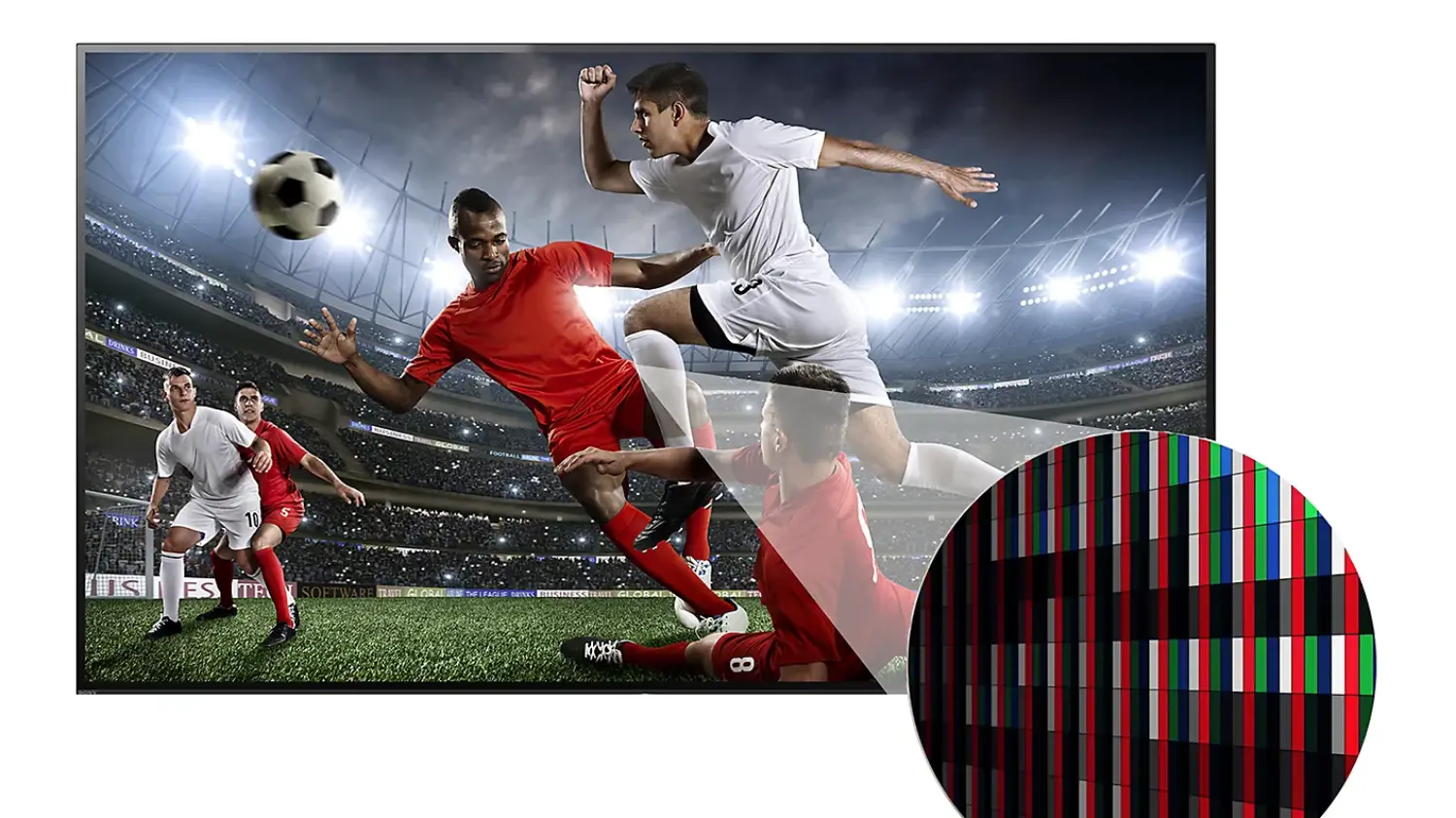
Sony owners have a straightforward starting point. Daniel Kennedy recommends: "The most impactful change any Sony TV owner can make is enabling Motion Clarity in picture settings. It's specifically designed to reduce blurring of fast-moving subjects like players and the ball, and makes a noticeable difference when watching the World Cup."
He also flagged audio options worth exploring: "Voice Zoom3 is worth exploring for anyone watching at home as it lets you adjust how prominently the commentary sits in the mix, so you can stay across the action or dial it back for more of that stadium atmosphere."
TCL owners should follow a similar path. Patrick Chen offers this advice for older TCL models: "The best adjustment you can make is to navigate to your advanced picture settings and turn on 'Motion Clarity' or 'Motion Smoothing' to stabilise fast camera panning."
He also recommends exploring the dedicated Sports Mode if your TV supports it. "Within these Mini-LED models, you can easily fine-tune the brightness, contrast, and colour saturation sliders within that mode to dial in the perfect, subjective watching experience for their specific living room setup."
Interestingly, both Sony and TCL recommend Motion Clarity as the first step, suggesting it's one of the most important picture settings across different brands for sports viewing.
Samsung owners have three straightforward adjustments. Maxime Dupont tells me that even on older Samsung TVs, there are a few simple settings adjustments that can significantly improve the live sport viewing experience.
His first suggestion is to turn on Adaptive Picture, as this "allows the TV to automatically adjust brightness and contrast based on the lighting in your room, helping maintain accurate colour and visibility whether you're watching during the day or at night."
He also recommends using Adaptive Sound, which optimises the sound depending on what's playing. For sport, this can "[enhance] commentary clarity and creating a more immersive crowd atmosphere."
Finally, Samsung owners should check that their TV isn't in power-saving or standard default modes, as "these modes can reduce brightness, dull colours, and limit motion performance during live sport," according to Dupont.
The overlooked details that matter
Beyond the sports mode and core picture settings, there are a few other things that affect how good the World Cup will look in your living room.
Audio is an easy one to overlook. Patrick Chen from TCL told me: "Don't overlook the audio, as live football is always enhanced through the roar of the crowd. We recommend turning on Dolby Atmos or setting your TCL TV's integrated sound system to a 'Sports' audio preset to widen the soundstage."
When you're watching the World Cup, you don't want to just see the action – you want to feel like you're in the stadium. That crowd roar, the commentary cutting through the noise, the sound of the ball hitting the net. All of that is part of the experience.
Screen size is another factor. As Maxime Dupont noted, "Samsung has been feeding Australians' appetite for big screen TVs for a number of years with 98"+ screens the fastest growing category."
Bigger screens make sports feel more immersive. But here's the catch: "not all big-screen TVs are created equal, especially when it comes to live sport."
For the really large screens, certain technologies become critical. Samsung's Supersize Picture Enhancer technology, available on select 85" models and all 98"+ models, "helps upscale content while reducing noise, enhancing sharpness, and improving contrast to maintain detail and clarity on larger displays."
Motion performance also becomes more important on bigger screens, because blur and detail loss are far more noticeable when you're looking at a 98-inch picture instead of a 65-inch one.
Hisense also highlighted its Multiview feature, which "lets you keep an eye on the action while tracking the latest scores and stats and making sure every moment is just the way you want it." This is useful if you're planning to follow multiple matches or keep an eye on standings while watching.
Your internet connection matters more than the technology
Many Australians will be watching the World Cup through SBS On Demand, not through a traditional broadcast. This can have a big impact on the quality of the content, depending on your internet connection, bandwidth, and how much compression the streaming service is using.
Hisense takes the approach of recognising streaming content specifically. Nick O'Connor told me that "the TVs can recognise live-streamed sports; in the case of FIFA, through SBS On Demand, and in conjunction with AI Sports Mode, automatically optimise and minimise distractions and disruptions so you don't miss a thing."
But Samsung has perhaps the most useful feature for anyone dealing with imperfect streams.
Maxime Dupont at Samsung explained: "Samsung's AI upscaling technology analyses the image in real time to identify areas where detail may have been lost due to lower resolution or compression artefacts. The TV can then intelligently restore texture, sharpen edges, reduce visible noise, and improve overall clarity.
That means even lower-quality streams or compressed broadcasts can appear noticeably cleaner and more detailed automatically."
This is huge if you've got a variable internet connection or if you're watching on a lower bandwidth setting. The TV is doing the heavy lifting to make compressed streams look better.
Dupont said it plainly: "even lower-quality streams or compressed broadcasts can appear noticeably cleaner and more detailed automatically, without the user needing to manually adjust settings."
Just press play
Sports modes are now common across the TV industry, but they're not all the same. Some manufacturers have chosen not to offer them at all, betting instead on general picture processing.
If you're buying a new TV before the World Cup, look for a model that combines good motion handling with accurate colour reproduction and solid audio. A dedicated sports mode is a bonus, but excellent general picture processing matters just as much.
If you're keeping your existing TV, spend five minutes in the picture settings menu. Turn on Adaptive Picture or Motion Clarity. Make sure you're not in power-saving mode. Check your audio settings.
Most importantly, remember that if you're watching the World Cup through SBS On Demand, make sure your internet connection is solid, and trust the TV to do the heavy lifting on picture optimisation.
You've got enough to worry about without fiddling with TV menus during the match.
The good news is that the technology is good enough that you don't have to worry. Press play, and let the TV figure out the rest.
Latest TV & display deals