

BTTR is independent. We may earn a commission if you buy through our links. Why trust us?
The Osmo Mobile 8P is the best folding phone gimbal DJI has made, largely down to the new FrameTap touchscreen remote fixing the fiddly control scheme of the Osmo Mobile 8. ActiveTrack and the Multifunctional Module track reliably, and the wider tripod stance holds steady on uneven ground. The trade-off is bulk, and price over the base kit if you want tracking. If you shoot a lot of phone video, it's worth the extra weight in your bag.
- FrameTap touchscreen remote fixes the awkward dial-based controls of the Osmo Mobile 8
- ActiveTrack and Module 2 tracking reliably follow people, pets, vehicles and objects
- Wider, split-design tripod holds steady on uneven surfaces
- Detachable remote gives remote control up to 10 metres
- DJI microphones no longer pair directly to the module, you connect to your phone instead
- New touchscreen shortcuts take time to relearn if you're upgrading from the Osmo Mobile 8
- Bulkier than a dedicated pocket camera solution
Having reviewed the Osmo Mobile 8 late last year, I expected to find the new Osmo Mobile 8P to be an iterative update, barely worth getting excited about.
It arrived alongside the Osmo Pocket 4 to review, and given how much I enjoyed using that portable camera, I expected the 8P to feel underwhelming.
I was so very, very wrong.
The Osmo Mobile 8P is a massive update on last year’s model. Sure, it’s fundamentally the same product – a smartphone gimbal that lets you easily track your subject using DJI’s ActiveTrack software.
But the 8P is a substantial improvement over the 8 thanks to the addition of the Osmo FrameTap detachable remote. It thoroughly changes how you use the gimbal, making it easier to set up and control the device for taking photos and recording video.
Don’t let the name fool you. This is a major update to DJI’s existing smartphone gimbals, and worth consideration if you regularly use your phone for video.
What makes the DJI Osmo Mobile 8P stand out?
DJI’s Osmo Mobile 8 was a massive step-up for the smartphone gimbal, offering 360-degree rotation, a built-in tripod and subject tracking across apps thanks to the OM Multifunctional Module. It was also one of the first products to support Apple’s DockKit.
The 8P carries on that legacy. DJI has refined the OM module’s integration to make it less bulky and cumbersome, and tweaked the design so that it’s easily stored as part of the gimbal when it’s folded down.
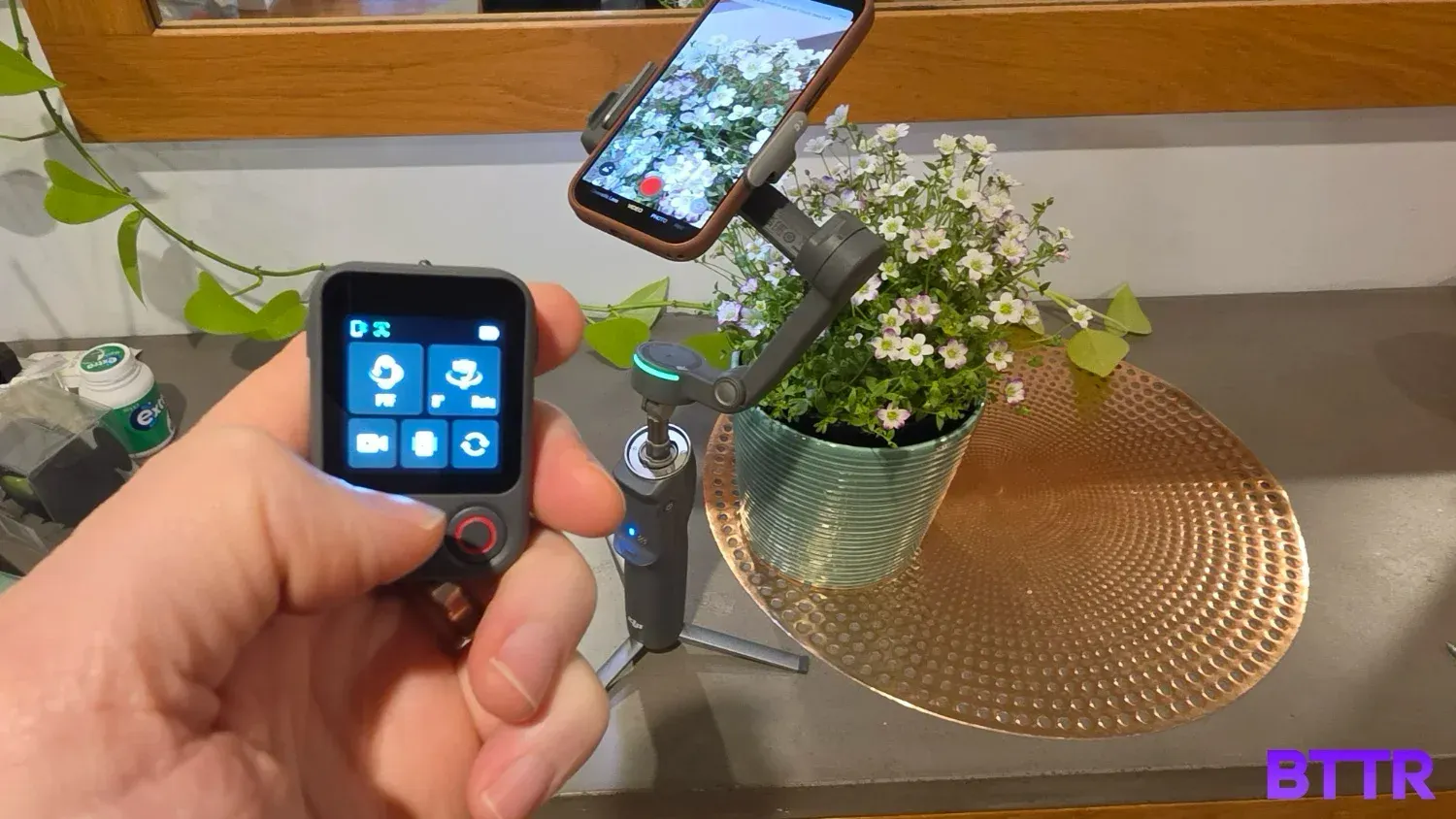
But the big change is in the new detachable remote, which adds a 1.4-inch 240 × 240 touchscreen interface to make controlling settings more straightforward. You can adjust the module’s light temperature and brightness, change gimbal control mode and switch between front and back cameras on your phone.
And of course, the FrameTap is a removable remote control. It detaches from the body to give you the ability to control the 8P from a distance up to 25 metres on Wi-Fi or 10 metres on Bluetooth.
You can mirror your phone’s display on the remote, or use it to select your subject, giving you easy access to controls from a distance.
DJI Osmo Mobile 8P specs
| Category | Specification |
|---|---|
| Price (AUD) | Standard Combo $219 | Advanced Tracking Combo $269 | Creator Combo $329 |
| Dimensions (folded) | 196 x 105 x 38mm |
| Weight | Approx. 386g (gimbal only) |
| Extension rod | Built-in, max 215mm |
| Built-in tripod | Split design, 97mm radius |
| Compatible phones | 170-300g weight, 6.9-11mm thick, 67-84mm wide |
| Connectivity | Bluetooth 5.4, USB-C |
| Battery life | Up to 10 hours (balanced, stationary, no tracking module) / as low as 4 hours with tracking and fill light in continuous use |
| Osmo FrameTap remote | 53 x 37 x 19mm, 29g, 1.4-inch 240x240 touchscreen at 800 nits, up to 25m range (Wi-Fi) / 10m (Bluetooth) |
| Tracking | ActiveTrack 8.0 (DJI Mimo app), Multifunctional Module 2 (Advanced Tracking/Creator combos only), Apple DockKit |
| Fill light (Module 2) | 8 brightness levels, 8 colour temperatures, 2500K-6500K |
| Pan rotation | 360° unlimited |
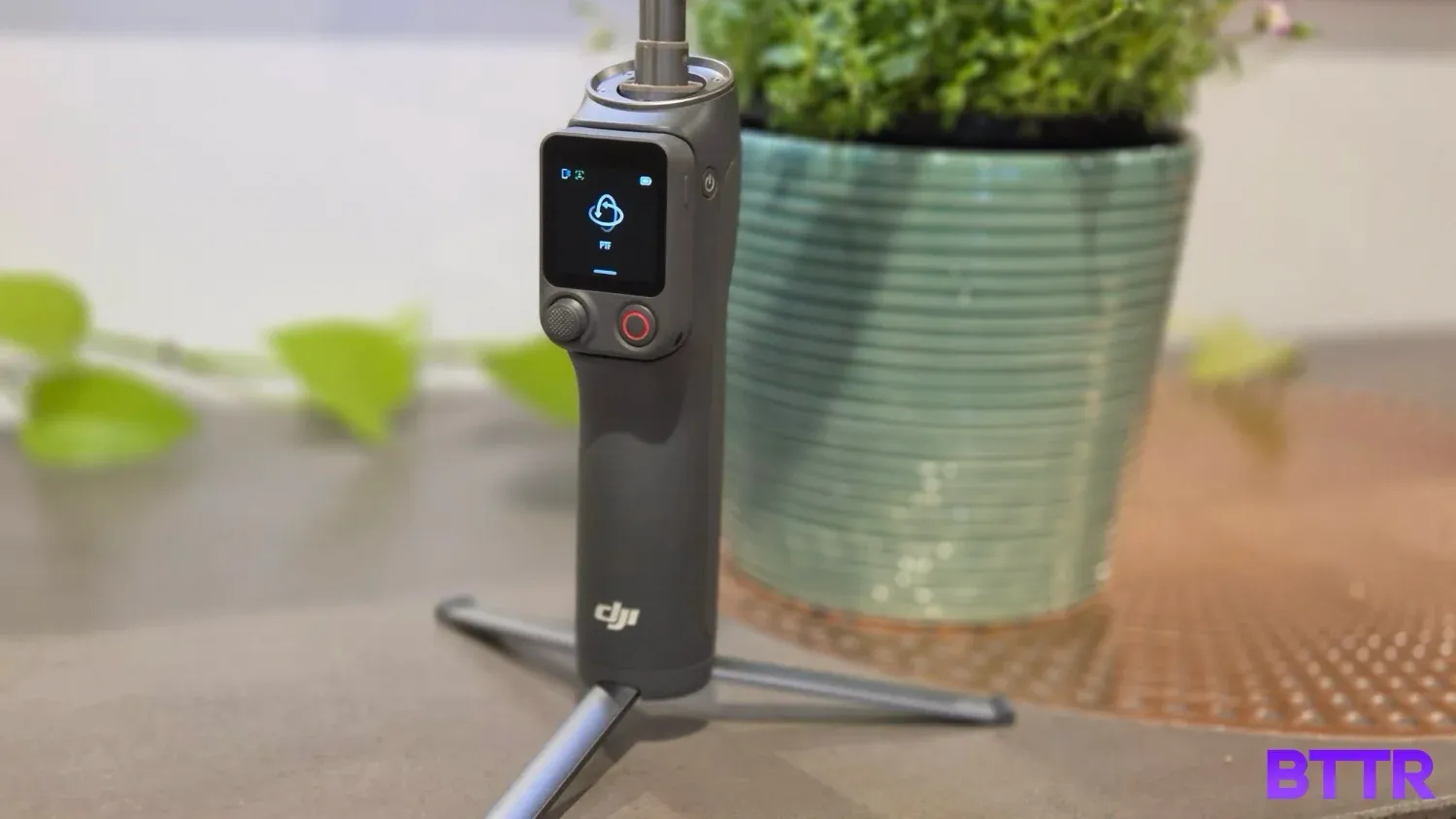
Design and build quality
There’s a real elegance to the design of the Osmo Mobile 8P, particularly in the way the multifunctional module now effortlessly stores with the gimbal’s phone grip.
It’s not a small device. Weighing in at 386 grams on its own, you’ll likely end up holding over half a kilo with your phone attached. Official measurements for the 8P when folded are 196 × 105 × 38 mm, which feels chunky compared to something like the Osmo Pocket 4.
That bulk does have a lot in it, though. The 8P has an integrated tripod in the grip that extends out easily, the extension rod stretches out up to 215 mm and there’s a 3350 mAh battery inside, which DJI says is good for up to 10 hours of stabilisation.
The tripod has a wider radius than the previous model, which helps it stay balanced.
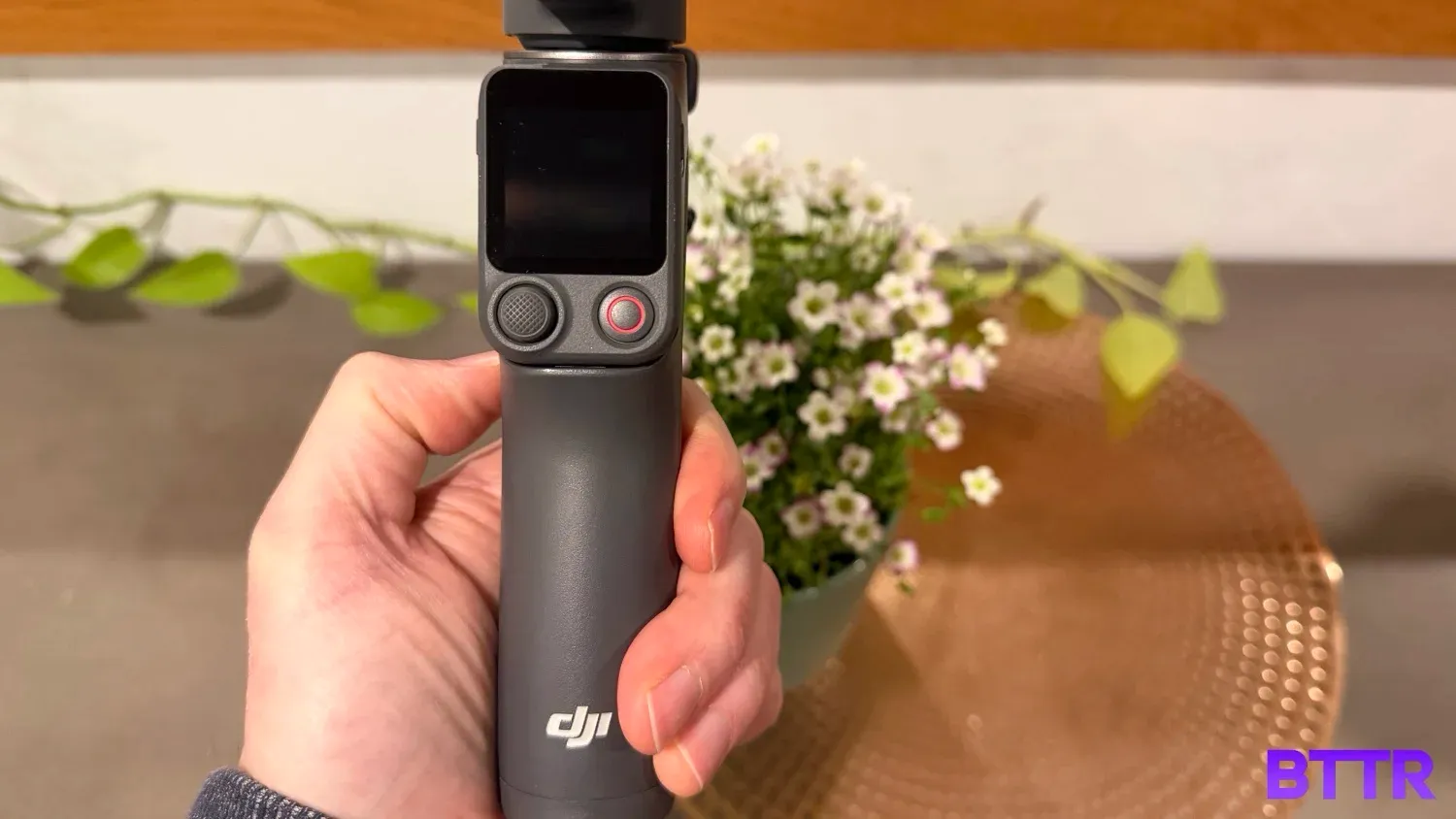
Like previous Osmo Mobile models, the 8P feels well-designed to sit in the hand while recording footage. The new touchscreen remote is easily reachable with your thumb, while the trigger sits comfortably under your index finger for easy access.
As I’ve mentioned a few times, the touchscreen remote is the big change with this model, and I’m a big fan, particularly compared to last year’s Osmo Mobile 8.
That model had a dial on the left side of the handle to control the multifunctional module that was awkward to reach and manage while filming.
The touchscreen solves that issue entirely, while also adding the convenience of remote control of the gimbal.
The multifunctional module has a more refined design for this gimbal, slotting into a USB-C port behind your phone. It does make it a bit harder to swap direction of the light for filming using your selfie camera, though the remote’s display makes it easier to frame videos of yourself with the rear cameras.
One thing that has changed is that you can no longer pair a DJI microphone directly to the module this time around, instead you need to connect it to your phone. I don’t see this as a big issue, personally.
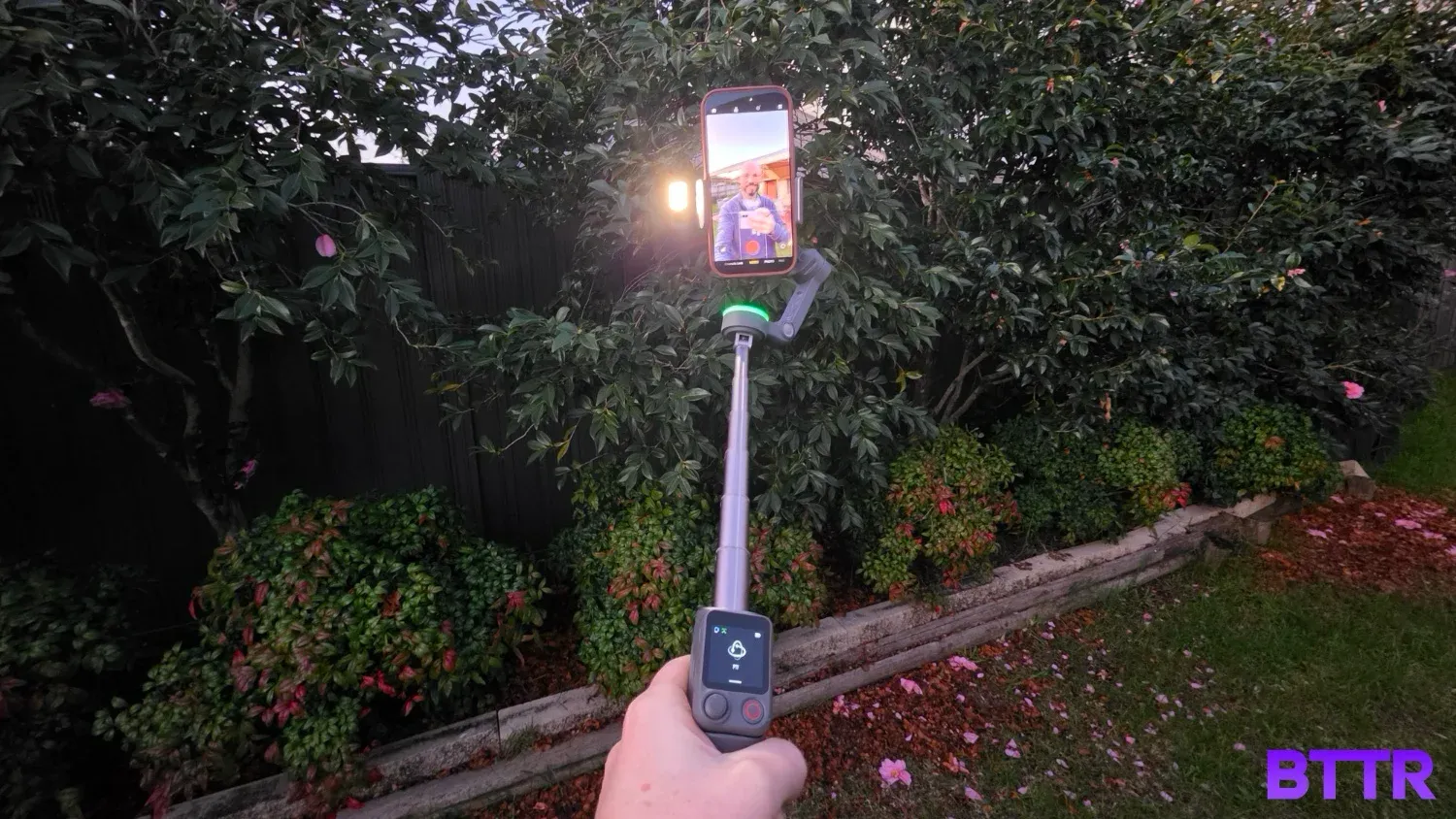
Performance and software
Unsurprisingly, the DJI Osmo Mobile 8P offers really solid stabilisation. Recordings are steady and stable across the four different modes: PTF (pan and tilt follow), PF (pan follow), FPV, and SpinShot.
The touchscreen also helps you get the stabilisation balanced through a quick auto-calibration mode. In previous generations (particularly the Osmo Mobile 5 I have used for years), occasionally the gimbal would struggle to find the right balance point for larger phones. This addresses any issues like that nice and quickly.
There are some changes in the shortcuts over previous generations that will take anyone upgrading a bit of time to master. The big one for me was double tapping the rotate button to swap between vertical and landscape recording, a function that’s now on the touchscreen.
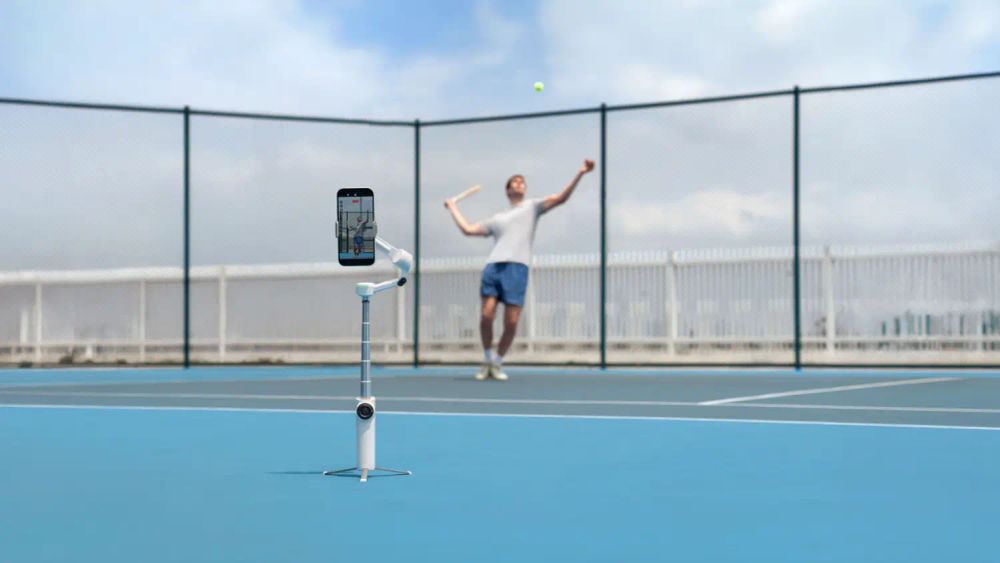
DJI’s ActiveTrack subject tracking is fantastic, automatically framing around faces, but also letting you keep any subject in frame, from pets and kids to vehicles and more. Beyond tracking, you can set the subject’s position in the frame, giving you much more control over your photo or video’s composition.
Like the Osmo Mobile 8, you get full 360-degree rotation, and there are features like NFC for quick pairing and DockKit for Apple devices.
I did find myself using DJI’s MIMO app more than the DockKit integration this time around, which was largely based around the remote – with an iPhone, mirroring your screen to the FrameTap controller requires the MIMO app anyway.
Battery life and connectivity
DJI says you get about 10 hours of battery life, but with a product like this, it’s challenging to test the accuracy of that claim. All I can say is that over about a month of testing, I only charged it once.
Some users report as low as 2.5 hours, but it really depends on how the device is used. Pump the fill light on the multifunctional module and watch the battery drain quickly. Remove the remote while mirroring video and it will drain more quickly.
You can also use the gimbal as an emergency battery power supply for your phone, though obviously that will drain the battery even faster still.
I had no problems connecting the Osmo Mobile 8P to my phone — though I did do it the old-fashioned way rather than using the NFC option.
Verdict
Smartphone gimbals are a great way to improve your video content without spending a huge amount of money, and the Osmo Mobile 8P is the best mobile gimbal I’ve tested so far.
It’s really versatile, giving lots of variety to your recording, simple subject tracking and easy framing through its software.
There are some compromises you need to make for that, though. The biggest is bulk – compared to a dedicated compact recording solution, the Osmo Mobile is a bulky companion product.
If you can justify the cost of a pocket-sized creator camera, it’s a noticeably more convenient setup. But if that’s outside your budget, this is a fantastic option.
Buy the DJI Osmo Mobile 8P if
- You shoot solo content and need to see yourself in frame. FrameTap's screen mirroring means you're not walking back and forth to your phone to check composition.
- You want tracking that goes beyond faces. ActiveTrack and the Module 2 combo follow pets, vehicles and general objects, not just people.
- You're often shooting on uneven ground. The wider, split-design tripod holds its footing better than the Osmo Mobile 8's.
- You found the Osmo Mobile 8's dial-based controls fiddly. The touchscreen remote replaces the old dial system entirely.
Skip the DJI Osmo Mobile 8P if
- Your phone is heavier than 300g or thicker than 11 mm. DJI's clamp won't hold it properly outside that range.
- You want dedicated hardware controls. A lot of what used to be physical buttons, including zoom, now lives behind the FrameTap's touchscreen.
- You only need basic stabilisation, not tracking. The Standard Combo skips the Module 2 tracking hardware, and a cheaper gimbal might suit you just as well.
- You rely on pairing a DJI wireless mic straight to the module. That direct connection has been dropped this generation, you'll need to connect to your phone instead.
Latest camera accessory deals
Frequently Asked Questions
How long does the battery last on the Osmo Mobile 8P?
DJI rates it at up to 10 hours, but that figure is under ideal conditions, gimbal balanced and stationary, no tracking module attached. Turn on tracking and the Module 2's fill light and battery life drops significantly. In casual use it holds up well day to day, over about a month of testing we only plugged it in once.
Which Osmo Mobile 8P combo should I buy?
DJI sells three kits. The Standard Combo ($219) includes just the gimbal and FrameTap remote. The Advanced Tracking Combo ($269) adds the Multifunctional Module 2, which tracks objects and vehicles as well as people and pets, plus a built-in fill light. The Creator Combo ($329) bundles all of that with a DJI Mic Mini 2 wireless microphone kit.
Will the Osmo Mobile 8P fit my phone?
DJI's compatibility range covers phones weighing 170g to 300g, between 6.9 mm and 11 mm thick, and 67 mm to 84 mm wide. Most current flagships fall inside that window, but heavier phones or anything in a bulky case can push past it.
Can I use the Osmo Mobile 8P without the tracking module?
Yes. ActiveTrack 8.0 is built into the DJI Mimo app and handles face and subject tracking with no extra hardware needed. The Multifunctional Module 2, only included in the Advanced Tracking and Creator combos, adds tracking for pets, vehicles and general objects, plus the fill light. If you only need basic tracking, the Standard Combo covers it.
How is the Osmo Mobile 8P different from the Osmo Mobile 8?
The big change is the detachable Osmo FrameTap remote, which the Osmo Mobile 8 didn't have. DJI also widened the built-in tripod stance and moved the Module 2's tracking hardware so it mounts to the gimbal arm instead of the phone clamp, meaning it now works alongside MagSafe. The trade-off is that some physical controls, including the OM8's zoom and focus wheel, have moved onto the FrameTap's touchscreen.
Does a DJI Mic connect directly to the Osmo Mobile 8P's tracking module?
No, and that's a change from earlier models. The Multifunctional Module 2 dropped support for connecting a DJI wireless microphone directly, so you'll need to pair the mic to your phone instead. The Creator Combo's Mic Mini 2 kit is designed to work this way.