

BTTR is independent. We may earn a commission if you buy through our links. Why trust us?
The Kobo Remote is the kind of product that sounds unnecessary until you've spent a cold night reading in bed with your hands tucked under the covers. It won't change your reading experience itself, but the convenience of flipping pages without touching the screen is more satisfying than it has any right to be. At $44.95 it's not cheap for what amounts to two buttons and a Bluetooth chip, but for dedicated Kobo readers who spend a lot of time reading in bed, it earns its place on the bedside table.
- Simple, foolproof two-button design
- Comfortable ergonomic shape with a subtle curve
- Replaceable AAA battery lasts months
- Lanyard included to prevent losing it in bed
- Up to 20m Bluetooth range
- Pricey at $44.95 for a page-turner
- Can't navigate menus, the store, or your library
- Brief wake-up delay at the start of a reading session
- Page turns only, no audiobook or brightness controls
My initial reaction to the announcement of the Kobo Remote was one of shock, then ridicule. “Who on earth needs a remote control for an eBook reader?” I asked, sneeringly.
But having used the remote for over a month alongside the Clara Colour, I’m singing a very different tune. While the Kobo Remote is far from a necessary accessory to your ebook reading experience, there is a definite convenience to being able to turn the page of your book quickly and accurately without having to touch the screen.
As the weather turns colder, and you start reading more in bed or under the blanket, the remote pays for itself in convenience.
What makes the Kobo Remote stand out?
The Kobo Remote is an unlikely product. It’s not like there was an obvious need for a handheld remote control for an ebook reader.
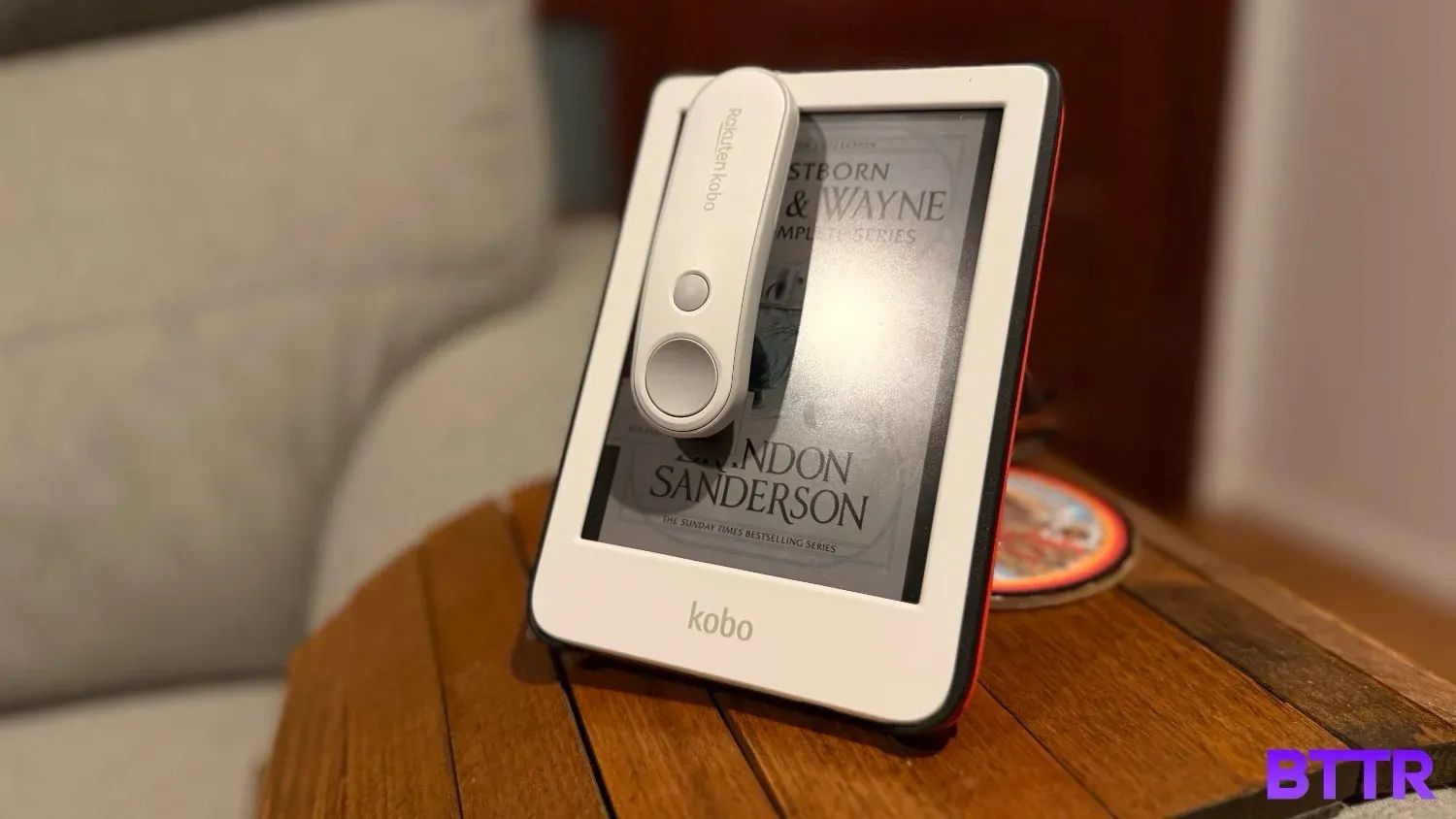
But tasked with designing that product, Kobo’s engineers excelled. The remote is compact, lightweight, and simple. It has two main buttons for controlling your reading, and a third button on the top of the remote at the top that lets you pair with a Kobo ereader.
You can pair it with any Kobo ereader with Bluetooth, which includes the Kobo Clara 2E, Clara BW, Clara Colour, Libra 2, Libra Colour, Sage, Elipsa, and Elipsa 2E. Older models aren’t supported, but that’s fairly obvious given the lack of Bluetooth.
A lanyard slot down the bottom lets you secure the remote to your wrist so you don’t accidentally lose it under the covers.
And that’s it. That’s all there is to think about. As far as revolutionary products go, it’s far from the most exciting. But the Kobo Remote still manages to do its simple job elegantly and effortlessly, and would be hugely beneficial for those with accessibility needs.

Kobo Remote Specs
### Kobo Remote specs| Category | Specification |
|---|---|
| Dimensions | 99.6 x 22.1 x 30.0 mm |
| Weight | Black: 35.2g / White: 36g |
| Connectivity | Bluetooth 5.0 |
| Wireless range | Up to 20m |
| Battery | AAA (replaceable) |
| Battery life | Months of daily reading |
| In the box | Kobo Remote, AAA battery, lanyard |
Design and build quality
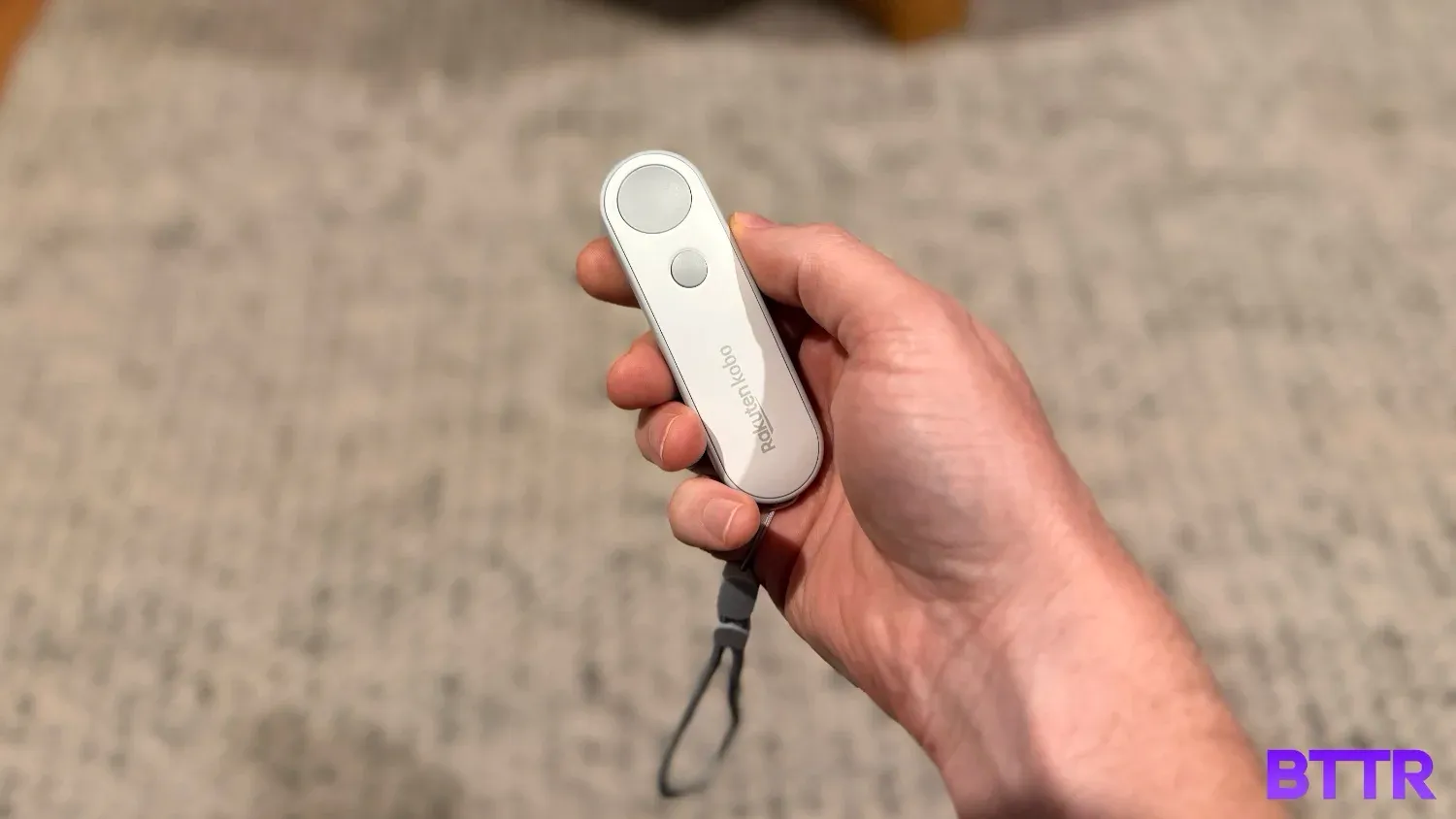
Available in either a white body with grey buttons or a fully black body, the Kobo Remote is ergonomically designed to rest easily in your hand.
It’s all plastic, which helps keep the weight (and price) down, but it still feels decent in the hand.
The design sits comfortably in the folded fingers, with your thumb resting on the main “Next Page” button. The smaller “previous Page” button is right below it, easily reachable, but far enough away you won’t accidentally bump it.
The remote is just shy of 10 cm long, and has a 20º curve that helps with the comfort.
The remote is powered by a single AAA battery, and there is a tiny LED light on the back that helps identify when the remote is in pairing mode.
The very bottom of the Remote has a lanyard hole, and there’s a lanyard in the box. I recommend wearing the lanyard so you don’t lose the remote under your blankets while reading in bed, but it is entirely optional.
Performance
There’s not too much to say here if I’m honest. Press the big button, page goes forward. Push the smaller button, page goes back.
It pairs to the Kobo via Bluetooth, and the process is easy to do. There’s a dedicated pairing button at the top of the remote that isn’t easy to accidentally press, so pairing to a new Kobo is an intentional action. Once paired, it automatically connects every time you wake the Kobo up, so unless you want to use it on multiple devices, you only need to set it up once.
Page turns are fast, though trying to cycle quickly through a bunch of pages still takes time to load each page, so it’s not like you can use it to flick through a chapter too quickly.
That said, there are a few seconds of delay when you first start reading before the remote wakes and pairs to the ereader. Given you probably need to read the page in question, it’s not really too big of an issue, though.
Some may find the simplicity of the remote a drawback. After all, you can’t use the remote to navigate around the Kobo store, or choose what book to read. For those functions, you’ll need to reach out from under the blanket to control your Kobo the old-fashioned way.
But for me, the pure simplicity of the Remote is its most alluring feature. It’s practically impossible to press the wrong button. There’s no complex remembering of what button does what.
And when you’re just reading an ebook, there’s not really a huge number of features you need, beyond page forward and back. For that, this thing is perfect.
Verdict
It’s not going to be for everyone. At $44.95, it’s probably a little on the pricey side for what amounts to a pair of buttons.
But you don’t need it to enjoy reading on a Kobo. It doesn’t change the actual reading experience. Your screen remains the same, the fonts, and legibility all remain unchanged. The remote just adds a simpler way to control page turns.
But that is comfortable. Snuggled under the blanket, the Kobo resting on your lap, being able to keep your hands warm while the pages turn is comforting. It feels nice.
If you read a lot, and hate holding your ereader as you read, then the remote may just be the optional accessory you’re looking for.
Buy the Kobo Remote if…
- You read in bed and want to keep your hands warm under the covers while turning pages
- You find yourself constantly picking up your e-reader just to tap the screen
- You want a dead-simple, hard-to-misuse accessory that just works
Don't buy the Kobo Remote if…
- You want full remote control of your Kobo, including navigating menus and choosing books
- You're happy reading at a desk or upright and rarely find screen tapping inconvenient
- You're not sure if you'll use it enough to justify $44.95 for page turns alone
Latest ebooks and audiobooks deals
Frequently asked questions
Which Kobo e-readers are compatible with the Kobo Remote?
The Kobo Remote works with any Kobo e-reader that has Bluetooth. That includes the Clara 2E, Clara BW, Clara Colour, Libra 2, Libra Colour, Sage, Elipsa and Elipsa 2E. Older models without Bluetooth aren't supported.
How does the Kobo Remote connect to my Kobo?
Pairing is handled by a dedicated button on the top of the remote. Press it to put the remote into pairing mode, then follow the prompts on your Kobo's screen. It's a straightforward one-time process, and the remote reconnects automatically after that.
How long does the battery last in the Kobo Remote?
The remote runs on a single AAA battery, which Kobo says will last months of daily reading. The battery is replaceable, so when it eventually dies you just swap in a new one.
Can the Kobo Remote control anything apart from page turns?
No. The remote only handles forward and back page turns. You can't use it to navigate the Kobo store, switch books, adjust brightness, or control audiobook playback. For anything beyond page turns, you'll need to interact with the screen directly.
Is the Kobo Remote worth it?
That depends on how you read. If you spend a lot of time reading in bed with your Kobo resting on a pillow or your lap, the ability to turn pages without touching the screen is a real convenience. If you mostly read sitting upright, you'll probably find it difficult to justify $44.95 for what is, at its core, two buttons.