

BTTR is independent. We may earn a commission if you buy through our links. Why trust us?
The Laser 14-inch portable monitor cuts corners everywhere a budget product usually does, in the plastic build and the fiddly on-screen menu. But the panel itself holds up, delivering a sharp 1920 x 1200 image, a built-in stand and both USB-C and HDMI connections for $149.95. It won't replace a serious second monitor, but for gaming on the road or handing the kids a bigger screen, it's ridiculously good value.
- Sharp enough 1920 x 1200 IPS panel for documents, browsing and mobile gaming
- Built-in fold-out stand means one less accessory to carry
- Ships with both a USB-C to USB-C cable and an HDMI to Mini HDMI cable
- At $149.95, one of the cheapest portable monitors on the Australian market
- Plastic build feels cheap and the stand doesn't feel especially robust
- Viewing angles narrow noticeably beyond about 45 degrees
- On-screen control menu is a pain to navigate
- Built-in speakers are thin and better bypassed for anything but emergencies
Laser launched its 14-inch portable monitor at a frankly insane price of $99. It has since returned to its full RRP of $149.95, but that launch price was important.
Because portable monitors aren't a cheap purchase. The Espresso 15 Lite, one of my favourite gadgets this year so far, has an RRP of $399. Laser launched its product at a quarter of the price.
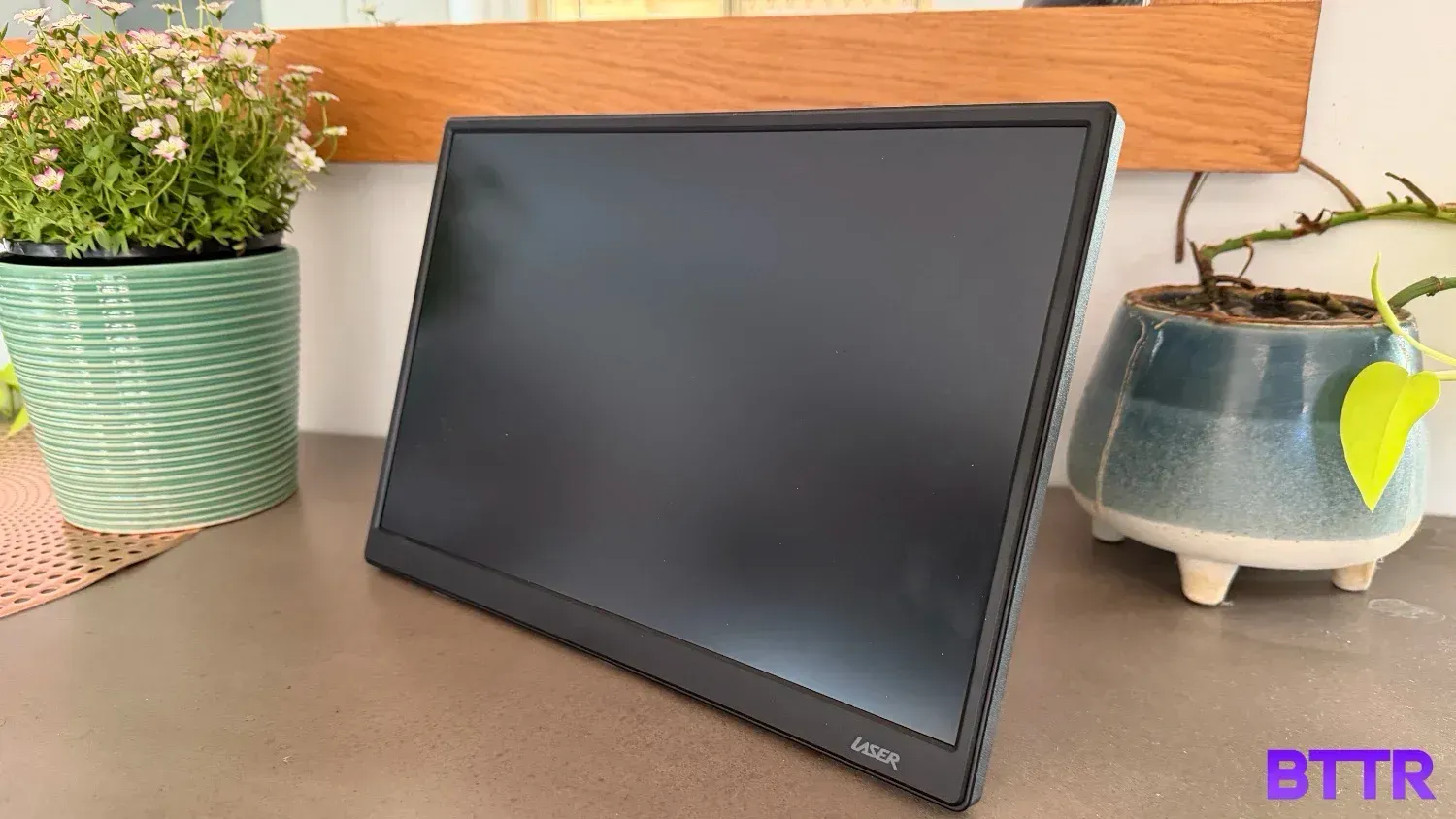
To be fair, it's a starkly different product in terms of build quality and design. The Laser monitor feels cheap and plasticky. It looks like a budget product.
But that's okay. Because even at the full $149.95 RRP, the Laser monitor does a good enough job where it counts to be worth the money.
What makes the Laser 14-inch portable monitor stand out?
The Laser's key selling point, frankly, is the price tag. At $149.95, a 14-inch monitor that is powered purely by a single USB-C cable is ridiculous value for money.
While the build quality is the obvious area Laser has shaved cost, the actual onboard specs are surprisingly solid.
The 14-inch IPS panel runs at 1920 x 1200, with a 250 nit brightness, 1000:1 contrast ratio and a 60Hz refresh rate. It also covers 100% sRGB and supports AMD FreeSync, which isn't something you'd expect to see on a screen this cheap. There's a low blue light mode too, if you're the sort who cares about that for late-night laptop work.
It has two inbuilt 1W speakers on board and a 178 degree viewing angle, plus a 3.5mm headphone jack if you'd rather skip the onboard speakers entirely and plug in proper audio.
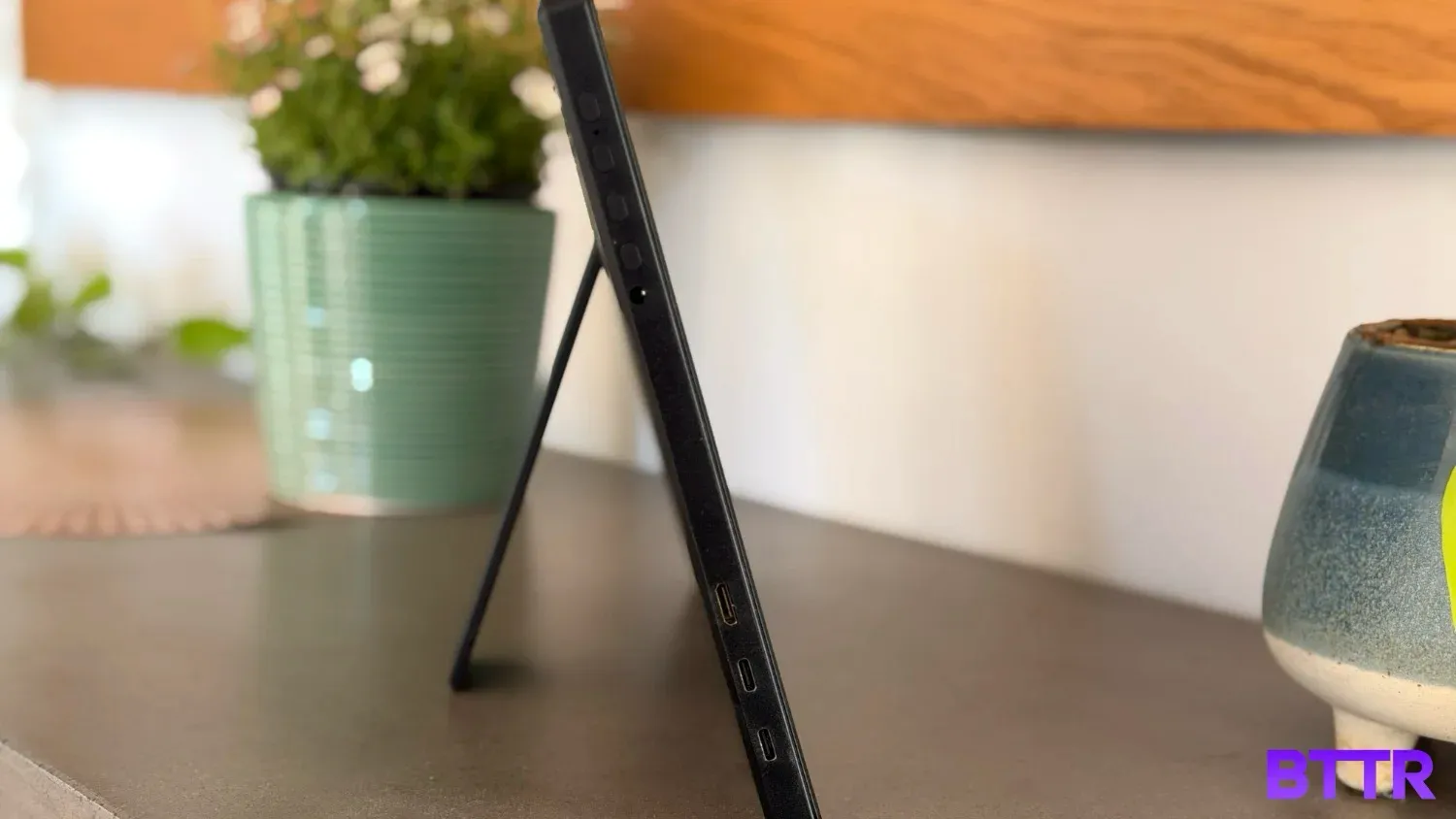
It comes with two USB-C ports (you may need one to add power when you can't draw enough directly), and a mini HDMI port, plus cables in the box to help you connect.
There's even a 75 mm VESA mount if you wanted to more permanently attach this, though I'm not sure why you would.
It's also worth pointing out here that while I reviewed the 14-inch model, Laser also has 15.6-inch models, both with and without a touchscreen.
Laser 14-inch portable monitor specs
| Specification | Value |
|---|---|
| Price | $149.95 RRP |
| Screen | 14" IPS LCD |
| Resolution | 1920 x 1200 (16:10) |
| Brightness | 250 nits |
| Contrast ratio | 1000:1 |
| Refresh rate | 60Hz |
| Viewing angle | 178° |
| Colour gamut | 100% sRGB |
| Extras | AMD FreeSync support, low blue light mode |
| Speakers | 2 x 1W built-in |
| Connectivity | 2 x USB-C, 1 x Mini HDMI, 3.5mm headphone jack |
| VESA mount | 75mm, M4 x 10mm |
| Power input | 5V/3A to 20V/5A via USB-C |
| Dimensions | 31.9 x 21.6 x 1.2cm |
| Weight | 560g |
| Colours | Black |
| Warranty | 1 year |
| What's in the box | 14" portable monitor, USB-C to USB-C cable, HDMI to Mini HDMI cable, user manual |
Design and build quality
Budget products generally sacrifice build quality and specs to hit their price tag, and Laser's 14-inch monitor is no different.
The body is black plastic. It feels cheap, with a slight texture arguably like a more traditional desktop monitor.
But that helps the screen with weight. At 560 grams and 1.2cm thick, you barely notice this thing in your bag. And unlike Espresso's displays, there is a stand integrated into the back of the body, so you don't have to carry around a separate stand.
That stand is similar to the original Nintendo Switch, but centrally located and much larger. It's difficult to pull out, and doesn't feel overly robust, but it does the job you need it to.
It's worth noting here that if you decide to use the Laser monitor in a vertical orientation, which you need to do using the device's settings rather than any accelerometer-based auto-orientation, the stand doesn't really help. You can kind of set it up at about a 45 degree angle if you extend the stand out fully, but it's not practical for a work scenario.
All three ports, two USB-C and a single mini HDMI, are located on the bottom left side of the monitor, alongside a 3.5mm headphone jack if you want to route audio to something better than the built-in speakers.
There are four buttons on the top left side, which let you navigate through the screen's limited control system for things like brightness, contrast and colour.
It's a very awkward menu system to navigate, but it is functional. One tip worth knowing before you plug in for the first time: the screen defaults to just 30% brightness out of the box, so don't assume the panel is dim until you've bumped that up yourself.
The screen itself is slightly recessed into the body, with the top and side bezel about 1cm thick. The bottom of the screen has a larger bezel, not too dissimilar in size to the Espresso 15 Pro. It also doesn't ship with any kind of screen cover, so it pays to slide it into a laptop sleeve or bag pocket rather than tossing it in loose.
Performance
So if Laser has sacrificed the design and build quality to hit the price point, how does the 14-inch monitor perform?
Surprisingly well.
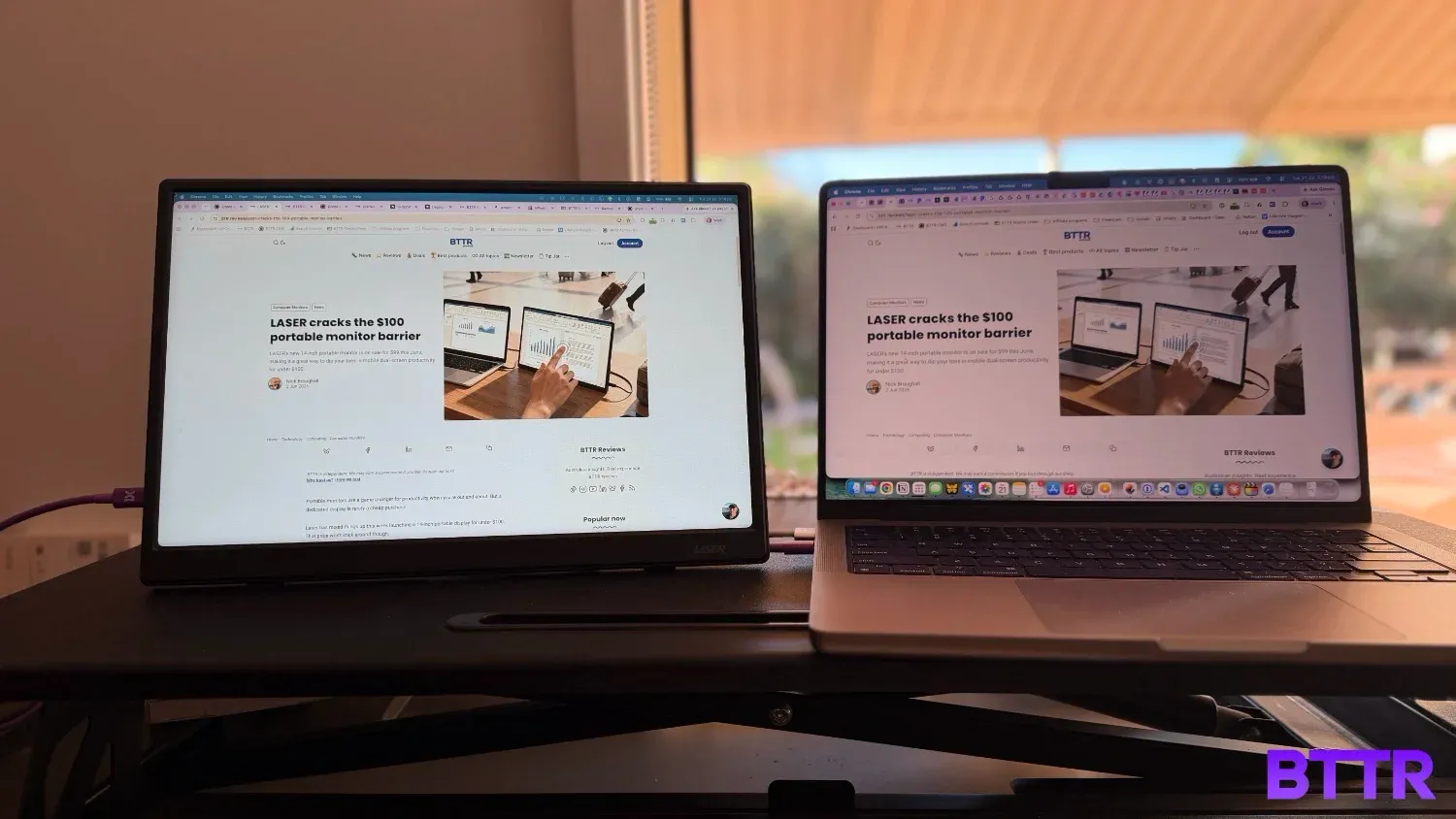
Don't get me wrong, this is not an impressive monitor. Take it into full sunlight and you will struggle to see the screen. The colours look a bit washed out, and the resolution, while fine for spreadsheets and browsing the web, doesn't compare to the clarity on a Macbook.
But that's not the point. The screen works and you can take it with you anywhere.
More than that, it's cheap, so it is practically disposable. You can give this to your kids, who can throw it in their bags and use it as a second display at school.
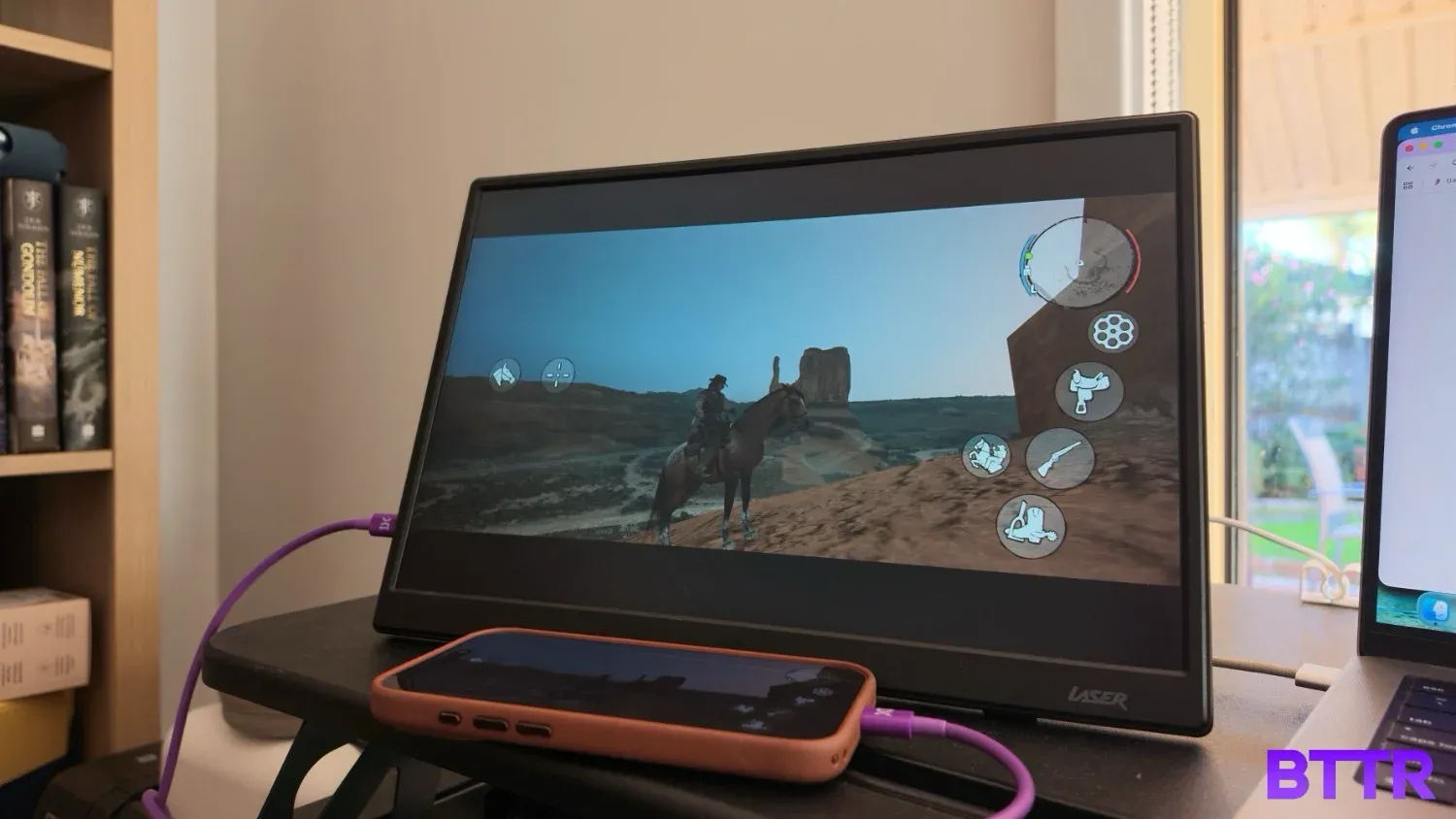
Or plug in your phone, pair a bluetooth game controller, and you can suddenly play Red Dead Redemption on a 14-inch screen. Rather than your iPhone Pro's 6-inch display.
It's actually mobile gaming that impressed me most with this monitor. As a cheap accessory, you can effortlessly use it to give yourself a larger screen.
The 1920 x 1200 resolution is more than enough for a larger version of a mobile game. And the 60Hz refresh rate would struggle with a AAA game, but holds its own on a mobile game title.
Laser claims a 178 degree viewing angle, but the reality is that it's hard to make out beyond a 45 degree angle or so. But in all my time using it, that wasn't a situation I ever truly found myself in, so it wasn't a problem.
The speakers on the Laser monitor are cheap and tinny. Put on music and you'll cringe at the lack of bass and muddied mid-range. It's better with games, but movies also struggle.
Again though, this is an easy problem to fix. Just connect a good pair of headphones or external speakers to that 3.5mm jack and you don't even need to use the screen's speakers at all.
Verdict
The thing with cheap products is that there's always a sacrifice. A cheap phone probably has a lower cost processor, so it struggles to run a lot of apps. It's the same with a low-cost laptop.
But a low-cost monitor is a bit different. A monitor is a placid accessory. It doesn't need processing power. It's a combination of pixels, used to display information.
Laser has managed to build a product that hits that balance close to perfectly. Its portable monitor is a bit rough around the edges, but it's still a lightweight and capable Full HD display.
In almost every way, it's not as good as a product like the Espresso 15 Lite. But at a fraction of the price, it has carved out its own niche, and made a very strong argument for its own success.
Buy the Laser 14-inch portable monitor if
- You need a cheap second screen for travel. At 560g and 1.2cm thick, it disappears into a laptop bag and does the job without the price tag of an Espresso or Dell display.
- You want to give the kids a second display. It's cheap enough to treat as practically disposable, which makes it a low-stress option for a school bag or a shared family setup.
- You mostly play mobile games or use a game streaming setup. The 1920 x 1200 panel is a genuinely fun upgrade over a phone screen for anything not demanding high refresh rates.
Skip the Laser 14-inch portable monitor if
- You need accurate colour or serious brightness. Photo or video work will show up the washed out colours and the 250 nit panel struggles anywhere near a window.
- You already own a premium portable monitor. The Espresso 15 Lite and similar options are a few hundred dollars more, but the difference in build and screen quality is obvious side by side.
- You want a quiet menu experience. The physical button controls are old school and genuinely frustrating to use for anything beyond a quick brightness bump.
Latest computer monitor deals
Frequently Asked Questions
Does the Laser 14-inch portable monitor need its own power source?
No. It runs off a single USB-C cable that carries power, video and audio from a compatible laptop, phone or tablet. If you use the Mini HDMI port instead, you'll still need a separate USB-C cable plugged in just for power.
Can I connect the Laser 14-inch portable monitor to a PS5, Xbox or Nintendo Switch?
The mini-HDMI port on the Laser monitor lets you plug in any source that uses HDMI display images. But because HDMI doesn’t transmit power, you will also need to plug the monitor into a power source over USB-C.
Also worth noting is that you can use the Switch over USB-C or HDMI, but you will need an additional power source as the Switch doesn’t output enough power on its own via USB-C to power the monitor.
Does it come with a screen cover to protect it in a bag?
No, there's no built-in cover or case included. It's worth sliding it into a laptop sleeve or a padded pocket in your bag rather than carrying it loose, particularly given how plasticky the build feels.
Why does the screen look dim when I first plug it in?
The brightness defaults to around 30% out of the box, which can make the panel look underwhelming at first glance. Bump it up using the physical buttons on the side and the picture looks better.
Is there a bigger version of this monitor?
Yes. Laser also sells 15.6-inch portable monitors in the same range, including a non-touch model and a touchscreen variant.
How does it compare to a premium portable monitor like the Espresso 15 Lite?
There's no contest on build quality or screen brightness. The Espresso is a noticeably better product, but it also costs roughly $250 more. The Laser makes sense if price matters more to you than polish.