


BTTR is independent. We may earn a commission if you buy through our links.
Why trust us? | How we test
Google as a company is synonymous with the Internet. But the company that once declared a motto of “Don’t be evil” is now very much drawing on the power of the dark side to maximise its profits and limit competition.
Now that a US court has found that Google illegally monopolised Internet search, I feel it is time to de-Google my life.
Across a series of guides, I’ll be sharing my journey to remove my reliance on Google. I’ll compare alternatives, test them out and try to find the best alternatives for my needs.
So, Google decided to kill off the Chromecast in favour of a more expensive streaming box. I am not surprised in the slightest. Google has a long, long, long history of killing off popular products on a whim. There’s even a website called “Killed by Google”, dedicated to all the products the company has “retired”.
I have a bunch of older Chromecasts floating around the place, but my years away from tech reviewing meant that I didn’t get hands on time with the newer models that featured a remote control. Given some of the frustrations I remember of trying to control videos mid-cast from my phone, that would have been a welcome inclusion.
There are two main areas I want to consider when moving away from Google’s Chromecast. The first is the hardware – the little pucks with an HDMI cable that you plug into your TV.
The good news here is that streaming hardware devices are really easy to come across. None of them offer quite the same experience as the Chromecast did, though. I don’t think any other device currently comes close to being as useful in a travel situation, for example.
The second aspect of replacing a Chromecast is the casting technology itself. Google Cast is a proprietary protocol that lets you play local or internet-based entertainment on a compatible device, which is typically the Chromecast dongle.
This technology has fewer alternatives. The most obvious one is AirPlay, which is obviously tightly connected to Apple. Miracast and DLNA are alternatives, but don’t offer anywhere near the same level of adoption in streaming services, making them far less useful.
So for this guide, I’m mostly looking at the hardware alternatives.
Best Chromecast alternatives
1. Amazon Fire TV Stick 4K
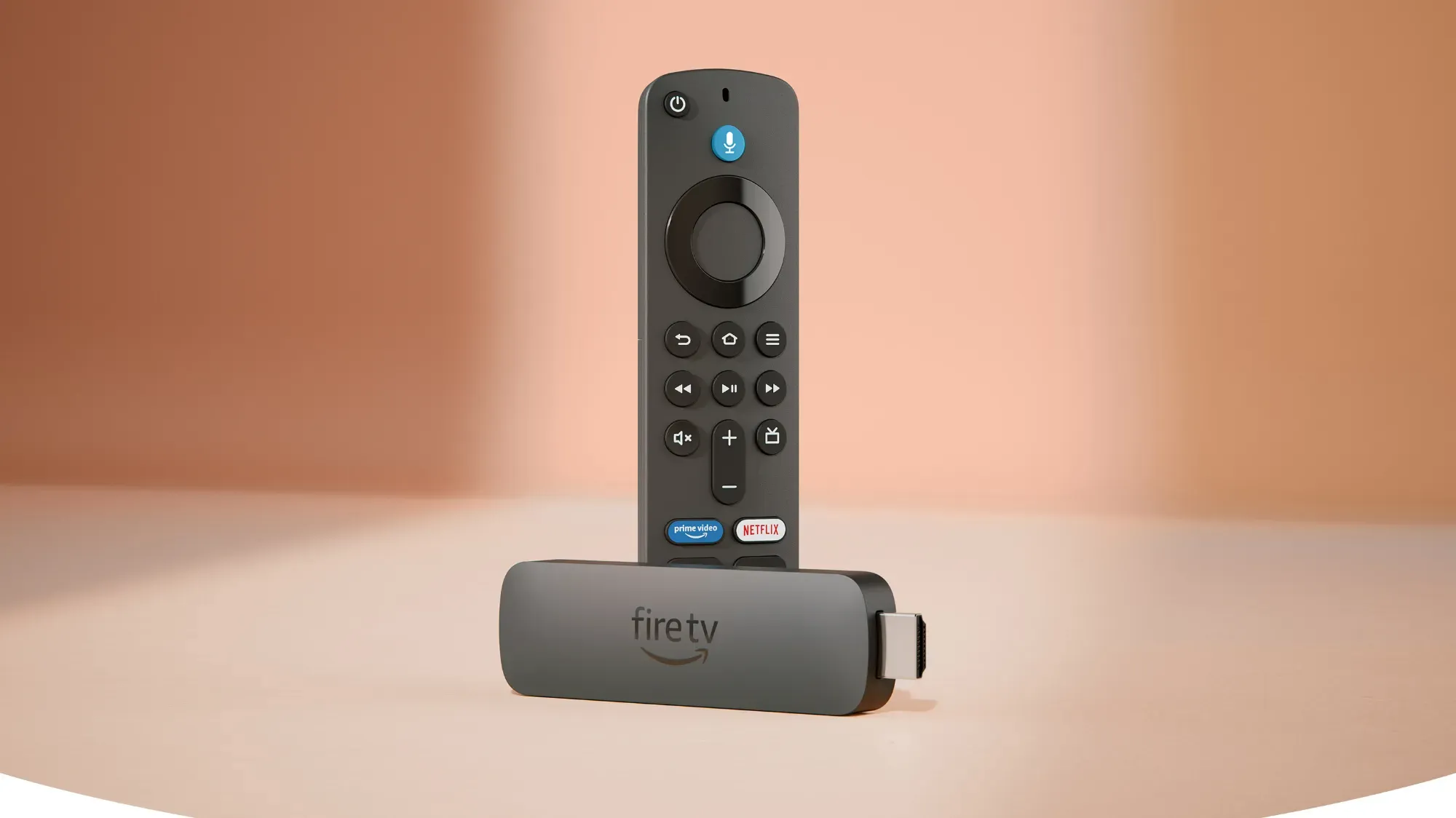
For a more affordable option, Amazon has stepped in to fill the gap. Across its range of Fire TV products, Amazon offers a simple-to-use alternative to Google’s Chromecast for streaming entertainment at home.
With support for all the major streaming services, Amazon’s Fire TV Stick comes in three versions, with the Lite variant only offering 1080p streaming, with the 4K and 4K Max boosting that to the better 4K resolution.
The 4K versions support better quality audio as well as video, with Dolby Atmos compatibility, and better Wi-Fi support, with the 4K version supporting Wi-Fi 6, and the 4K Max supporting Wi-Fi 6E.
Gamers can access the Xbox Game Pass service as well, so you can play console-level games streamed through the web on the Fire TV Stick 4K Max.
Being an Amazon product, you also have access to help control the device — and subsequently your TV — using Alexa through the remote.
Amazon Fire TV Stick 4K
Stream Netflix, YouTube, Prime Video, BINGE, Kayo Sports, and more
2. Apple TV 4K
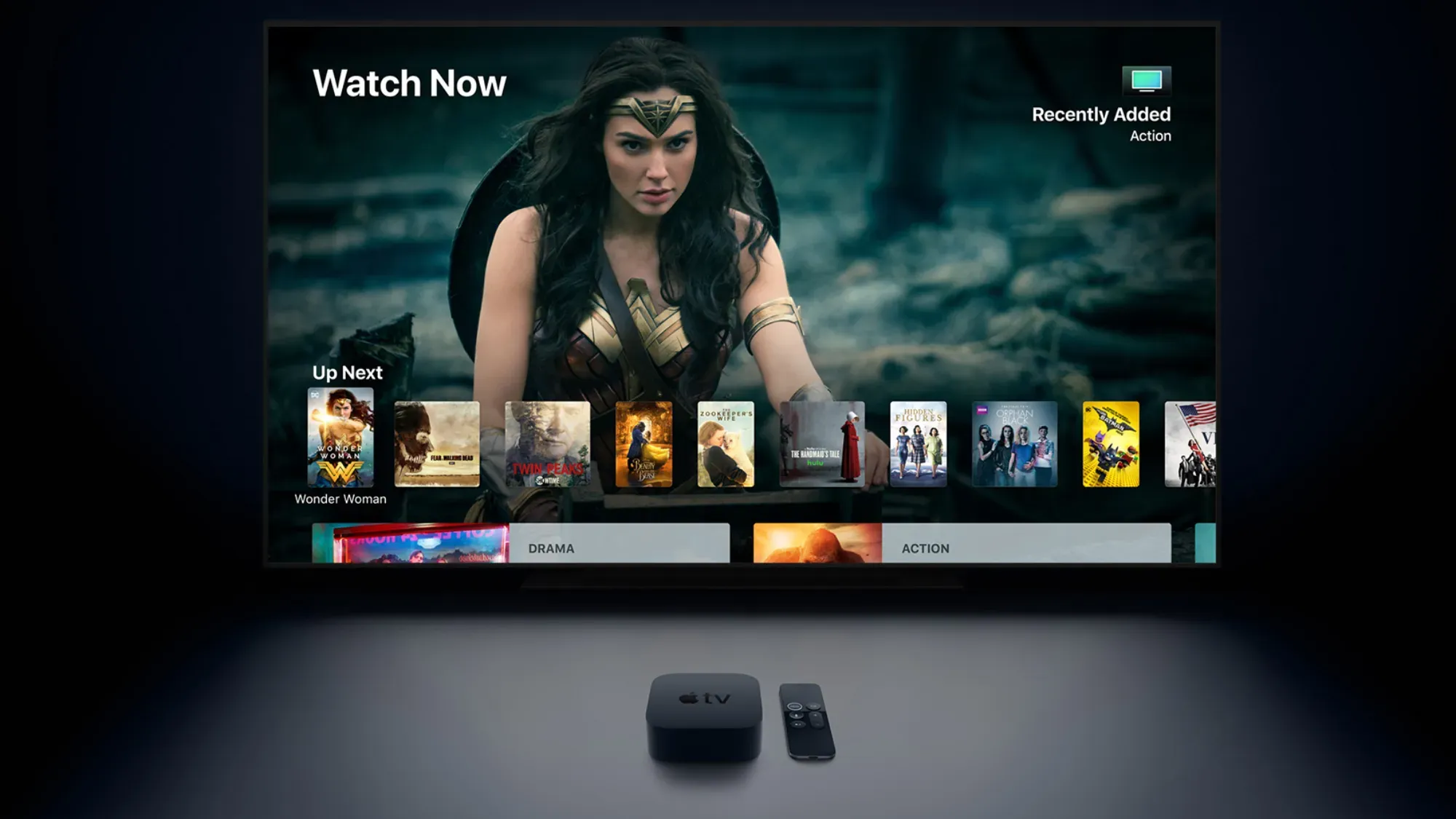
If you’re prepared to dip your toes into the walled garden that is Apple’s ecosystem, then the Apple TV 4K is the other Chromecast alternative to consider.
The small box is powered by an A15 Bionic processor, which is the same chipset powering the iPhone 13 family of smartphones.
This gives the Apple TV 4K enough grunt to not only be able to stream TV and movies in 4K from leading platforms like Netflix and Stan, but also offer a large range of games through an Apple Arcade subscription.
It supports AirPlay for streaming content from a compatible device to your big screen, just like a Chromecast would.
The downside of the Apple TV 4K, aside from being part of a closed system, is the price. At $219, it is significantly pricier than the Chromecast’s $59 starting price.
Other streaming options
There are a few other streaming hardware options on the market that are worth considering if that’s what your primary Chromecast use-case was.
Firstly, Foxtel’s hubbl box provides you with access to a range of streaming platforms with support for 4K streaming. But it also blends in linear free to air channels, so you can spend your time flicking through TV like the good old days before streaming became the norm.
The second option is Fetch TV, which is a similar option that combines free-to-air broadcasts with streaming options for a comprehensive entertainment system.
Both of these options are designed more as a set-top box, rather than the effortless casting device the Chromecast is. Neither offers the ability to broadcast content from your mobile device to the big screen.
In Australia, unfortunately, we don’t have access to Roku’s lineup of streaming sticks. These devices look a lot like the Fire TV products, and offer a simple user interface to watch your favourite shows and movies.
So, have I actually ditched the Chromecast?
As I mentioned at the top of this guide, I have a number of older Chromecast models in storage. For most of my streaming needs, I use an Apple TV 4K.
But the Apple TV doesn’t travel well. Typically, I throw a Chromecast in my suitcase when I travel, so I can easily watch my content on any larger display, without having to sign in on a random device.
The Fire TV stick lets you cast from Android devices, and there are third-party apps on iOS that let you do the same thing. I don’t have a Fire TV stick yet, but the next time I travel, I will pick one up to see how it compares to the Chromecast for this purpose.
Meanwhile, I’ll continue to not use the Chromecast, as I continue my quest to remove Google from my life.
- De-Googling #1: A better search engine
- De-Googling #2: Getting Google out of my phone
- De-Googling #3: Website analytics