

BTTR is independent. We may earn a commission if you buy through our links. Why trust us?
The moto watch does something the Apple Watch hasn't been able to achieve: battery life that gets you through ten days without a charger in sight. Heart rate and step tracking holds up well, but the custom operating system buries features behind an average interface, skips NFC and third-party apps entirely, and charges through a proprietary pad that's a hassle to travel with. If you're after a cheap, reliable Motorola companion piece, it delivers. If you want a proper smartwatch, look elsewhere.
- Real-world battery life of around 10 days with standard settings
- Heart rate and step counts tracked closely with an Apple Watch Series 11 in side-by-side testing
- Fast charging tops up a full day's power in five minutes
- Looks the part at a glance, with a metal frame and a large, bright OLED display
- Polar's recovery and recharge features are buried and hard to find in the settings
- Proprietary two-pin charging pad is bulky and can't be swapped for a standard cable
- No NFC for payments and no third-party app store
- Silicone band caused skin irritation after several days of continuous wear
I haven't strapped on a Motorola smartwatch since the original Moto 360, back when a "flat tyre" on the bottom of your display was just something you put up with.
So when Motorola announced the moto watch alongside the Motorola Signature, it caught me off guard. I wasn't expecting it, and once I saw the spec sheet, a round face, a partnership with Polar for the fitness side, and Google-adjacent software, I figured it was worth putting my hand up for a review unit.
I've worn the moto watch off and on for a month or so, tracking walks, sleeping in it, and wearing it through ordinary work days. I tested it alongside an Apple Watch Series 11 to keep an eye on whether the numbers lined up.
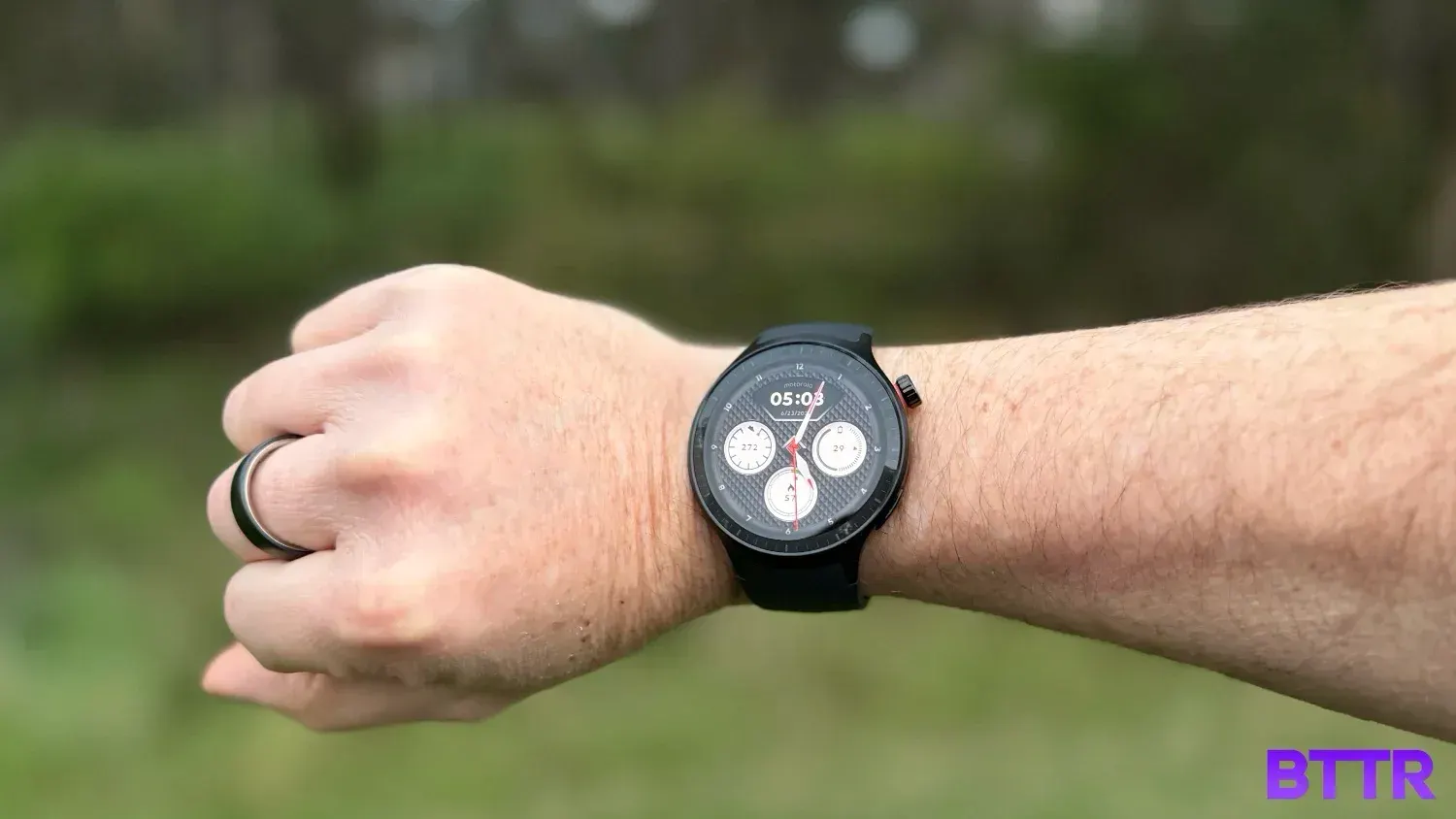
It looks the part. The bezel is uniform, the screen is bright – even outdoors, and at a glance, it could pass for something twice the price. It's only once you live with it for a few days that the cracks start to show.
This isn't a flagship smartwatch built to compete with the Galaxy Watch or the Pixel Watch. The question is whether what's left after stripping out the smart features is still worth the asking price.
What makes the moto watch stand out?
The moto watch sits in the crowded budget smartwatch category, but it takes a different approach to getting there. Instead of running a stripped-back version of Wear OS, Motorola has built its own proprietary operating system from scratch.
By ditching Wear OS, Motorola can run the moto watch for up to 13 days on a single charge, and in my testing with standard settings I was comfortably getting around 10 days between charges.
The other differentiator is Polar. Motorola has partnered with the sports science brand to power the watch's fitness tracking, including Nightly Recharge and recovery metrics drawn from heart rate variability. On paper, that's a serious selling point for a watch at this price.
In practice, the partnership is largely invisible. The interface doesn’t signpost Polar’s involvement, so you are simply using the fitness features as they come.
The interface itself also feels limited: There's no list view of your apps like you'd get on iOS, and digging through the settings to actually surface the recovery data felt like more effort than it should be.
moto watch specs
| Specification | Value |
|---|---|
| Price | $199 |
| Display | 1.4-inch round OLED, Corning Gorilla Glass 3 |
| Case | 47 x 47 x 12mm, aluminium frame, stainless steel crown |
| Weight | 40g (case only) |
| Water resistance | IP68, 1 ATM |
| Storage | 512MB RAM, 4GB eMMC |
| Sensors | Accelerometer, gyroscope, PPG sensor, ambient light sensor, e-compass |
| GPS | Dual-frequency GPS (L1/L5) |
| Connectivity | Bluetooth 5.3 + BLE |
| Compatibility | Android 12 and up (no iOS support) |
| Battery life | Up to 13 days; 5 minutes of charging adds a full day's power |
| Colours | PANTONE Volcanic Ash (silicone band), Matte Black (stainless steel link band) |
| Band size | 22mm, swappable |
| What's in the box | moto watch, charging pad, band, guides (band sizing tool included with Matte Black steel band only) |
Design and build quality
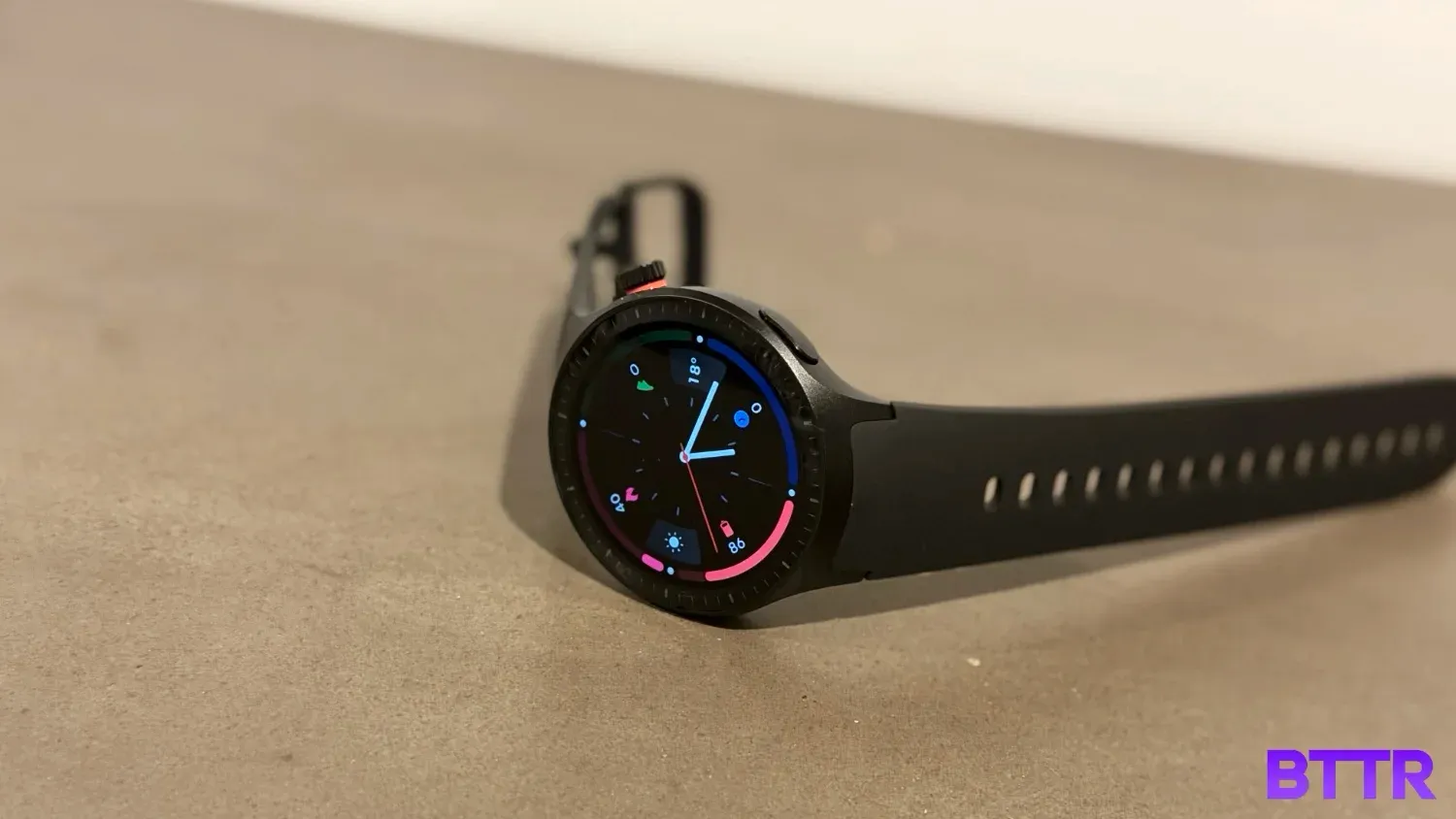
At first glance, the moto watch does a convincing impression of a watch worth more than its price tag. The round 1.4-inch OLED sits inside a uniform bezel that looks deliberate rather than cheap, and the metal frame gives it some heft in the hand.
Closer inspections show a thickness that undermines that initial impression, though. At about a centimetre thick, the moto watch is noticeably bulkier than I expected going in, more in line with Samsung's chunkier Ultra models than the streamlined watches I've gotten used to.
That extra bulk creates real friction if you're planning to wear it overnight for sleep tracking. I found myself more aware of it on my wrist at 2am than I'd like to be from a device that's supposed to disappear.
The band attachment doesn't help. Compared with how closely an Apple Watch Series 11 sits against the skin, the moto watch's strap connection leaves the case sitting a little proud of the wrist, never quite settling into that balanced feel.
I tested with the included silicone band rather than the stainless-steel link option, and while it felt fine for the first few days, by the end of a week of continuous wear (sleeping included), I noticed some irritation developing on my skin where the band sat.
It's not a dealbreaker given the bands are swappable on standard 22 mm lugs, but it's worth knowing if you're planning to wear this one around the clock.
The crown sits at the two o'clock position and rotates for scrolling, which is a nice touch in principle. In practice, it protrudes enough that I found myself pressing it accidentally.
Performance
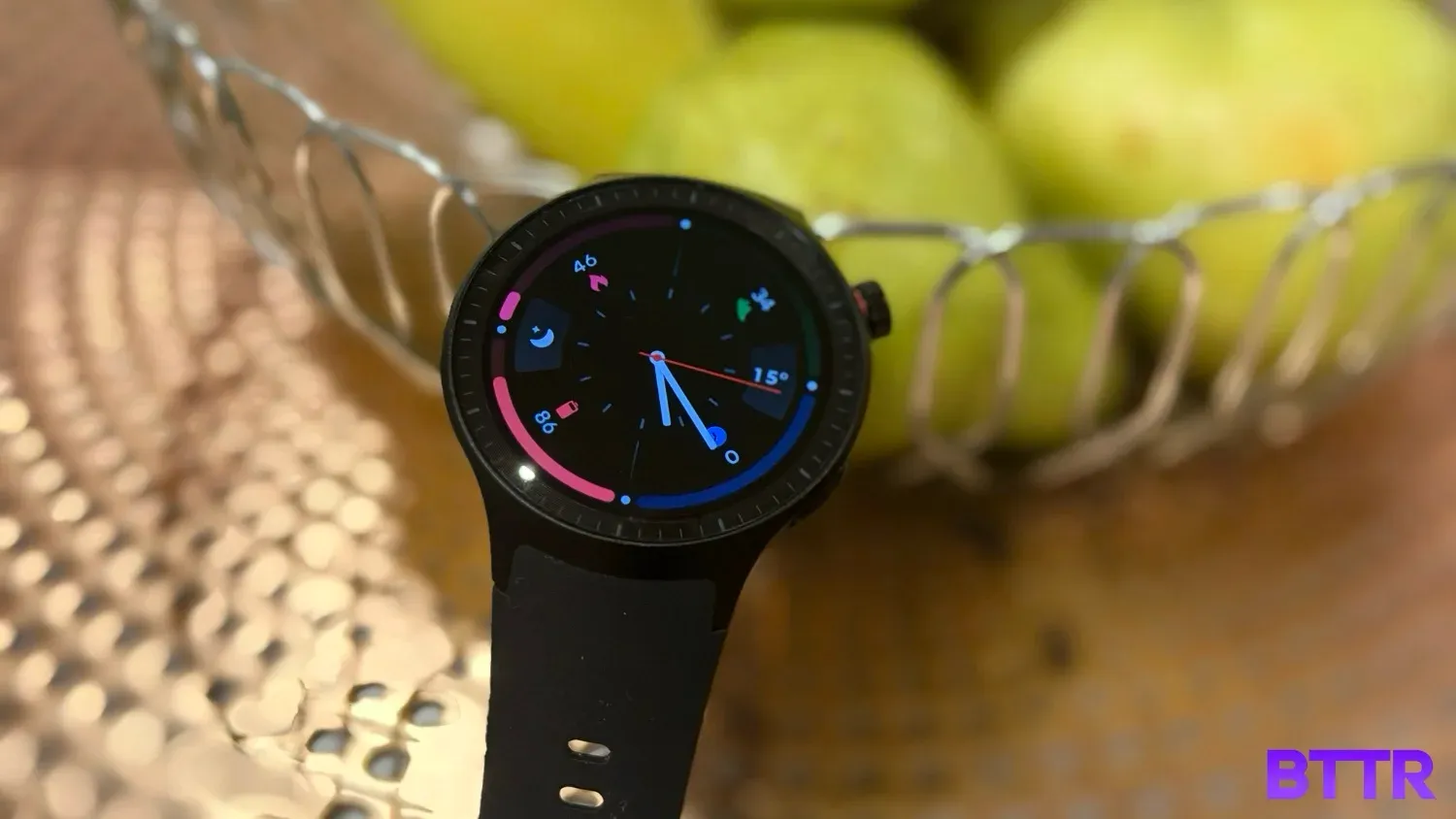
The moto watch's interface is clearly inspired by what Apple and Wear OS devices already do well, with swipe gestures, quick settings and notification panels. But it consistently lands half a step behind the competition.
Browsing apps and launching a workout both feel like they're missing the final layer of polish that makes those actions feel instant on a more mature platform.
It surprised me that the watch isn’t running Android underneath, even though it only works with Android phones. It's a custom operating system built by Motorola.
I assumed that the Android phone requirement meant there was some version of Android running the show. It doesn't.
And for me, that’s a shame. A bespoke OS that still locks out iPhone users makes those missing features sting a bit more.
There are a few extra limitations from the custom OS as well. No NFC for payments, no third-party app store, and the always-on display isn't actually on by default.
Out of the box, the screen times out after ten seconds and goes black, which helps explain the strong battery figures, but it's not the constant-glance experience some buyers might expect walking in.
The good news is that the fitness tracking seems solid. Wearing the moto watch alongside an Apple Watch Series 11 across several walks, heart rate readings tracked closely between the two. Sometimes one device would show 92 beats per minute and the other 97 bpm, but never a gap big enough to call either one unreliable.
Step counts and calorie estimates were in the same boat: close enough to trust for casual tracking.
I didn't notice major delays locking on to a GPS signal during testing, but the watch did occasionally sit on a connecting message longer than felt necessary.
Battery and charging
Battery life is the moto watch's clearest win. Motorola claims up to 13 days, and with the always-on display left in its default off state, I was comfortably landing around 10 days of real use.
Switching on always-on display cut that roughly in half, which is the trade-off you'd expect, but worth knowing if that screen-always-visible habit matters to you.
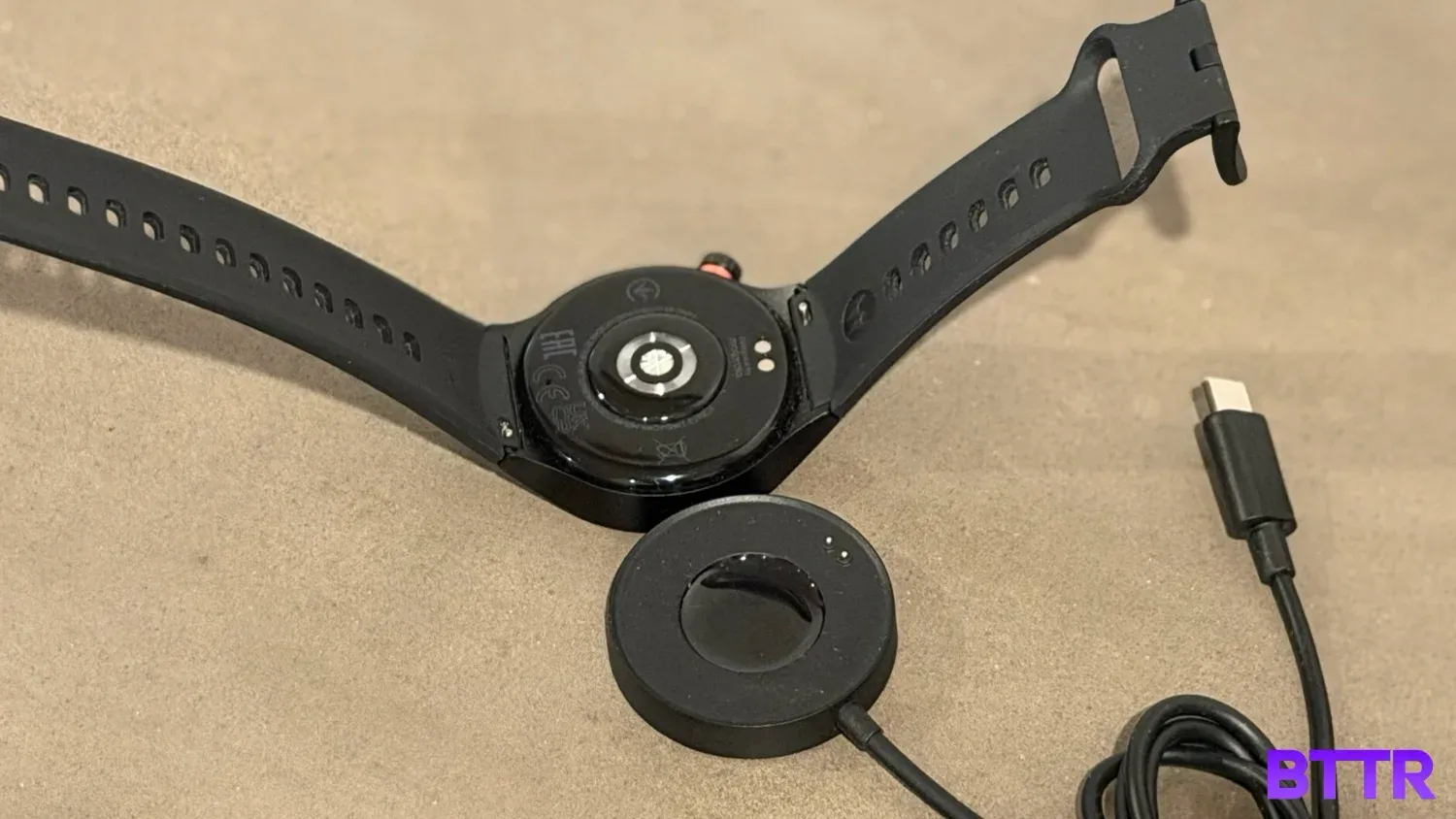
Charging is fast, with five minutes on the pad buying a full day of use.
The catch is the charger itself. The charging pad has two exposed metal pins that need to line up with contacts on the watch's underside.
It connects magnetically, so alignment is easy, but this is another proprietary accessory to pack for travel, and a bulkier one than it possibly needs to be.
Verdict
The moto watch does the one thing a budget smartwatch absolutely needs to do well: it offers solid battery life. Ten days of usage from a smartwatch is still rare enough to be worth celebrating here.
Performance is sound, with step tracking and heart rate monitoring largely aligning with an Apple Watch Series 11 in my testing.
Where it stumbles is everywhere the experience asks for more polish than a budget device usually has to deliver.
An interface that's half a step behind, and the OS has some limitations that a standard WearOS device overcomes.
If you're a Motorola owner after an affordable companion piece that'll track your steps and sleep without nagging you to charge it every night, the moto watch earns its keep.
If you want something that competes properly with Apple, Samsung, or Google's flagship wearables, this was never built to be that watch.
Buy the moto watch if
- You're already in Motorola's ecosystem and want an affordable companion piece. It's built to pair simply with Motorola phones and undercuts most proper smartwatches on price.
- You're sick of charging your smartwatch every night. Ten days of use between charges beats most other products in this category.
- You mainly want step counts, heart rate, and sleep tracking without fuss. The core numbers tracked closely against an Apple Watch Series 11 in my testing.
Skip the moto watch if
- You're on iOS. There's no support at all, and the bespoke operating system means this isn't getting a Wear OS-style fix down the line.
- You want to pay for things with your wrist. There's no NFC here.
- You're after deep fitness insights you'll actually use. The Polar-powered recovery features exist, but they're buried deep enough in the settings that most people won't bother finding them.
Latest wearables deals
Frequently Asked Questions
Does the moto watch work with iPhone?
No. The moto watch only pairs with phones running Android 12 or later, and there's no iOS app or compatibility planned. If you're on an iPhone, you'll need to look at an Apple Watch or a third-party option with iOS support instead.
How long does the moto watch actually last on a charge?
Motorola claims up to 13 days, and with the always-on display left off, real-world use sits closer to 10 days, depending on how much tracking and notification activity you've got running. Turning on the always-on display roughly halves that figure.
Is the moto watch's heart rate tracking accurate?
In testing against an Apple Watch Series 11 across multiple walks, heart rate readings tracked closely, usually within a few beats per minute of each other. Step counts and calorie estimates were similarly close, making it reliable enough for casual fitness tracking.
Can you make contactless payments with the moto watch?
No. The moto watch doesn't include NFC, so there's no support for Google Wallet or any tap-to-pay functionality.
What's included with the moto watch in the box?
The watch ships with a charging pad, a guide, and one band depending on the colour you choose, either a PANTONE Volcanic Ash silicone band or a Matte Black stainless-steel link band. A band sizing tool is only included with the stainless-steel option.
Does the moto watch need its own charger?
Yes. It uses a proprietary charging pad with two metal pins that connect to contacts on the back of the watch, rather than a direct USB-C connection. The pad itself plugs in via USB-C, but you can't swap it for a different cable or charger.